Basic PL Concepts
PhD Research on Rust Binary Analysis and Malware Detection
View on GitHubBasic PL Concepts
Hands-on analysis of basic Rust programming language concepts and their binary representations.
Overview
This sample project demonstrates fundamental Rust concepts and how they appear in compiled binaries:
- Enums (algebraic data types)
- Structs (product types)
- Traits (interfaces)
- Pattern matching
- String handling
Project Location: docs/01-Rust-Binary-Analysis/01-basic_pl_concepts/
Table of Contents
- Overview
- Table of Contents
- Source Code Analysis
- Building the Sample
- Binary Analysis
- Binaries
- Tools
- Methodology
- 32-bit GNU Debug Build (PE File)
- GNU Binary (GCC/MinGW)
- 0. Execution Summary
- 1. Entry Point
- How to Determine Which Entry Point is Used
- 2.
main- Unique Code for GNU - 3. Initialisation Tables
- 4. Command-Line & Environment Setup
- 4. Global Constructors (C++)
- 5. Call main() / Rust Entry Point
- 6. Cleanup & Exit
- 7.
mainand Rust runtime startup routine - 8. for loop
- How exatcly we can identify this most interesting area?
- Indentified Patterns
- Favourite songs
- Case 0x1
- Case 0x2
- Case 0x3
- Notable Characteristics
- 32-bit MSVC Debug Build (PE File)
- Phase-by-Phase Comparison: x86 GNU (GCC/MinGW) vs MSVC
- 64-bit MSVC Debug Build (PE File)
- 32-bit GNU Release Build (PE File)
- GNU Binary (GCC/MinGW)
- 0. Execution Summary
- 1. Entry point
- 2. Compiler Optimisations Applied
- 3.
main - 4. How to Recognise Patterns in Optimised Binaries
- 5. Reconstructed Rust code
- 6. Pattern Recognition
- 7. Semantic Deduction
- 8. Runtime Argument Order Convention
- 9. Trace Function Pointer Usage
- 10. Summary Flowchart
- Key Differences: Debug vs Release Build
- Rust Runtime Initialisation
- Key Differences Illustrated
- Comparison Table: C VS C++ VS Rust
- Comparison: x86 vs x86-64
- Optimisation Impact Analysis
- Learning Exercises
- Common Patterns
- Settings
- 1. cargo-show-asm (Recommended for Rust)
- 2. objdump (Built-in, reliable)
- 3. Compiler Explorer (Godbolt) & Decompiler Explorer (Dogbolt)
- 4. cargo-asm (Alternative to cargo-show-asm)
- 5. IDA Pro / Ghidra (Reverse engineering)
- 6. rustc directly
- 0. Lang Start Wrapper
- 🔍 1. Entry Point Analysis
- 🦀 2. Rust Main Function at
0x140001050 - 🔧 3. How to Reconstruct Rust Code from Disassembly
- 🎯 4. Key Insights for Rust Reversing
- 🔍 5. Finding Hidden Information
- 📊 6. Complete Reconstruction
- 🛠️ 7. Tools & Techniques
- Summary
- 📚 Further Reading
- References
Source Code Analysis
Enum Definition
enum Beatle {
    John,
    Paul,
    George,
    Ringo,
}
Binary Representation:
- Enums are represented as integer discriminants
- Simple enums (no data) use smallest integer type needed
- Discriminant values: John=0, Paul=1, George=2, Ringo=3
Struct Definition
struct Person {
    name: String,
    age: u32,
}
Memory Layout:
Person {
    name: String {           // 24 bytes on x64
        ptr: *const u8,      // 8 bytes
        len: usize,          // 8 bytes
        cap: usize,          // 8 bytes
    }
    age: u32,                // 4 bytes
}
Total: 32 bytes (with padding)
Output of this Rust code
In 6 years, Alice will be 33
In 7 years, Alice will be 34
In 8 years, Alice will be 35
In 9 years, Alice will be 36
Carol's favorite song is Yesterday
Building the Sample
Standard Release Build
cd docs/01-Rust-Binary-Analysis/01-basic_pl_concepts
cargo build --release
Output: target/release/basic_pl_concepts.exe
Cross-Platform Builds
x86-64 (64-bit) Windows
# MSVC toolchain
cargo build --release --target x86_64-pc-windows-msvc

# GNU toolchain
cargo build --release --target x86_64-pc-windows-gnu
x86 (32-bit) Windows
# MSVC toolchain
cargo build --release --target i686-pc-windows-msvc

# Install the target
rustup target add i686-pc-windows-gnu

# Compile with GNU toolchain
cargo build --release --target i686-pc-windows-gnu
Optimisation Levels
O3 Optimisation
[profile.release]
opt-level = 3
cargo build --release --target i686-pc-windows-msvc
Aggressive Optimisation
[profile.release]
opt-level = 3
lto = true
codegen-units = 1
strip = true
panic = "abort"
Results:
- Default build: ~113 KB
- O3 optimisation: ~113 KB
- Aggressive optimisation: ~101 KB (11% reduction)
Binary Analysis
Available Samples
Located in datasets/Benign-Samples/01-basic-pl-concepts/:
Debug Builds
- basic_pl_concepts-x86_64-cargo-build-debug.exe
- Architecture: x86-64 (64-bit)
- Build Type: Debug
- Toolchain: MSVC (default cargo build)
- Size: 145 KB
- basic_pl_concepts-x86-i686-msvc-debug.exe
- Architecture: x86 (32-bit)
- Build Type: Debug
- Toolchain: MSVC
- Size: 125 KB
- basic_pl_concepts-x86-i686-debug-gnu.exe
- Architecture: x86 (32-bit)
- Build Type: Debug
- Toolchain: GNU (MinGW-w64)
- Size: 2.1 MB
- basic_pl_concepts-aarch64-debug
- Architecture: ARM64 (Aarch64)
- Build Type: Debug
- Platform: macOS (Mach-O)
- Size: 459 KB
Release Builds
- basic_pl_concepts-x86_64-cargo-build-release.exe
- Architecture: x86-64 (64-bit)
- Build Type: Release
- Toolchain: MSVC (default cargo build –release)
- Size: 131 KB
- basic_pl_concepts-x86-64-msvc-release.exe
- Architecture: x86-64 (64-bit)
- Build Type: Release
- Toolchain: MSVC
- Size: 131 KB
- basic_pl_concepts-x86-i686-msvc-release.exe
- Architecture: x86 (32-bit)
- Build Type: Release
- Toolchain: MSVC
- Size: 113 KB
- basic_pl_concepts-x86-i686-release-gnu-.exe
- Architecture: x86 (32-bit)
- Build Type: Release
- Toolchain: GNU (MinGW-w64)
- Size: 1.3 MB
- basic_pl_concepts-x86-release-O3.exe
- Architecture: x86 (32-bit)
- Build Type: Release
- Optimisations: O3 (opt-level = 3)
- Size: 113 KB
- basic_pl_concepts-x86-release-most-aggressive-optimisation.exe
- Architecture: x86 (32-bit)
- Build Type: Release
- Optimisations: Most aggressive (LTO, strip, codegen-units=1, panic=abort)
- Size: 101 KB
- basic_pl_concepts-aarch64-release
- Architecture: ARM64 (Aarch64)
- Build Type: Release
- Platform: macOS (Mach-O)
- Size: 398 KB
Static Analysis
String Extraction
# Extract all strings
strings basic_pl_concepts.exe

# Look for Rust-specific strings
strings basic_pl_concepts.exe | grep -E "(panic|rust|src)"
Expected Findings:
- “panicked at” - Panic handler
- Source file paths with
.rsextension - Enum variant names (if not optimised out)
Symbol Analysis
# List all symbols (if not stripped)
nm basic_pl_concepts.exe

# Demangle Rust symbols
nm basic_pl_concepts.exe | rustfilt

# Find main function
nm basic_pl_concepts.exe | rustfilt | grep "main"
Key Symbols:
main- Entry pointstd::rt::lang_start- Rust runtime initializationcore::panicking::panic- Panic handler- Type-specific implementations
File Type Detection
# Check file type
file basic_pl_concepts-x86-i686-msvc-release.exe
# Output: PE32 executable for MS Windows (console) Intel 80386

file basic_pl_concepts-x86-64-msvc-release.exe
# Output: PE32+ executable (console) x86-64, for MS Windows
Disassembly Analysis
Overview
- MACH-O executables (ARM64/Aarch64) are compiled on MacOS M1
- PE(x86/i686) or PE (x86-64) are compiled on Windows
- If the executables are cross-compiled for different platforms, the file names will cealrly listing it.
release` by Default
cargo build --release
Cargo.toml
[profile.release]
opt-level = 3
Emphasise O3
Cargo.toml
[profile.release]
opt-level = 3
Most aggresive optimisation
Cargo.toml
[profile.release]
opt-level = 3
lto = true
codegen-units = 1
strip = true
panic = "abort"
What each flag does:
- opt-level = 3: Maximum LLVM optimisations
- lto = true: Enables cross-crate inlining and better dead code elimination
- codegen-units = 1: Forces all code through a single - Optimisation pipeline (increases compile time but improves Optimisation)
- strip = true: Removes debug symbols, reducing binary size
- panic = “abort”: Uses simpler panic handler that terminates immediately instead of unwinding the stack
Reverse Engineering Rust Codes
Binaries
Binary files used in this analysis are listed below, located in /datasets/Benign-Samples/01-basic-pl-concepts:
Windows PE Files
1. basic_pl_concepts-x86_64-cargo-build-debug.exe
- Architecture: x86-64 (PE32+)
- Toolchain: Default cargo/MSVC
- Build Type: Debug
- Optimisation: None (opt-level = 0)
- Size: 145 KB
- Strip: No
2. basic_pl_concepts-x86_64-cargo-build-release.exe
- Architecture: x86-64 (PE32+)
- Toolchain: Default cargo/MSVC
- Build Type: Release
- Optimisation: opt-level = 3
- Size: 131 KB
- Strip: No
3. basic_pl_concepts-x86-i686-msvc-debug.exe
- Architecture: x86 32-bit (PE32)
- Toolchain: MSVC (i686-pc-windows-msvc)
- Build Type: Debug
- Optimisation: None (opt-level = 0)
- Size: 125 KB
- Strip: No
4. basic_pl_concepts-x86-i686-msvc-release.exe
- Architecture: x86 32-bit (PE32)
- Toolchain: MSVC (i686-pc-windows-msvc)
- Build Type: Release
- Optimisation: opt-level = 3
- Size: 113 KB
- Strip: No
5. basic_pl_concepts-x86-i686-debug-gnu.exe
- Architecture: x86 32-bit (PE32)
- Toolchain: GNU/MinGW (i686-pc-windows-gnu)
- Build Type: Debug
- Optimisation: None (opt-level = 0)
- Size: 2.1 MB
- Strip: No
6. basic_pl_concepts-x86-i686-release-gnu-.exe
- Architecture: x86 32-bit (PE32)
- Toolchain: GNU/MinGW (i686-pc-windows-gnu)
- Build Type: Release
- Optimisation: opt-level = 3
- Size: 1.2 MB
- Strip: Yes (stripped to external PDB)
7. basic_pl_concepts-x86-64-msvc-release.exe
- Architecture: x86-64 (PE32+)
- Toolchain: MSVC (x86_64-pc-windows-msvc)
- Build Type: Release
- Optimisation: opt-level = 3
- Size: 131 KB
- Strip: No
8. basic_pl_concepts-x86-release-O3.exe
- Architecture: x86 32-bit (PE32)
- Toolchain: MSVC
- Build Type: Release
- Optimisation: opt-level = 3 (emphasised)
- Size: 113 KB
- Strip: No
9. basic_pl_concepts-x86-release-most-aggressive-optimisation.exe
- Architecture: x86 32-bit (PE32)
- Toolchain: MSVC
- Build Type: Release
- Optimisation: opt-level = 3 + LTO + codegen-units=1 + strip + panic=abort
- Size: 101 KB (smallest)
- Strip: Yes
macOS Mach-O Files
10. basic_pl_concepts-aarch64-debug
- Architecture: ARM64 (Apple Silicon)
- Format: Mach-O 64-bit executable
- Build Type: Debug
- Optimisation: None (opt-level = 0)
- Size: 459 KB
- Strip: No
11. basic_pl_concepts-aarch64-release
- Architecture: ARM64 (Apple Silicon)
- Format: Mach-O 64-bit executable
- Build Type: Release
- Optimisation: opt-level = 3
- Size: 397 KB
- Strip: No
Build Commands
Standard debug build:
cargo build
Standard release build:
cargo build --release
Cross-compilation for Windows targets:
# 32-bit MSVC
cargo build --target i686-pc-windows-msvc

# 32-bit GNU/MinGW
cargo build --target i686-pc-windows-gnu

# 64-bit MSVC
cargo build --target x86_64-pc-windows-msvc
Most aggressive optimisation (see Cargo.toml profile):
cargo build --release --profile most-aggressive
Tools
- Binary Ninja v5
Methodology
Start with debug builds (both 32-bit and 64-bit), then release build (32-bit).
- Import binaries into Binary Ninja
- Identify function boundaries and demangle Rust symbol names for readability.
- Analyse panic, error handling, and unwinding patterns unique to Rust.
- Locate and interpret vtables, trait objects, and fat pointers.
- Examine memory safety constructs (ownership, borrowing, lifetimes) as reflected in code/data.
- Recognise common Rust standard library patterns and idioms.
- Reconstruct high-level types, enums, and structures from decompiled output.
- Rename functions, variables, and types based on their usage.
- Add comments explaining complex logic, especially around pattern matching and generics.
- Fix decompilation issues related to Rust’s code generation (inlining, monomorphisation).
- Document findings and improve readability for further analysis.
To be clear, for this analysis, the whole point is to recognise the trait pattern. To find Rust trait objects and vtables, a good start might be searching for:
- Data cross-references and pointers to read-only memory (often vtable tables)
- Function pointers grouped together (potential vtables)
- Function signatures that take or return fat pointers (structs with data pointer + vtable pointer)
Analysis
32-bit GNU Debug Build (PE File)
GNU Binary (GCC/MinGW)
- File:
basic_pl_concepts-x86-i686-debug-gnu.exe - Compiler: GCC (MinGW-w64 toolchain)
- Entry Point:
0x401410-mainCRTStartup - Architecture: x86 (32-bit)
- Build Type: Debug
0. Execution Summary
GNUbinary is larger thanMSVSbinary- More symbols in the binary to reverse engineer with (e.g.,
mainfunction name)
1. Entry Point
GNU (GCC/MinGW) Startup Chain
Check xref first.

Windows Loader
    ↓
mainCRTStartup (0x401410)  →  STARTS HERE
    ↓                      →  (__mingw_app_type = 0)
__tmainCRTStartup (0x40101c)
    ↓                      →  (runtime initialisation)
_main (0x401b30)
    ↓
__main (0x4a4ee0)          →  __do_global_ctors
    ↓
std::rt::lang_start (Rust runtime)
    ↓
basic_pl_concepts::main (actual user code)
In this x86 GNU debug build, both functions exist, but only ONE actually runs (see figure below):
WinMainCRTStartup(0x401400): Present but UNUSED ❌ (dead code)mainCRTStartup(0x401410): ACTUAL ENTRY POINT ✅ (runs first)
According to the PE32 Optional Header, the AddressOfEntryPoint field contains the RVA (Relative Virtual Address) of 0x1410, which translates to absolute address 0x401410 (with image base0x400000).
This means mainCRTStartup at 0x401410is the function that Windows loader calls when the process starts
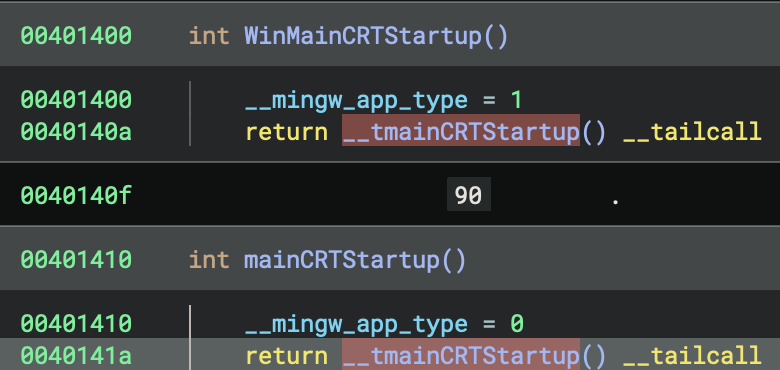
The key insight:
WinMainCRTStartupnever executes, it’s just compiled in as an alternative that the linker didn’t select.- Address order ≠ Execution order.
- The PE header’s entry point field determines what runs first, not the function addresses!
Side-by-Side Comparison
WinMainCRTStartup (0x401400) - NOT USED:
WinMainCRTStartup:
    __mingw_app_type = 1    // Set app type to GUI (1)
    return __tmainCRTStartup() __tailcall
mainCRTStartup (0x401410) - ACTUAL ENTRY POINT:
mainCRTStartup:
    __mingw_app_type = 0    // Set app type to Console (0)
    return __tmainCRTStartup() __tailcall
The Pattern
Both functions:
- Set the
__mingw_app_typeglobal variable - Tail-call the same
__tmainCRTStartupfunction
The ONLY difference is the app type:
WinMainCRTStartupsets__mingw_app_type = 1(GUI application)mainCRTStartupsets__mingw_app_type = 0(Console application)
Why Both Exist?
This is a MinGW/GCC linker pattern that provides two entry points in every executable:
- Console applications (like this one):
- Linker sets entry point to
mainCRTStartup - User’s main function signature:
int main(int argc, char *argv[])
- Linker sets entry point to
- GUI applications (Windows apps):
- Linker would set entry point to
WinMainCRTStartup - User’s main function signature:
int WinMain(HINSTANCE, HINSTANCE, LPSTR, int)
- Linker would set entry point to
Later Impact
This __mingw_app_type value affects initialisation behaviour later in __tmainCRTStartup:
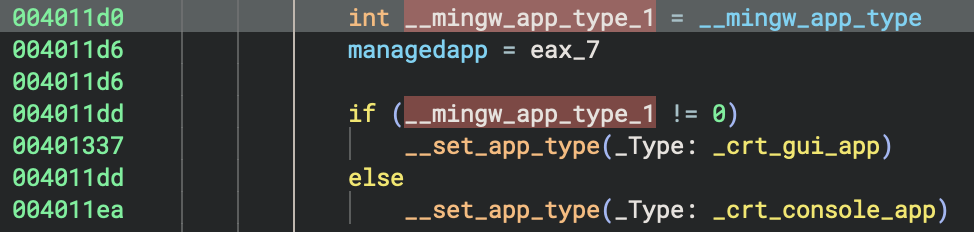
int __mingw_app_type_1 = __mingw_app_type
if (__mingw_app_type_1 != 0)
    __set_app_type(_crt_gui_app)      // GUI: No console allocation
else
    __set_app_type(_crt_console_app)  // Console: Attach to console
How This Differs from MSVC
You can find detailed analysis on x86 MSVC build later, in the section of 32-bit MSVC Debug Build (PE File).
MSVC has completely separate entry point functions with different names:
- Console:
mainCRTStartupcallsmain() - GUI:
WinMainCRTStartupcallsWinMain() - Unicode Console:
wmainCRTStartupcallswmain() - Unicode GUI:
wWinMainCRTStartupcallswWinMain()
MinGW/GCC uses a unified approach where both entry points exist but share the same initialisation code (__tmainCRTStartup), differing only in the app type flag.
Cross-References Check
# No code references to either entry point - they're only called by Windows loader!
xrefs to WinMainCRTStartup (0x401400): (none)
xrefs to mainCRTStartup (0x401410): (none)
This confirms these are true entry points. They are called by the OS, not by any code within the binary.
Summary Table
| Entry Point | Address | App Type Set | PE Entry? | Purpose |
|---|---|---|---|---|
WinMainCRTStartup |
0x401400 |
1 (GUI) |
❌ No | Windows GUI applications |
mainCRTStartup |
0x401410 |
0 (Console) |
✅ Yes | Console applications (this binary) |
__tmainCRTStartup |
0x40101c |
N/A | N/A | Unified startup logic for both |
Both entry points are compiled into every MinGW executable, but only one is referenced in the PE header based on the subsystem (CONSOLE vs WINDOWS) specified during linking!
How to Determine Which Entry Point is Used
Method 1: Check PE Header
# Using Binary Ninja or PE viewer
PE Optional Header → AddressOfEntryPoint → 0x1410
With Image Base 0x400000 → Absolute: 0x401410
Function at 0x401410 → mainCRTStartup ✓
Method 2: Check Subsystem
PE Optional Header → Subsystem
  - IMAGE_SUBSYSTEM_WINDOWS_GUI (2) → WinMainCRTStartup
  - IMAGE_SUBSYSTEM_WINDOWS_CUI (3) → mainCRTStartup ✓
Method 3: Linker Configuration
# GCC/MinGW linker flags:
-mconsole     → Sets entry to mainCRTStartup
-mwindows     → Sets entry to WinMainCRTStartup
(default)     → Depends on main vs WinMain function
Entry Point Architecture
This is the flowchart to make it clearer, as the summary we discussed previously about entry point identification.
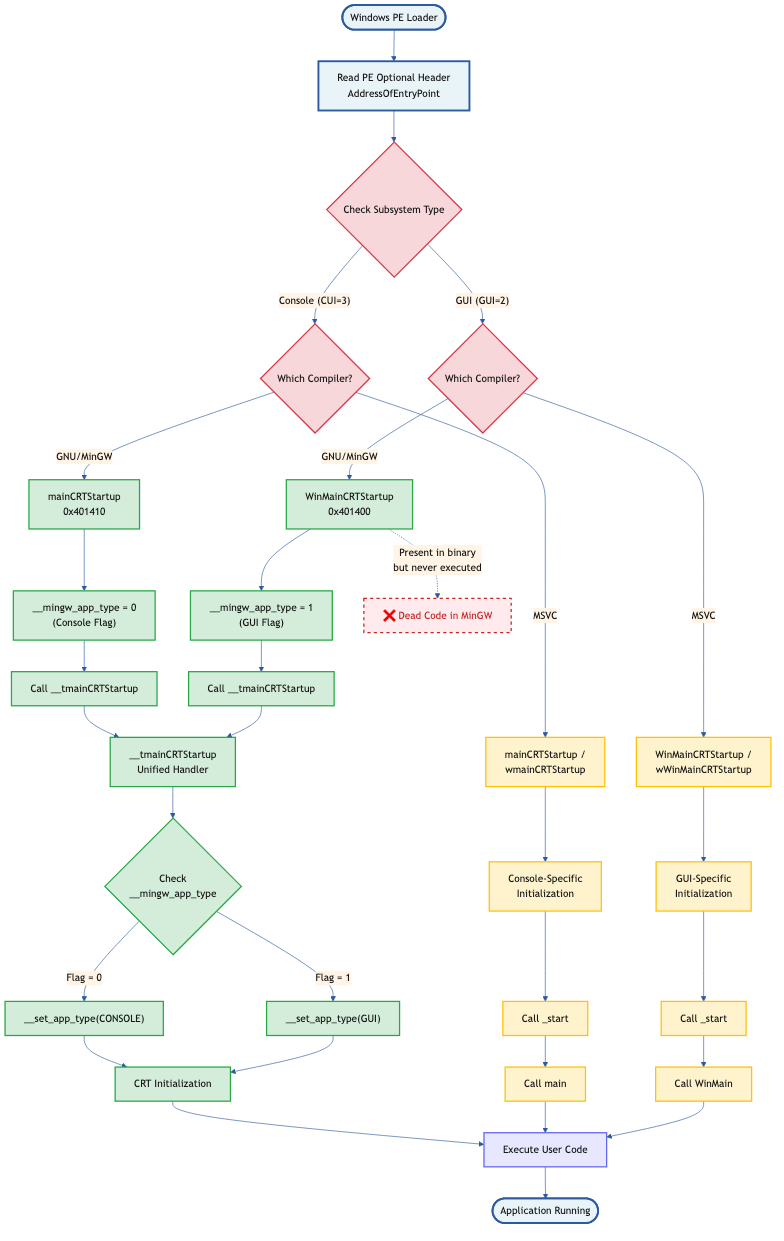
2. main - Unique Code for GNU
| Aspect | GNU (GCC/MinGW) | MSVC |
|---|---|---|
| Multi-threading Check | Stack base comparison with sleep loop | Not present in entry |
| TLS Initialization | Three separate force flags set | Single _register_thread_local_exe_atexit_callback |
| Stack Detection | Uses fsbase->NtTib.StackBase |
Uses saved base pointer tracking |
This is a unique GNU/MinGW pattern to detect if the process is being debugged or has multiple threads racing during startup!
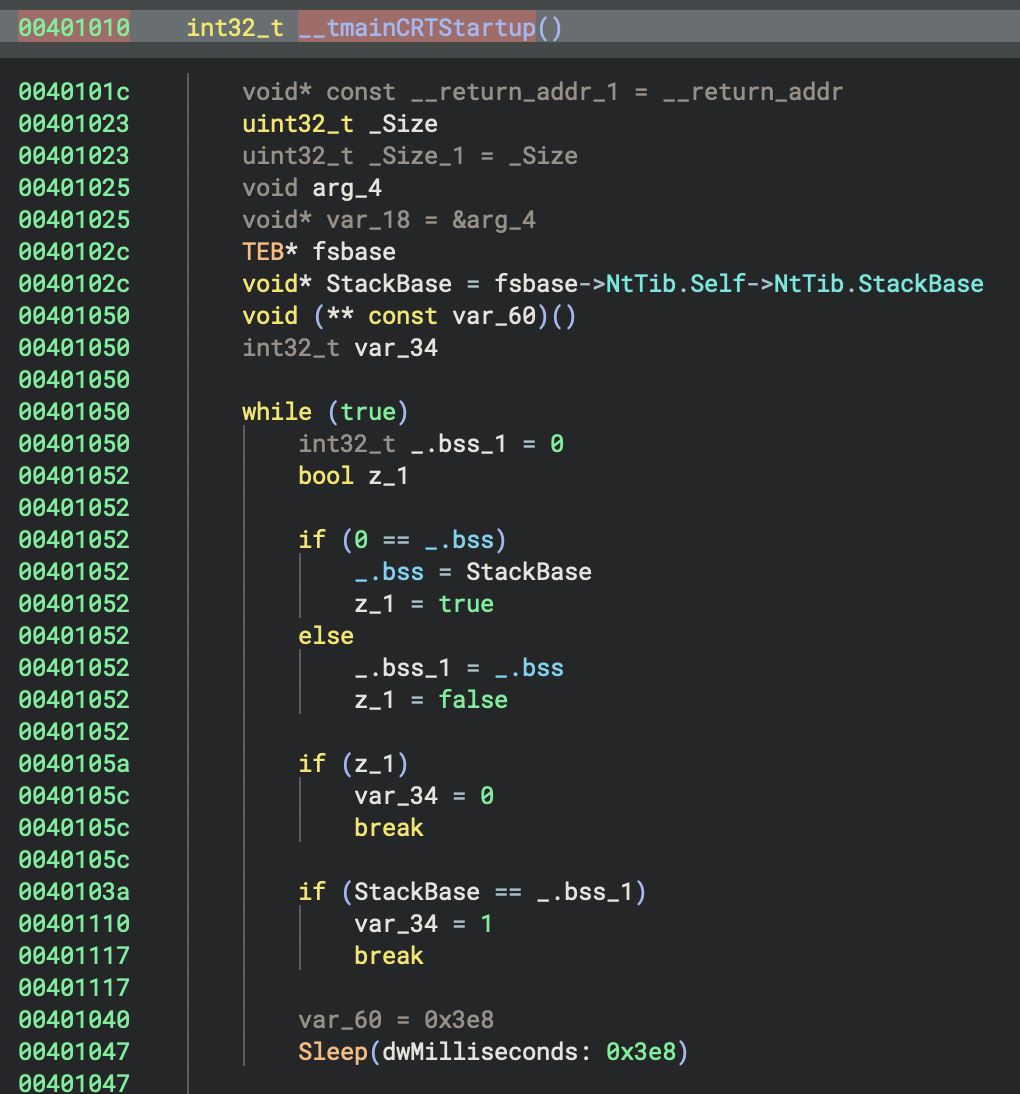
3. Initialisation Tables
| Aspect | GNU (GCC/MinGW) | MSVC |
|---|---|---|
| Error-checking Init | _initterm_e(&__xi_a, &__xi_z) |
_initterm_e(0x419168, 0x419174) |
| Regular Init | _initterm(&__xc_a, &__xc_z) |
_initterm(0x41915c, 0x419164) |
| Initialization State | ___native_startup_state tracking |
crtInitializationStateGlobal enum |
| Startup Lock | Not present | ___scrt_acquire_startup_lock() |
GNU Code:
int eax_10 = _initterm_e(&__xi_a, &__xi_z)
if (eax_10 != 0)
    return 0xff

_initterm(&__xc_a, &__xc_z)
4. Command-Line & Environment Setup
| Aspect | GNU (GCC/MinGW) | MSVC |
|---|---|---|
| Argv Parsing | __getmainargs(&argc, &argv, &envp, _dowildcard, startup_info) |
Not visible in main flow |
| Argv Copying | Manual deep copy of all argv strings | Not needed |
| Environment Init | *__p___initenv() = envp |
_get_initial_narrow_environment() |
| Wildcard Expansion | _dowildcard flag |
Handled internally |
GNU Code (unique argv deep copy!):
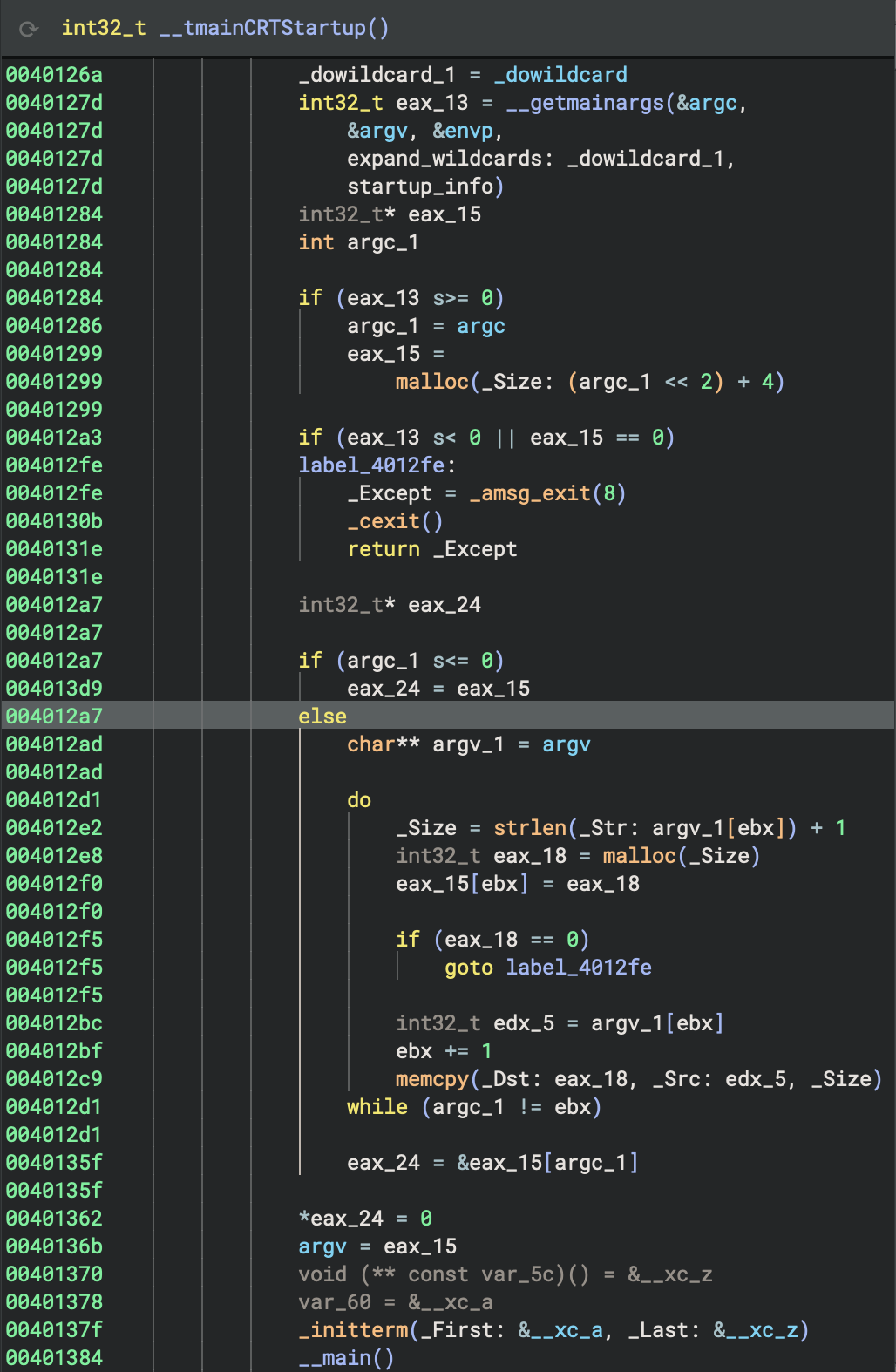
int32_t eax_13 = __getmainargs(&argc, &argv, &envp, _dowildcard, startup_info)

if (eax_13 >= 0) {
    argc_1 = argc
    eax_15 = malloc((argc_1 << 2) + 4)  // Allocate argv array

    if (eax_15 == 0)
        goto error

    // Deep copy each argument string
    for (ebx = 0; argc_1 != ebx; ebx++) {
        _Size = strlen(argv[ebx]) + 1
        int32_t eax_18 = malloc(_Size)
        eax_15[ebx] = eax_18

        if (eax_18 == 0)
            goto error

        memcpy(eax_18, argv[ebx], _Size)
    }

    eax_15[argc_1] = 0  // NULL terminate
    argv = eax_15
}
Why? GNU/MinGW creates a persistent copy of argv to prevent issues if the original environment is modified!
MSVC Code:
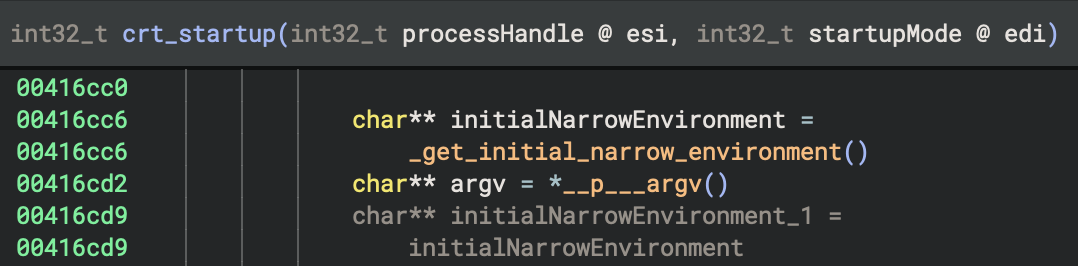
char** initialNarrowEnvironment = _get_initial_narrow_environment()
char** argv = *__p___argv()
4. Global Constructors (C++)
The Big Picture - What’s Global Constructors
When you write C++ code with global or static objects that have constructors, those constructors need to run before main() starts. The __main() function is responsible for calling all these constructors. This is a fundamental part of C++ runtime initialisation.
| Aspect | GNU (GCC/MinGW) | MSVC |
|---|---|---|
| Constructor Mechanism | __main() → __do_global_ctors() |
Handled via _initterm() tables |
| Constructor Table | __CTOR_LIST__ array |
Not visible |
| Destructor Registration | atexit(__do_global_dtors) |
_register_thread_local_exe_atexit_callback() |
| Initialisation Flag | initialized static variable |
State enum |
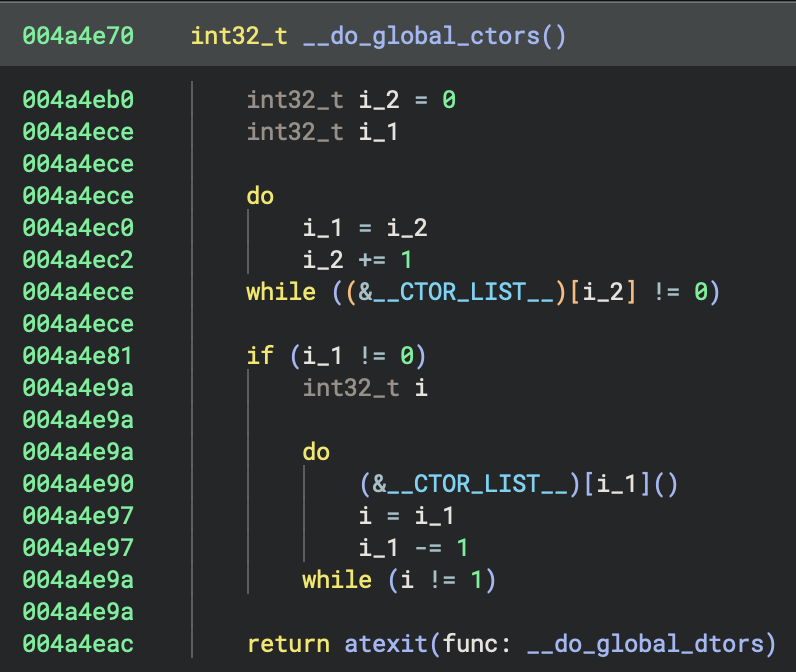
GNU Code: This is the classic GCC global constructor pattern!
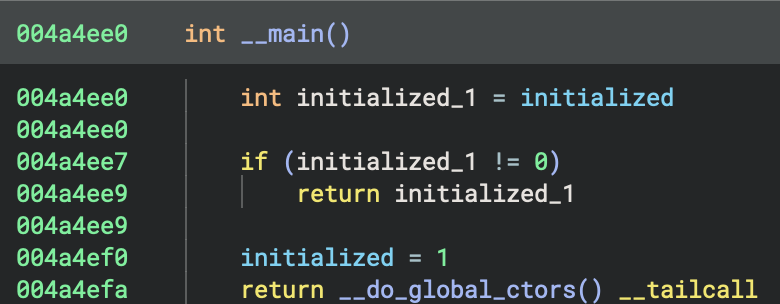
__main() {
    int initialized_1 = initialized
    if (initialized_1 != 0)
        return initialized_1

    initialized = 1
    return __do_global_ctors()
}

__do_global_ctors() {
    // Count constructors
    int32_t i_2 = 0
    do {
        i_1 = i_2
        i_2 += 1
    } while ((&__CTOR_LIST__)[i_2] != 0)

    // Call them in reverse order
    if (i_1 != 0) {
        do {
            (&__CTOR_LIST__)[i_1]()
            i = i_1
            i_1 -= 1
        } while (i != 1)
    }

    return atexit(__do_global_dtors)
}
This is the classic GCC global constructor pattern!
MSVC Code:
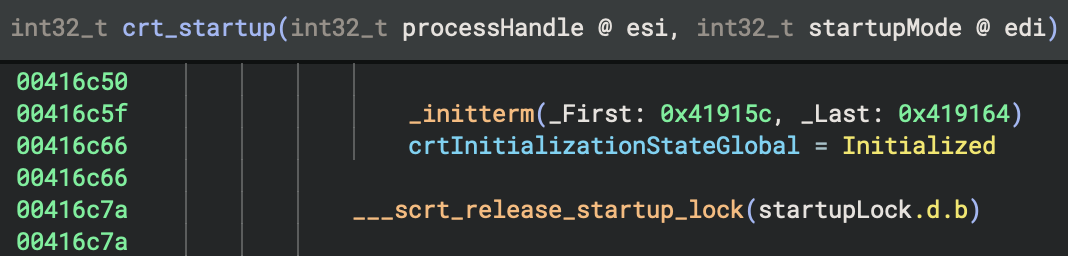
// Already handled in initialisation tables
_initterm(0x41915c, 0x419164)

// Later, register cleanup
if (data_420200 != 0 && sub_416f74(&data_420200) != 0)
    _register_thread_local_exe_atexit_callback(data_420200)
Why They’re Special?
Unlike local objects (which are constructed when execution reaches their declaration), global/static objects must be initialised before the program starts, specifically before
main()begins execution.
How GCC/MinGW Implements This: The __main() Function?
GCC uses a special mechanism to track all constructors that need to be called:
- Constructor Lists: Arrays of function pointers
__CTOR_LIST__- List of constructors__DTOR_LIST__- List of destructors
- The
__main()Function: Calls all constructors- Defined in
gccmain.c(part of MinGW CRT) - Called explicitly from startup code
- Walks through
__CTOR_LIST__and calls each constructor
- Defined in
5. Call main() / Rust Entry Point
| Aspect | GNU (GCC/MinGW) | MSVC |
|---|---|---|
| Main Wrapper | _main → std::rt::lang_start |
sub_401e10 → sub_402900 |
| __main() Call | Explicitly called in _main |
Not present |
| Arguments Passed | (basic_pl_concepts::main, argc, argv, 0) |
(sub_401990, argc, argv, 0) |
- There are two similar
mainpre-function calls_mainand__main(pay attention to the amount of underscores in the names).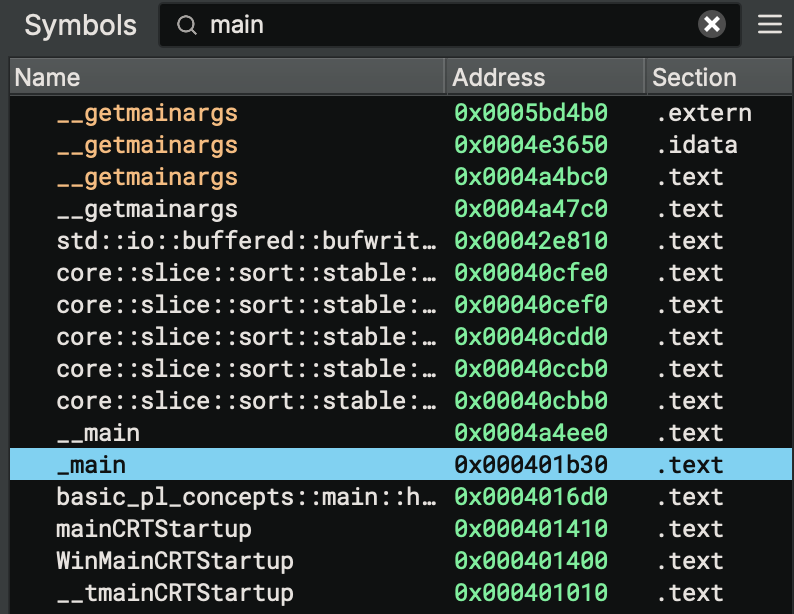
GNU Code:
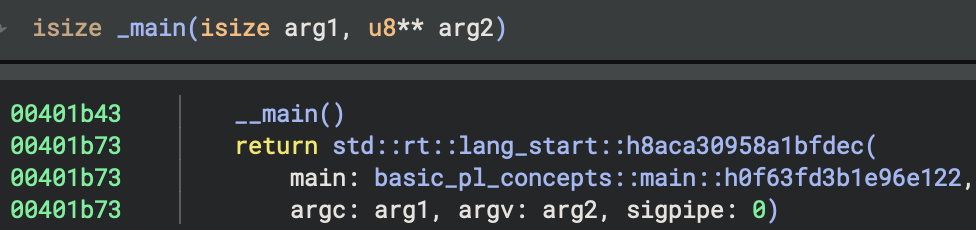 Check xref:
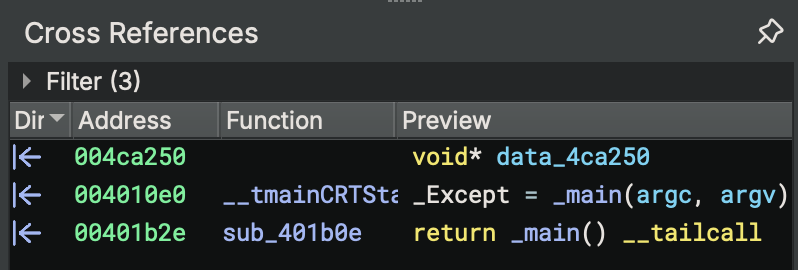
6. Cleanup & Exit
| Aspect | GNU (GCC/MinGW) | MSVC |
|---|---|---|
| Exit Decision | Based on managedapp and has_cctor flags |
Based on sub_4171ca() |
| Quick Exit | Return directly | _cexit() then return |
| Full Exit | Not shown | exit(_Except) → noreturn |
| CRT Cleanup | Not shown | ___scrt_uninitialize_crt(1, 0) |
GNU Code:
_Except = _main(argc, argv)

if (managedapp != 0)
    exit(_Except)

if (has_cctor != 0)
    _cexit()

return _Except
MSVC Code:
int32_t _Except = sub_401e10(*__p___argc(), argv)

if (sub_4171ca() == 0)
    exit(_Except)  // Never returns

if (entry_initializationFlagCopy.b == 0)
    _cexit()

___scrt_uninitialize_crt(1, 0)
return _Except
_main(int32_t arg1, int32_t arg2) {
    __main()  // ← IMPORTANT: Call global constructors AGAIN!

    return std::rt::lang_start::h8aca30958a1bfdec(
        basic_pl_concepts::main::h0f63fd3b1e96e122,
        arg1, arg2, 0
    )
}
Why call __main() twice?
- First call in
__tmainCRTStartup: initialises CRT C++ globals - Second call in
_main: initialises Rust-specific globals - The
initializedflag prevents double-execution
MSVC Code:
It was difficult for me to analyse MSVC x86 binary first. But after conapring to GNU x86 binary and identify the patterns of these two different compilers for building Windows PE files, it’s much clearer now.
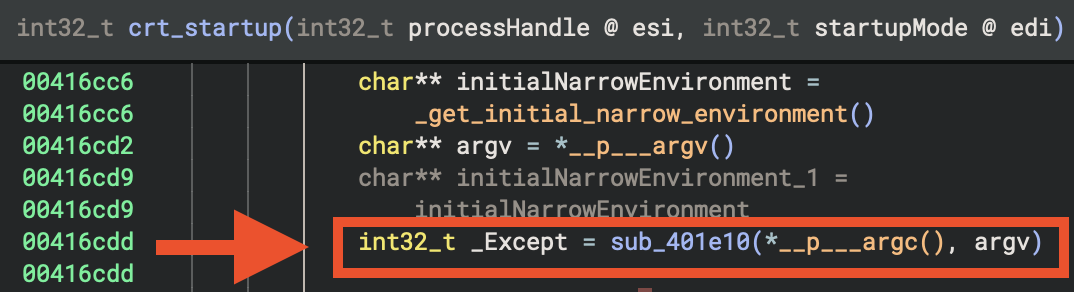
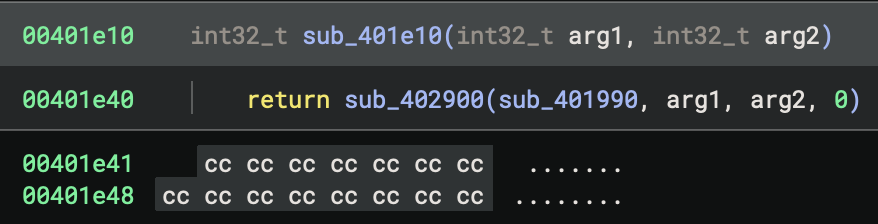
sub_401e10(int32_t arg1, int32_t arg2) {
    return sub_402900(sub_401990, arg1, arg2, 0)
}
Now, if we click on sub_401990, you will find the real Rust main function for the program.
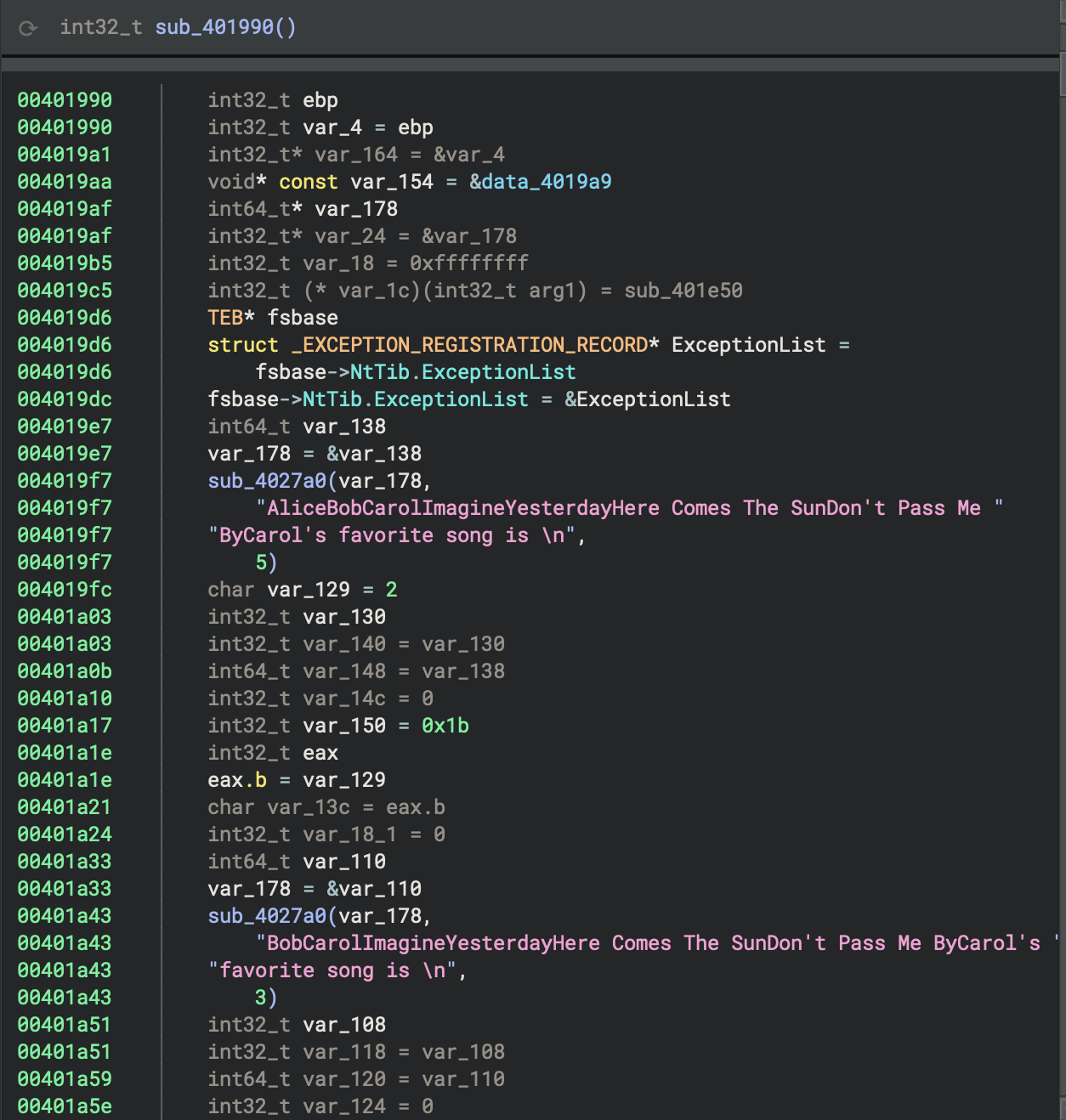 See how much we have been through above! It’s time for analyse the real purpose of this program.
Finally
- It’s just the beginning!
- We haven’t identified the patterns of Rust idioms yet!
7. main and Rust runtime startup routine
Rust Source Code - match
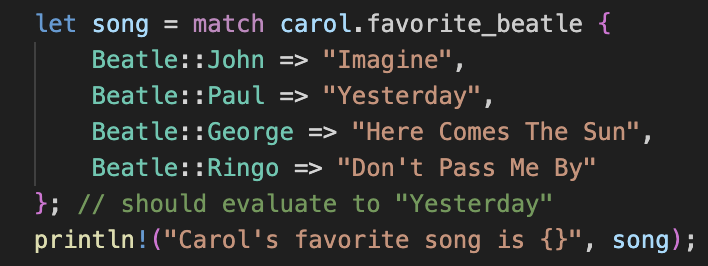 We can see Binary Ninja interprets that, from match in Rust to switch in HIL, a more readable format.
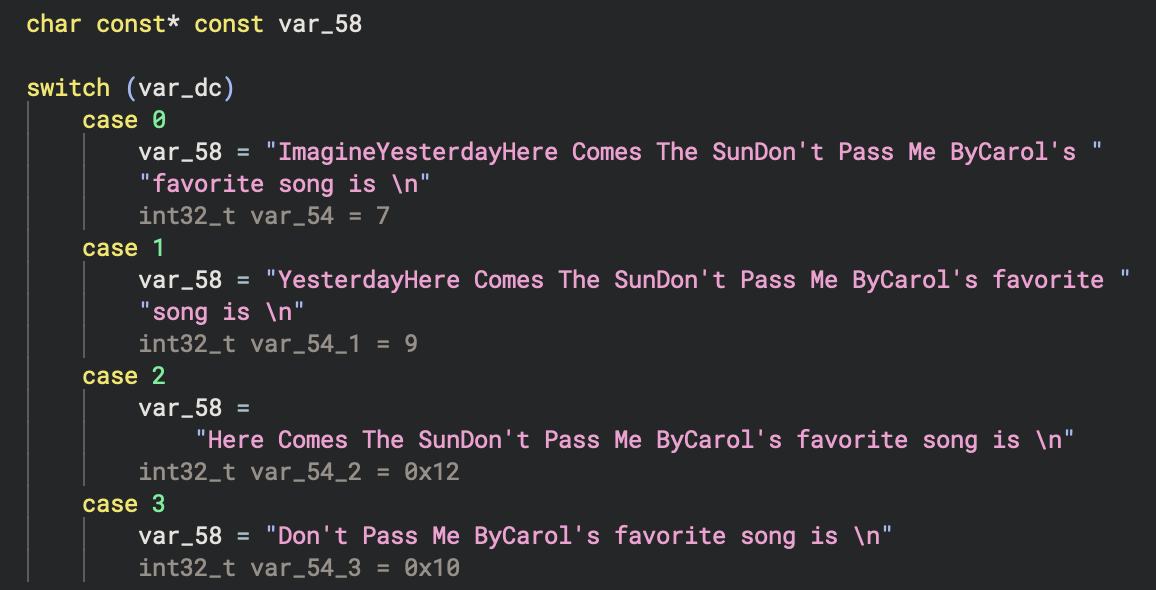
However
The contiguous strings can cause confusion, they are due to Rust compiler’s optimisation, which inlines strings together without null-terminator in the end of line.
Wrapper functions for Rust startup routine
The main function in a Rust binary compiled for Windows is typically a thin wrapper that calls the Rust runtime startup routine, specifically std::rt::lang_start (e.g., std::rt::lang_start::h8aca30958a1bfdec) and std::rt::lang_start_internal. These functions are responsible for initialising the Rust runtime, setting up stack guards, handling panics, and then invoking the actual user-defined main function.
std::rt::lang_start: This is the public entry point for Rust binaries. It sets up the runtime environment and callsstd::rt::lang_start_internal.std::rt::lang_start_internal: This function performs lower-level initialisation, including panic handling and catching unwinding, before calling the user main function.
These functions abstract away platform-specific initialisation and ensure that the Rust runtime is properly set up before the main logic runs.
8. for loop
To identify the for loop in the decompiled or disassembled code, look for a pattern that represents the Rust for i in 0..10 construct. In Rust, this is typically compiled into a manual loop over a range using an index variable, with bounds checking and incrementing.
HIL View: Pattern to look for in the binary:
- Initialisation of a loop variable (i = 0)
- A comparison against the upper bound (i < 10)
- Conditional jump to exit the loop if the bound is reached
- Loop body (the if i > 5 { … } and println! call)
- Increment of the loop variable (i = i + 1)
- Unconditional jump back to the comparison
The for loop will appear as a classic counted loop:
- Set i = 0
- Compare i < 10
- If not, exit loop
- If yes, execute body
- Increment i
- Jump back to compare
The for loop from the Rust source code (for i in 0..10 { if i>5 { … } }) is implemented in the function basic_pl_concepts::main::h0f63fd3b1e96e122 at address 0x4016d0.
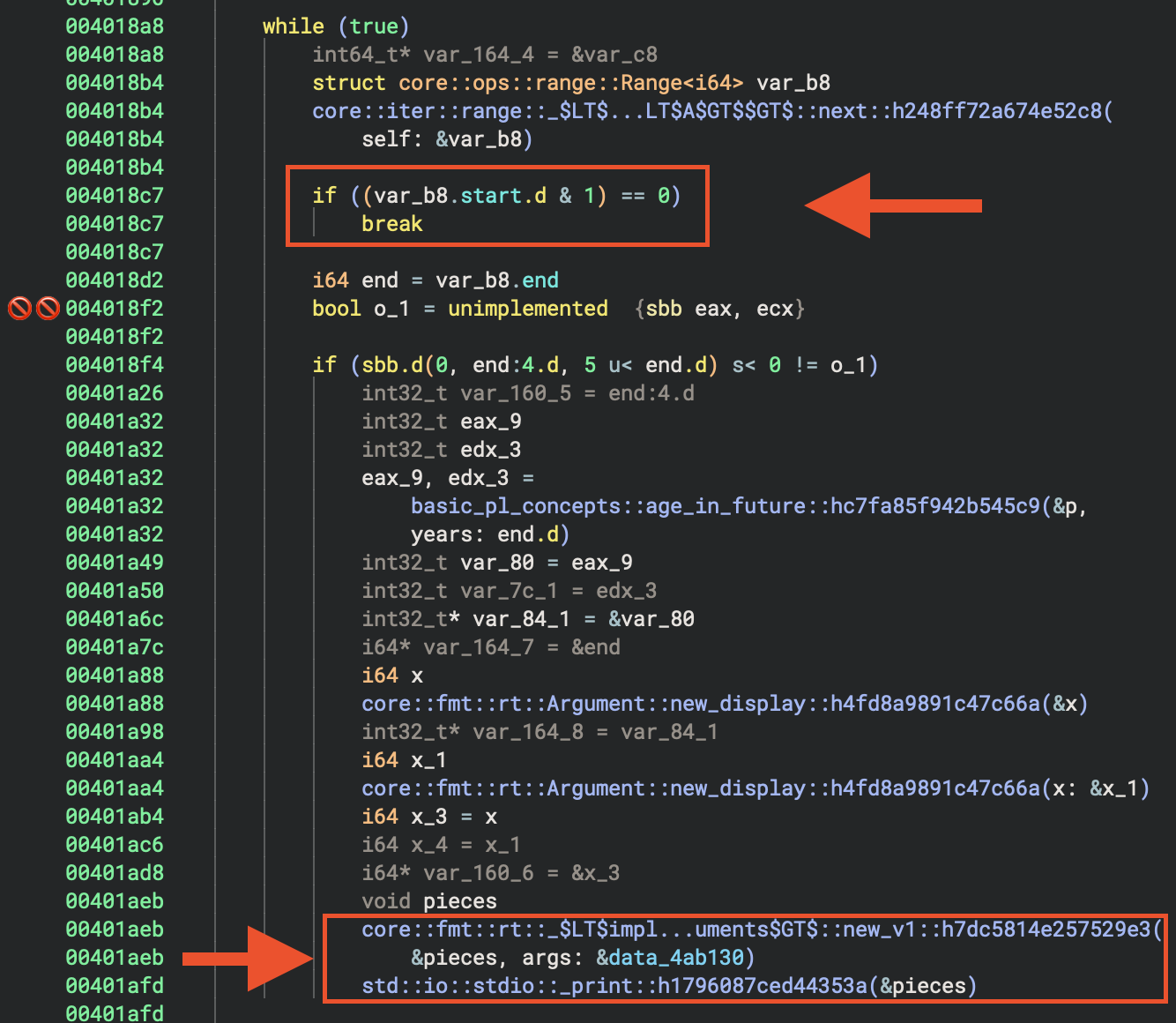 Warning about lifting. Besically I still appreciate the effort of Vector35 team, they provide several view (e.g. HIL, LIL, Advanced IL forms etc) for researchers to identify patterns.

- At
0x4018a8, the loop starts. - At
0x4018b4, the iterator’snextmethod is called. - At
0x4018c7, if the iterator is exhausted, the loop breaks.
Summary Table
| Step | HLIL/Decompilation Clue | Disassembly Clue |
|---|---|---|
| Iterator Setup | Range struct/init | mov/init two locals (start, end) |
| Next/Compare | call to next/break on empty |
cmp/jge or call to next + test/je |
| Body | Loop body code | code block between cmp and inc/jmp |
| Increment | Implicit in next or manual |
inc/add to start value |
| Loop | while/for/loop | jmp back to comparison |
Disassembly View
In Rust Binaries
- The pattern may be wrapped in iterator calls, so look for calls to functions like
core::iter::range::nextand checks for the iterator being exhausted. - The loop variable is often stored in a struct (the range iterator), and the next method is called each iteration.
- Look for a call to a function named like
core::iter::range::next, followed by a conditional jump based on its return value.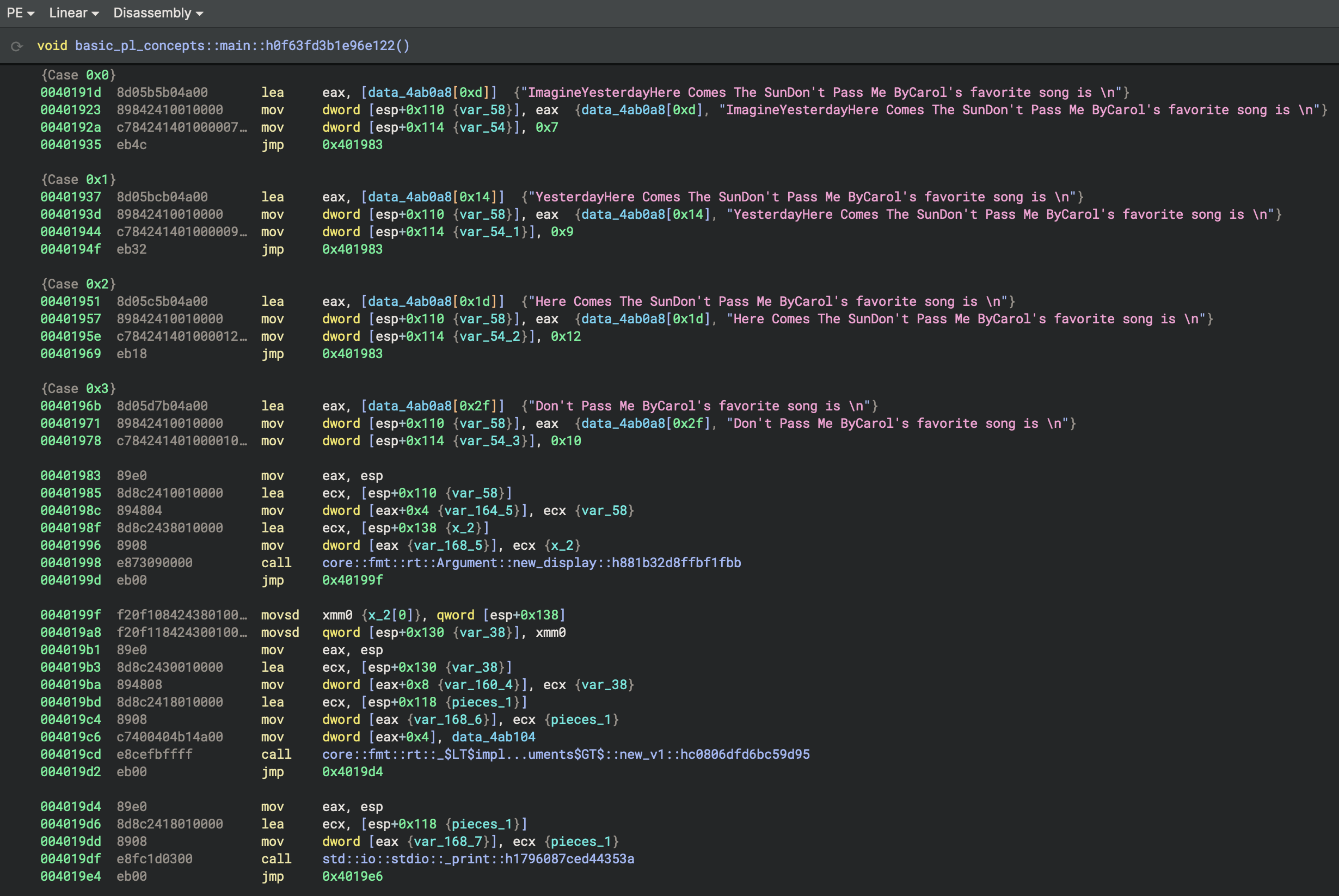
Identify struct p
.data - Writable data
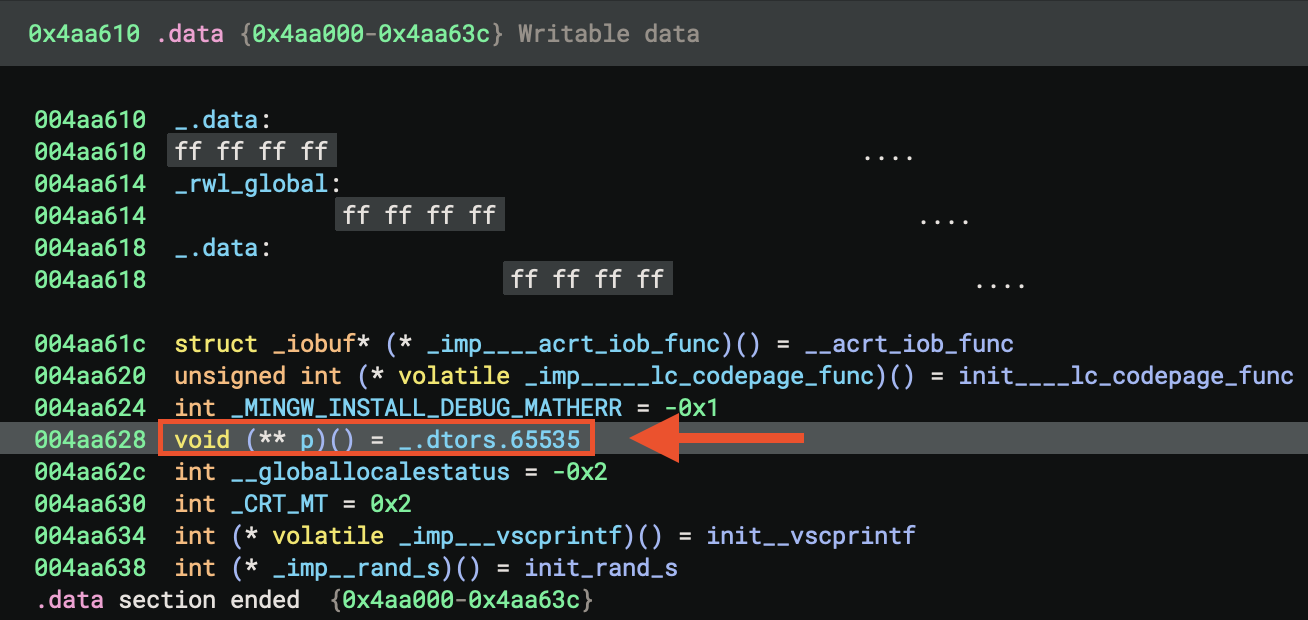 .rdata - Read-only data
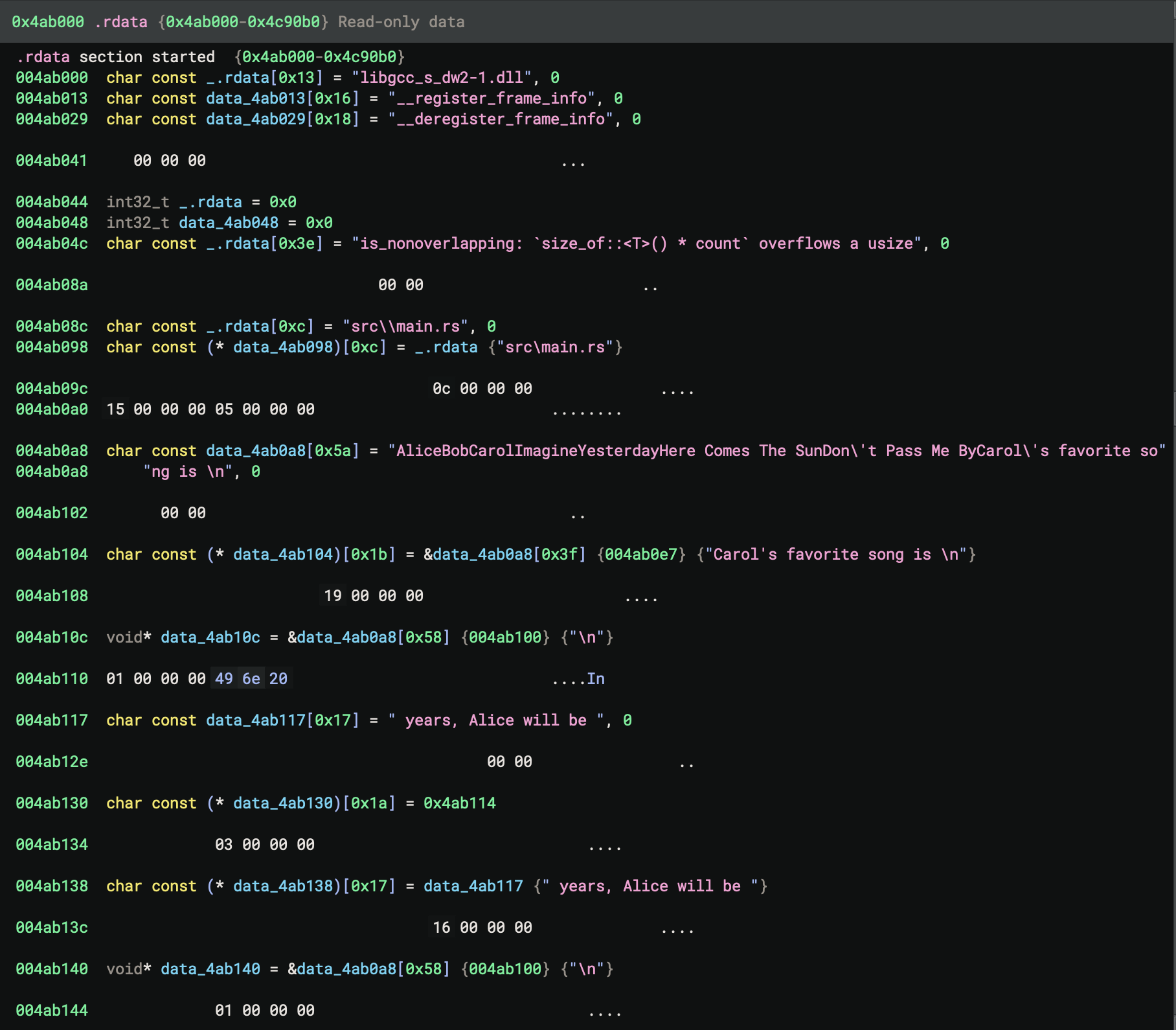 Now, go back to
 main of the Rust code
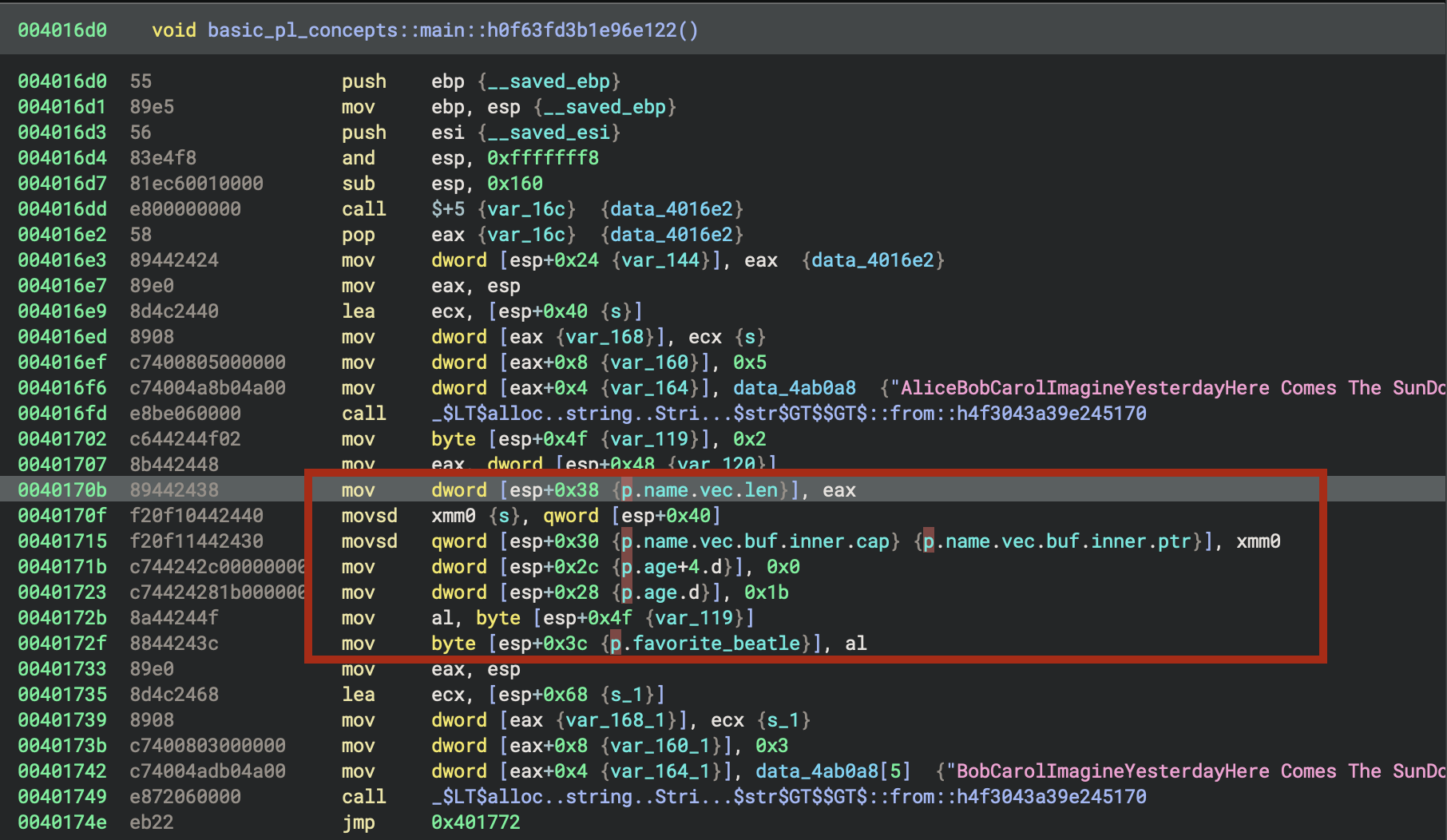
Contant 27
Rust source code
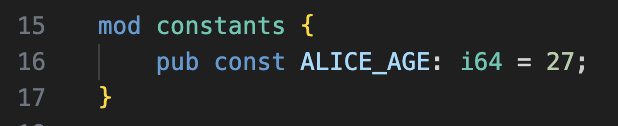
The constantALICE_AGE: i64 = 27 from the Rust source code is a global constant with value 27. In the binary, it will appear as an immediate value (27) used in the initialization of the alice struct in main. There is no named global variable for ALICE_AGE—the compiler inlines this value wherever it is used. In hexadecimal, 0x1b euqals decimal value 27.

How exatcly we can identify this most interesting area?
Rust source code:
for i in 0..10 {
        if i>5 {
            println!(
                "In {} years, Alice will be {}", i, age_in_future(&alice,i)
            );
        }
    }
How Rust’s for i in 0..10 Loop is Disassembled
1. Loop Initialisation (0x401836 - 0x401852)

mov     dword [esp+0x158], 0x0    ; Range start = 0
mov     dword [esp+0x15c], 0xa    ; Range end = 10 (0xa)
mov     dword [esp+0x160_3], 0x0  ; Iterator state
mov     dword [esp+0x164_3], 0x0  ; Iterator state
The 0..10 range is converted into a Range<i64> structure with:
- start = 0
- end = 10
Then it calls IntoIterator::into_iter() to create an iterator.
2. Main Loop Structure (0x40189f - 0x401b04)
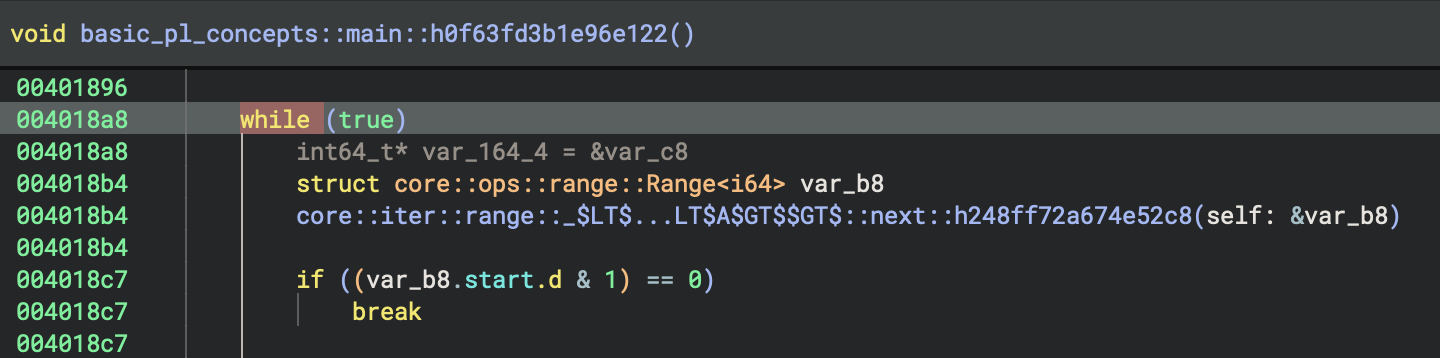
The loop follows this pattern:
a) Iterator Next Call (0x4018a8 - 0x4018b4)
lea     ecx, [esp+0xa0]           ; Load iterator reference
mov     dword [eax+0x4], ecx
lea     ecx, [esp+0xb0]           ; Output location
mov     dword [eax], ecx
call    Range<A>::next            ; Get next value
This calls core::iter::range::Range::next() which returns an Option<i64>.
b) Check if Iterator is Exhausted (0x4018bb - 0x4018c7)
mov     eax, dword [esp+0xb0]     ; Load Option discriminant
test    eax, 0x1                  ; Check if Some(value)
je      0x4018fc                  ; If None, exit loop
The iterator returns:
- Some(i) - discriminant has bit 0 set → continue loop
- None - discriminant is 0 → exit loop
3. Conditional Check: if i > 5 (0x4018e9 - 0x4018f4)
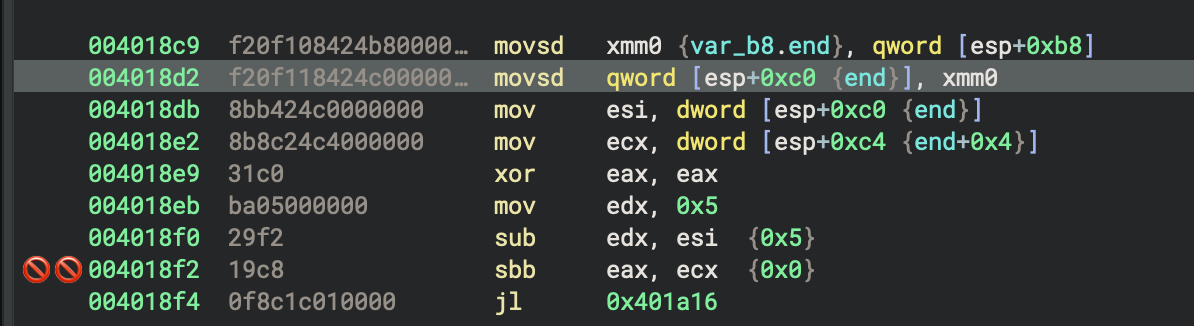
mov     esi, dword [esp+0xc0]     ; Load i (low 32 bits)
mov     ecx, dword [esp+0xc4]     ; Load i (high 32 bits)
xor     eax, eax
mov     edx, 0x5
sub     edx, esi                  ; Compare: 5 - i
sbb     eax, ecx                  ; Signed subtraction with borrow
jl      0x401a16                  ; If i > 5, jump to println! block
This implements the comparison i > 5 by computing 5 - i and checking if the result is negative.
4. The println! Block (0x401a16 onwards)
When i > 5:
a) Call age_in_future(&alice, i) (0x401a32)
mov     ecx, dword [esp+0xc0]     ; i (low)
mov     edx, dword [esp+0xc4]     ; i (high)
mov     dword [eax+0x8], edx
mov     dword [eax+0x4], ecx
lea     ecx, [esp+0x28]           ; &alice
mov     dword [eax], ecx
call    basic_pl_concepts::age_in_future
b) Format Arguments (0x401a88 - 0x401aa4)
Creates formatting arguments for the two {} placeholders:
- Argument 1:
ivalue - Argument 2: Result from
age_in_future()
c) Call Print Function (0x401afd)
call std::io::stdio::_print
5. Loop Back (0x401b04)
jmp 0x40189f ; Jump back to loop start
Key Observations:
-
Iterator Pattern: Rust’s
forloop uses the Iterator trait, not a simple counter. TheRange::next()method is called each iteration. -
**Option
Return**: The iterator returns an `Option`, which is checked with a test instruction on the discriminant field. -
64-bit Values on 32-bit: Since this is a 32-bit binary (
i686), thei64loop variable requires two registers (low/high 32 bits). -
Jump Table: There’s also a jump table at
0x401919that handles aswitchstatement (likely for thefavorite_beatleenum printing, which happens elsewhere in the code). -
No Simple Counter: Unlike C loops, there’s no visible
incinstruction for a counter. Instead, the Range iterator internally manages the state.
This demonstrates how Rust’s high-level iterator abstraction compiles down to assembly that’s more complex than a traditional C-style for loop, but provides better type safety and abstraction guarantees.
Rust source code:
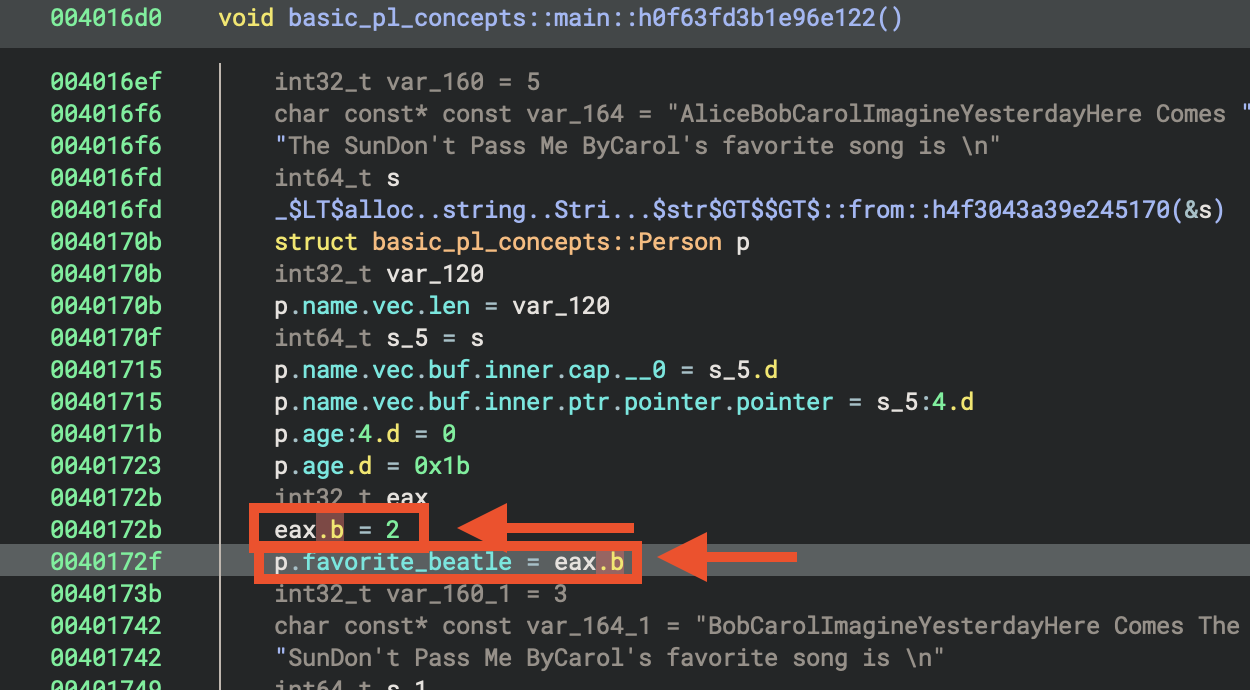
Carol’s favourite song is Beatle::Paul, which is the second option in match from Rust source code.
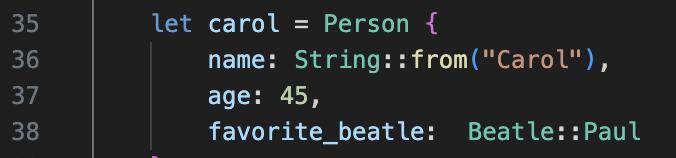
let song = match carol.favorite_beatle {
        Beatle::John => "Imagine",
        Beatle::Paul => "Yesterday",
        Beatle::George => "Here Comes The Sun",
        Beatle::Ringo => "Don't Pass Me By"
    }; // should evaluate to "Yesterday"
    println!("Carol's favorite song is {}", song);
Hence, the compiler directly allocated 2 to the register.
eax.b = 2
p.favorite_beatle = eax.b  # 2
Indentified Patterns
Discovered patterns:
- for loop
- struct
- match
Result of Rust code
In 6 years, Alice will be 33
In 7 years, Alice will be 34
In 8 years, Alice will be 35
In 9 years, Alice will be 36
Carol's favorite song is Yesterday
Unused struct bob
    let bob = Person {
        name: String::from("Bob"),
        age: 71,
        favorite_beatle: Beatle::Ringo
    };
In the function age_in_future
The function basic_pl_concepts::age_in_future::hc7fa85f942b545c9takes a pointer to a Person struct and a 64-bit integer years, and returns the sum of the person’s age and years.
- It adds p->age and years.
- If the addition would overflow, it triggers a panic (Rust’s checked addition semantics).
- Otherwise, it returns the sum as the future age.
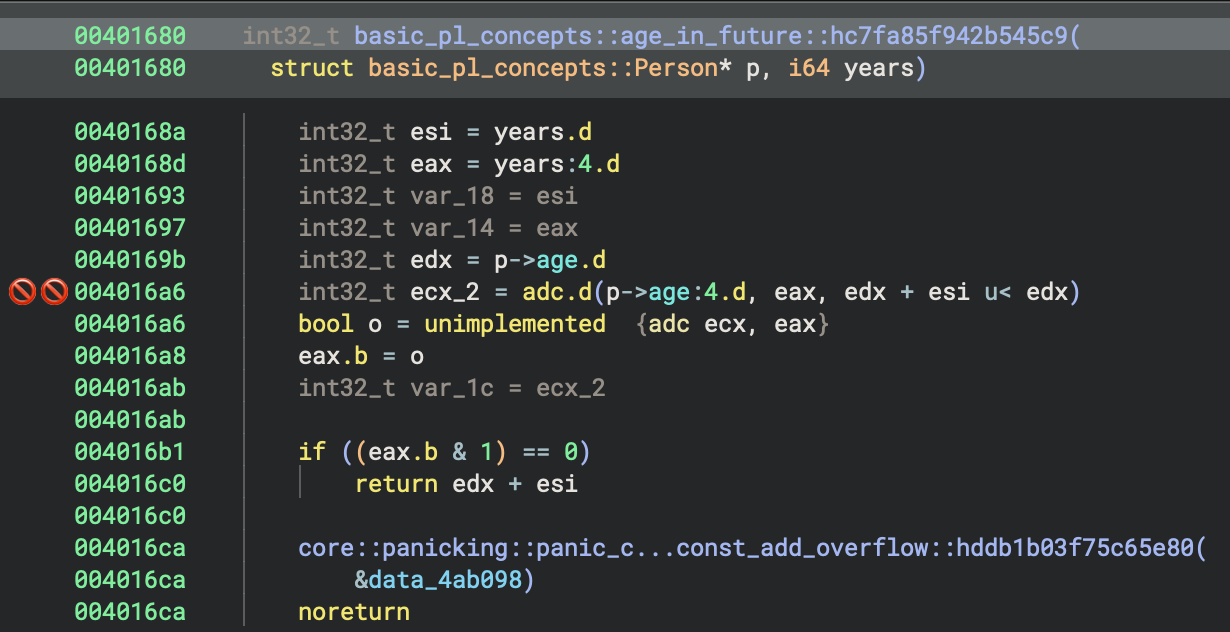

This function safely computes a person’s age in the future by adding years to their current age.
Types
Binary Ninja identifiees the sturuct and match, Rust idioms.
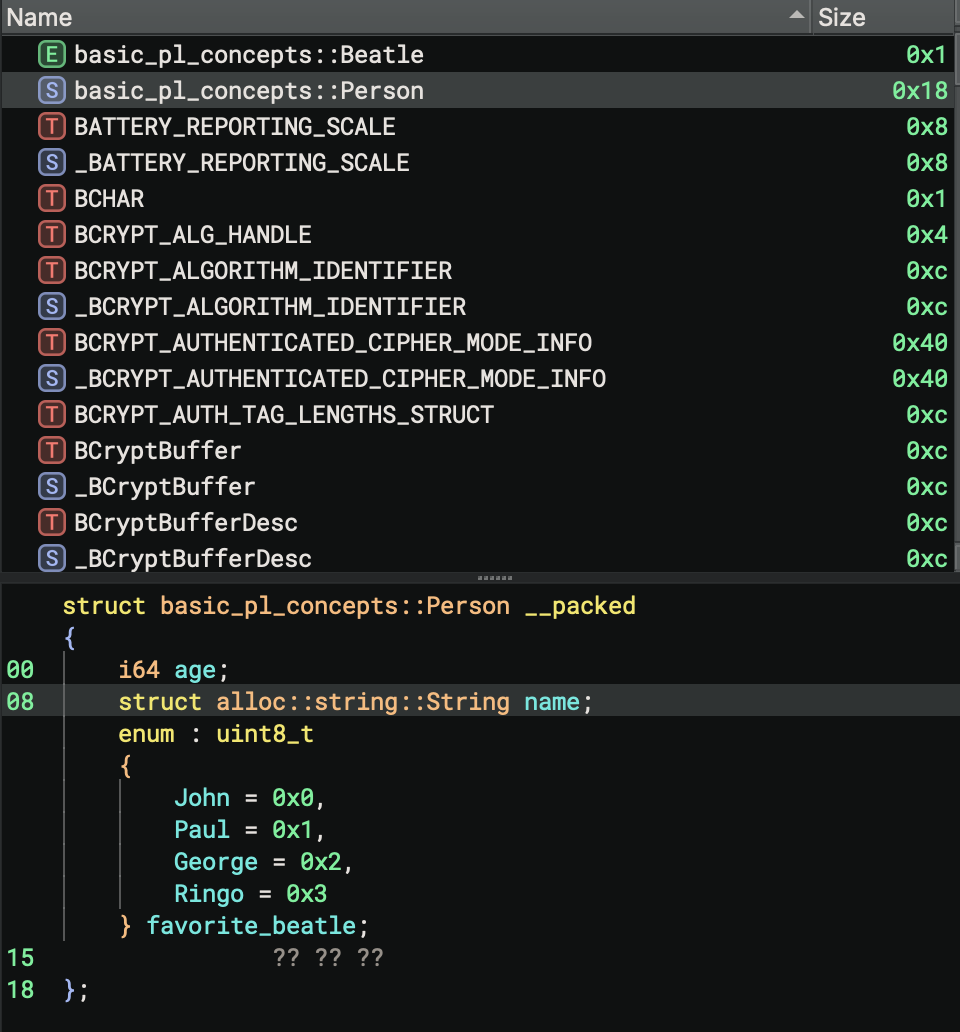
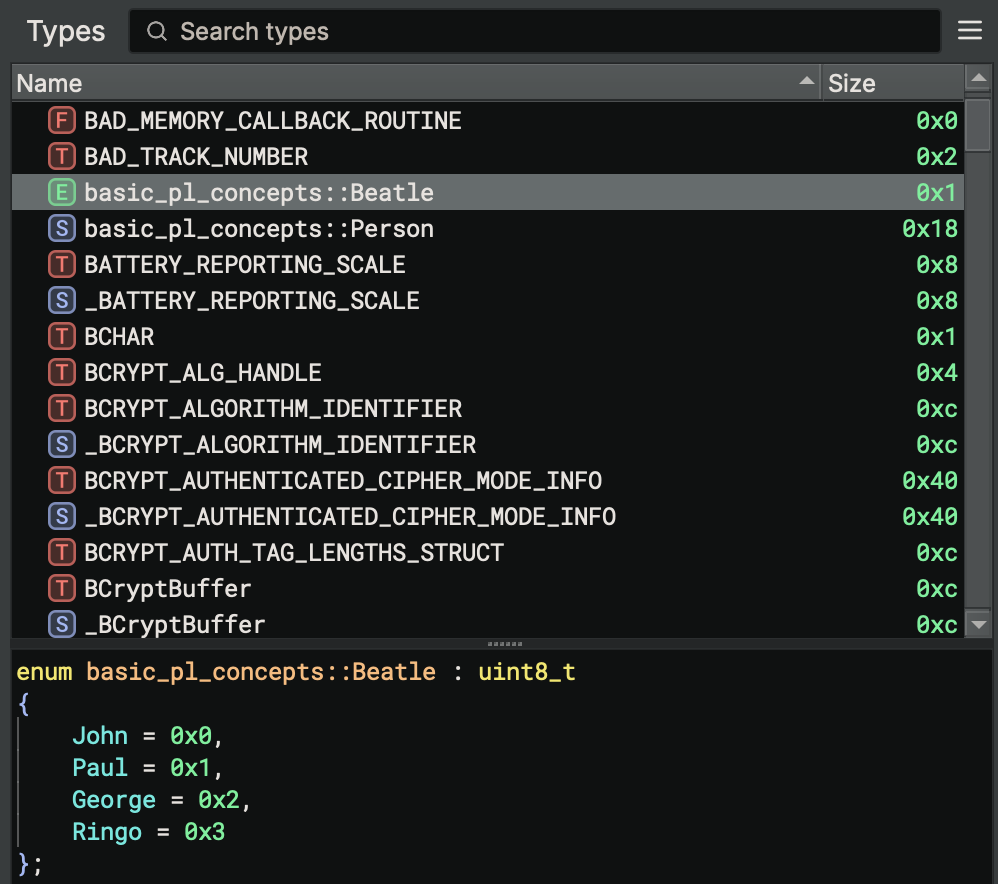
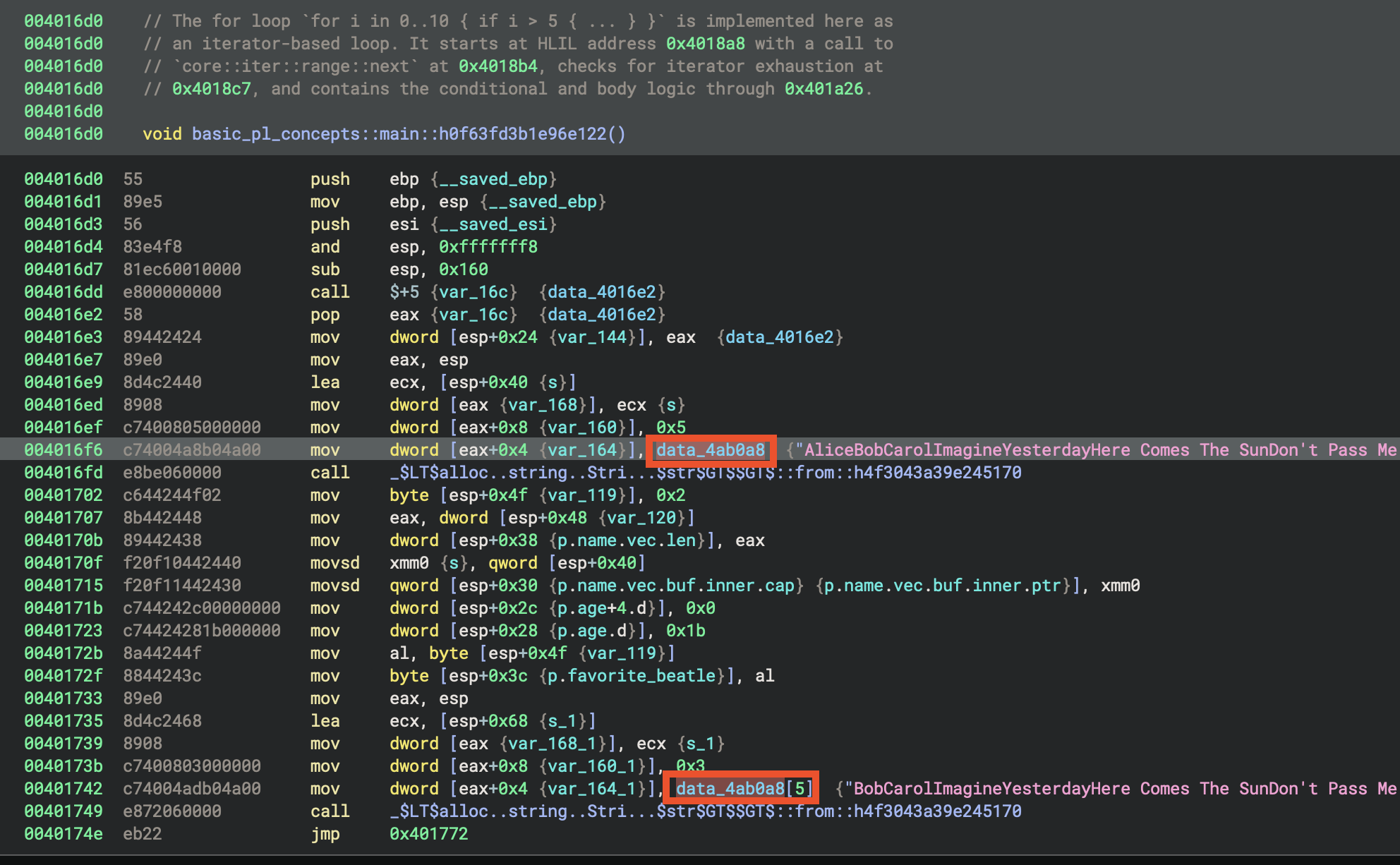
Favourite songs
Each case extracts a different Beatles song title from the concatenated string by using different offsets, and the second parameter appears to be the length of that song title:
Analyse the result of each case
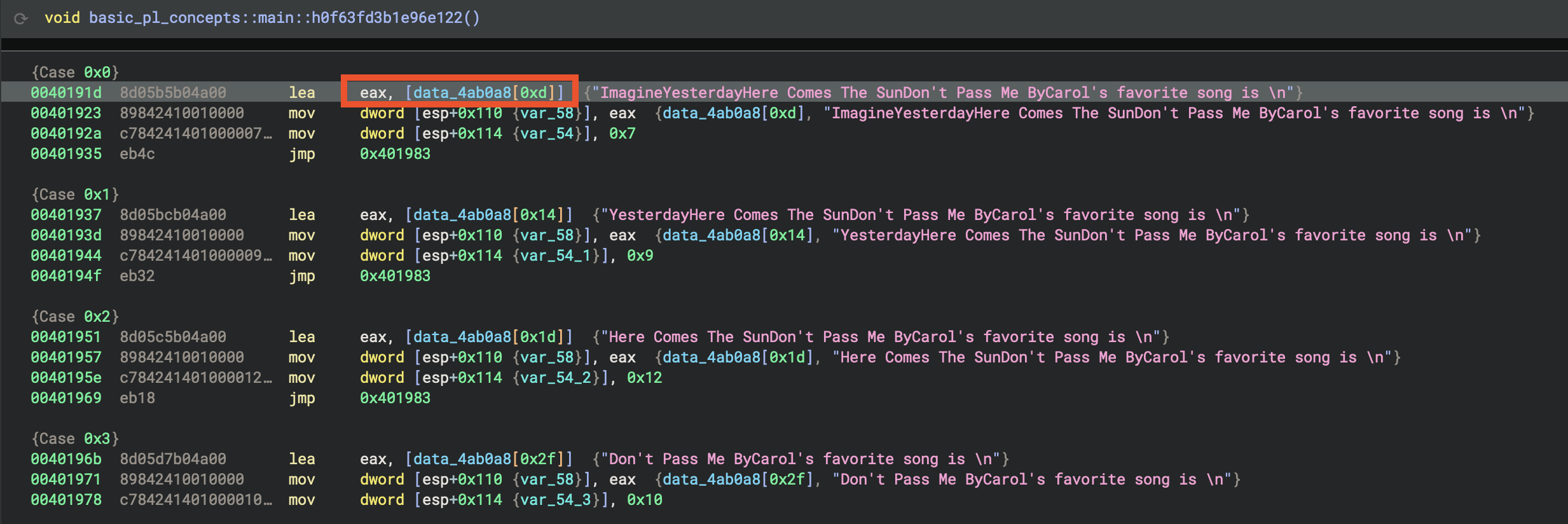 Case 0x0
lea eax, [data_4ab0a8[0xd]]  → "ImagineYesterdayHere Comes The SunDon't Pass Me ByCarol's favorite song is \n"
mov dword [esp+0x110 (var_58)], eax
mov dword [esp+0x114 (var_54)], 0x7
- Loads pointer to: String starting at offset 0xd (13 bytes into the data)
- String starts with: “Imagine…”
- Second parameter: 0x7 (7)
- Result: Skips “AliceBobCarol” and points to “Imagine…”
Case 0x1
lea eax, [data_4ab0a8[0x14]]  → "YesterdayHere Comes The SunDon't Pass Me ByCarol's favorite song is \n"
mov dword [esp+0x110 (var_58)], eax
mov dword [esp+0x114 (var_54_1)], 0x9
- Loads pointer to: String starting at offset 0x14 (20 bytes)
- String starts with: “Yesterday…”
- Second parameter: 0x9 (9)
- Result: Skips “AliceBobCarolImagine” and points to “Yesterday…”
Case 0x2
lea eax, [data_4ab0a8[0x1d]]  → "Here Comes The SunDon't Pass Me ByCarol's favorite song is \n"
mov dword [esp+0x110 (var_58)], eax
mov dword [esp+0x114 (var_54_2)], 0x12
- Loads pointer to: String starting at offset 0x1d (29 bytes)
- String starts with: “Here Comes The Sun…”
- Second parameter: 0x12 (18)
- Result: Points to “Here Comes The Sun…”
Case 0x3
lea eax, [data_4ab0a8[0x2f]]  → "Don't Pass Me ByCarol's favorite song is \n"
mov dword [esp+0x110 (var_58)], eax
mov dword [esp+0x114 (var_54_3)], 0x10
- Loads pointer to: String starting at offset 0x2f (47 bytes)
- String starts with: “Don’t Pass Me By…”
- Second parameter: 0x10 (16)
- Result: Points to “Don’t Pass Me By…”
Result
- Case 0: “Imagine” (7 chars)
- Case 1: “Yesterday” (9 chars)
- Case 2: “Here Comes The Sun” (18 chars)
- Case 3: “Don’t Pass Me By” (16 chars)

Trailing text:
Carol's favorite song is \n- A phrase ending with a newline character Null terminator:, 0- The string is null-terminated (standard C string)
Notable Characteristics
- No delimiters: The names and song titles run together without spaces or separators, making this likely meant to be parsed programmatically
- Mixed content: Combines personal names with song titles in an unusual pattern
- Incomplete sentence: Ends with “Carol’s favorite song is \n” but doesn’t specify which song
- Size: The array is defined as
[0x5a]which is 90 bytes in hexadecimal (decimal 90)
32-bit MSVC Debug Build (PE File)
MSVC Binary
- File:
basic_pl_concepts-x86-i686-msvc-debug.exe - Compiler: Microsoft Visual C++
- Entry Point:
0x416d6a-_start - Architecture: x86 (32-bit)
- Build Type: Debug
Compilation for this binary:
# MSVC toolchain
cargo build --release --target i686-pc-windows-msvc
0. Execution Summary
MSVCproduced a smaller PE file compare toGNUcompiled PE file.MSVCPE file contains less symbols, for exmaple, there is no explicitmainfunction.
Let’s start with 32-bit build. Before diving deeper, you might notice that rust strings are all demangled, so you might see lots of strings starting with _ZN or ?.
It’s clear and readable to see the Rust librairies used in the binary.
1. Entry Point
MSVC Startup Chain
MSVC has completely separate entry point functions with different names:
- Console:
mainCRTStartupcallsmain() - GUI:
WinMainCRTStartupcallsWinMain() - Unicode Console:
wmainCRTStartupcallswmain() - Unicode GUI:
wWinMainCRTStartupcallswWinMain()
MinGW/GCC uses a unified approach where both entry points exist but share the same initialization code (__tmainCRTStartup), differing only in the app type flag.
_start (0x416d6a)
    ↓
___security_init_cookie
    ↓
crt_startup (0x416be5)
    ↓
___scrt_initialize_crt
    ↓
_initterm_e / _initterm (initialisation tables)
    ↓
sub_401e10 (wrapper)
    ↓
sub_402900 (std::rt::lang_start equivalent)
    ↓
sub_401990 (actual user code)
Entry Point & Security
| Aspect | GNU (GCC/MinGW) | MSVC |
|---|---|---|
| Entry Function | mainCRTStartup |
_start |
| Stack Cookie | Not visible in entry | ___security_init_cookie() called first |
| Exception Handling | _gnu_exception_handler registered |
SEH (Structured Exception Handling) with __except_handler4 |
| Security Features | Later in init sequence | Immediate (highest priority) |
GNU Code:
mainCRTStartup:
    __mingw_app_type = 0
    return __tmainCRTStartup()
MSVC Code:
_start:
    ___security_init_cookie()
    return crt_startup(initialStackPointer, initialBasePointer)
This is the program entry point, which is, the very first code that executes when the Windows executable runs.
int32_t _start()
{
    ___security_init_cookie()
    int32_t initialStackPointer
    int32_t initialBasePointer
    return crt_startup(
        processHandle: initialStackPointer,
        startupMode: initialBasePointer) __tailcall
}
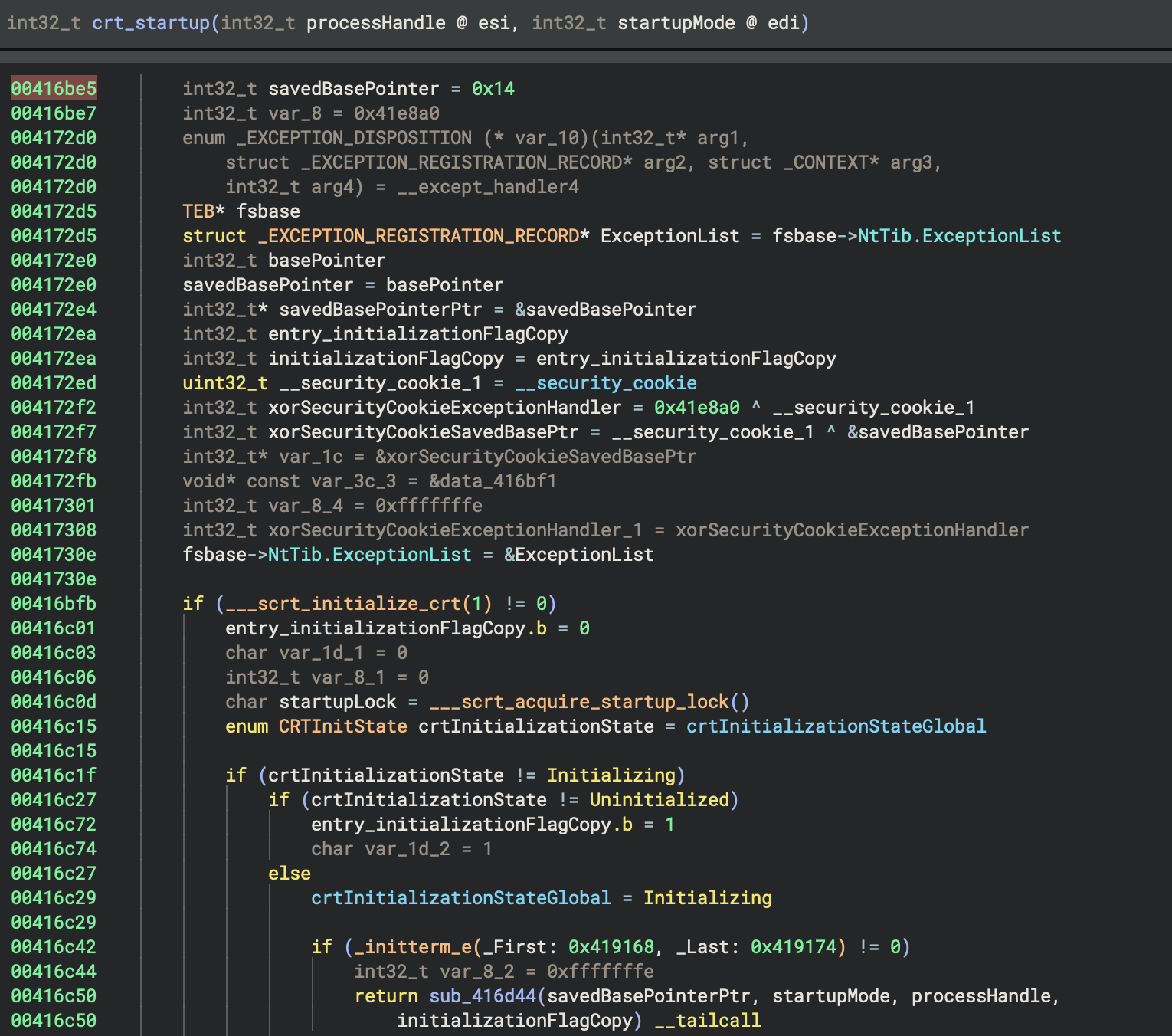
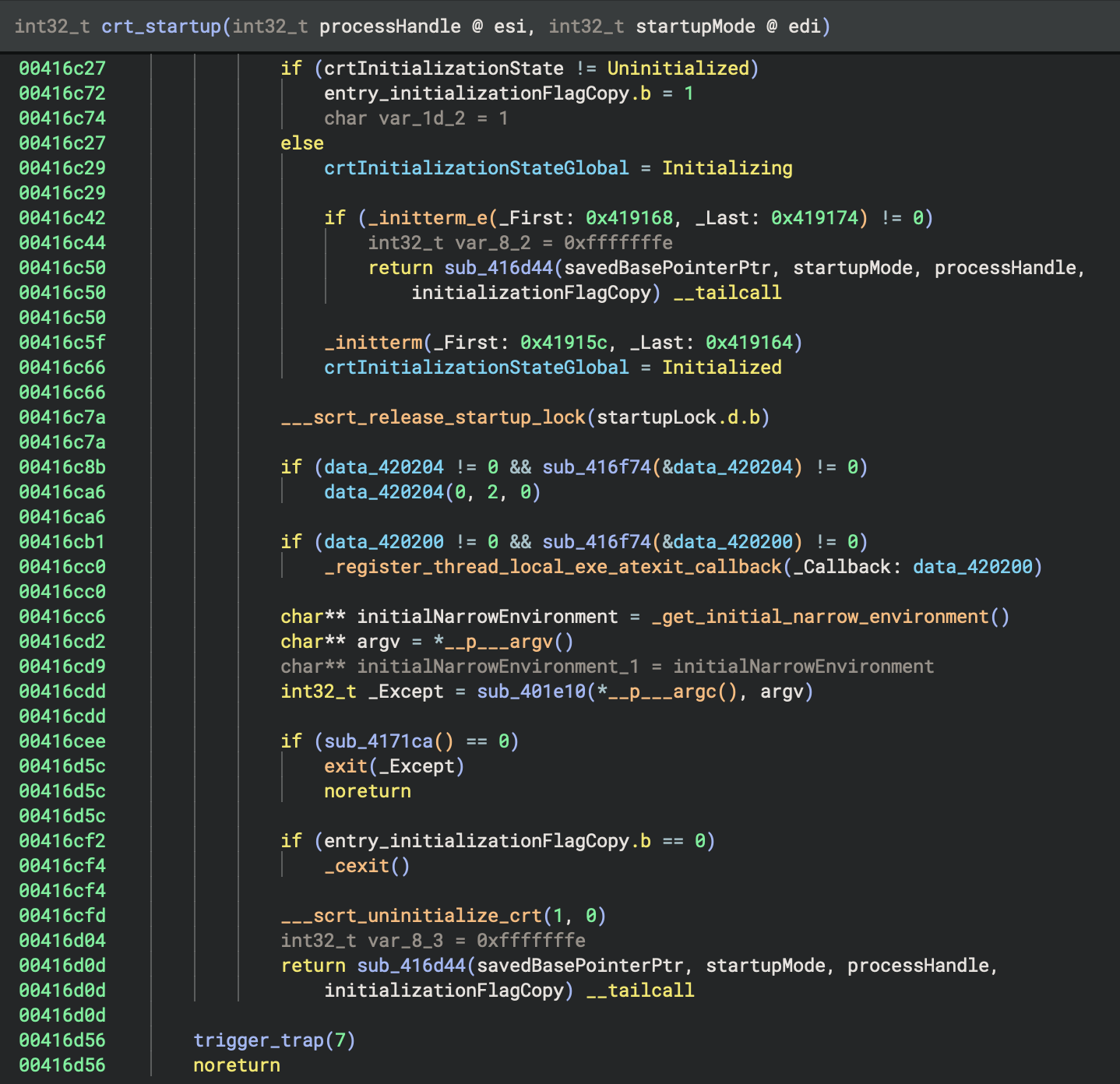
___security_init_cookie()
This function initialises security cookies for stack buffer overflow protection. It is a security feature in MSVC (called “stack canary” or “security cookie”), which helps detect stack corruption and buffer overflows.
int32_t initialStackPointer and int32_t initialBasePointer
These capture the initial stack and base pointer values. The values are passed to the C runtime initialisation.
return crt_startup(...) __tailcall
- This calls the C Runtime (CRT) startup function.
__tailcallmeans this is a tail call optimisation, which is, the function jumps tocrt_startuprather than calling and returning. It passes the process handle and startup information to initialise the C runtime.
2. Program Initialisation
Analyse the code references to crtInitializationStateGlobal to determine its purpose, usage patterns, and typical values.
crtInitializationStateGlobal is a global int32_t variable at 0x4201b0 used exclusively in crt_startup to track the C runtime initialisation state:
- 0 = uninitialised
- 1 = initialising
- 2 = initialised.
It is checked and set during startup to coordinate one-time CRT setup and prevent re-initialisation, supporting safe state transitions and error handling.
Let’s add some comments:
// Tracks CRT initialization state: 0=uninitialized, 1=initializing, 2=initialized
Proposed type: enum CRTInitState { Uninitialized=0, Initializing=1, Initialized=2 };
All code references to crtInitializationStateGlobal show it tracks CRT initialisation state (0=uninitialised, 1=initialising, 2=initialised) to coordinate safe, one-time startup; the variable is now renamed as CRTInitState and documented for clarity.
Apologise for mixed usage of American and British spelling, but sometimes the resources I used were mixed with different spelling!
3. Indentify main function
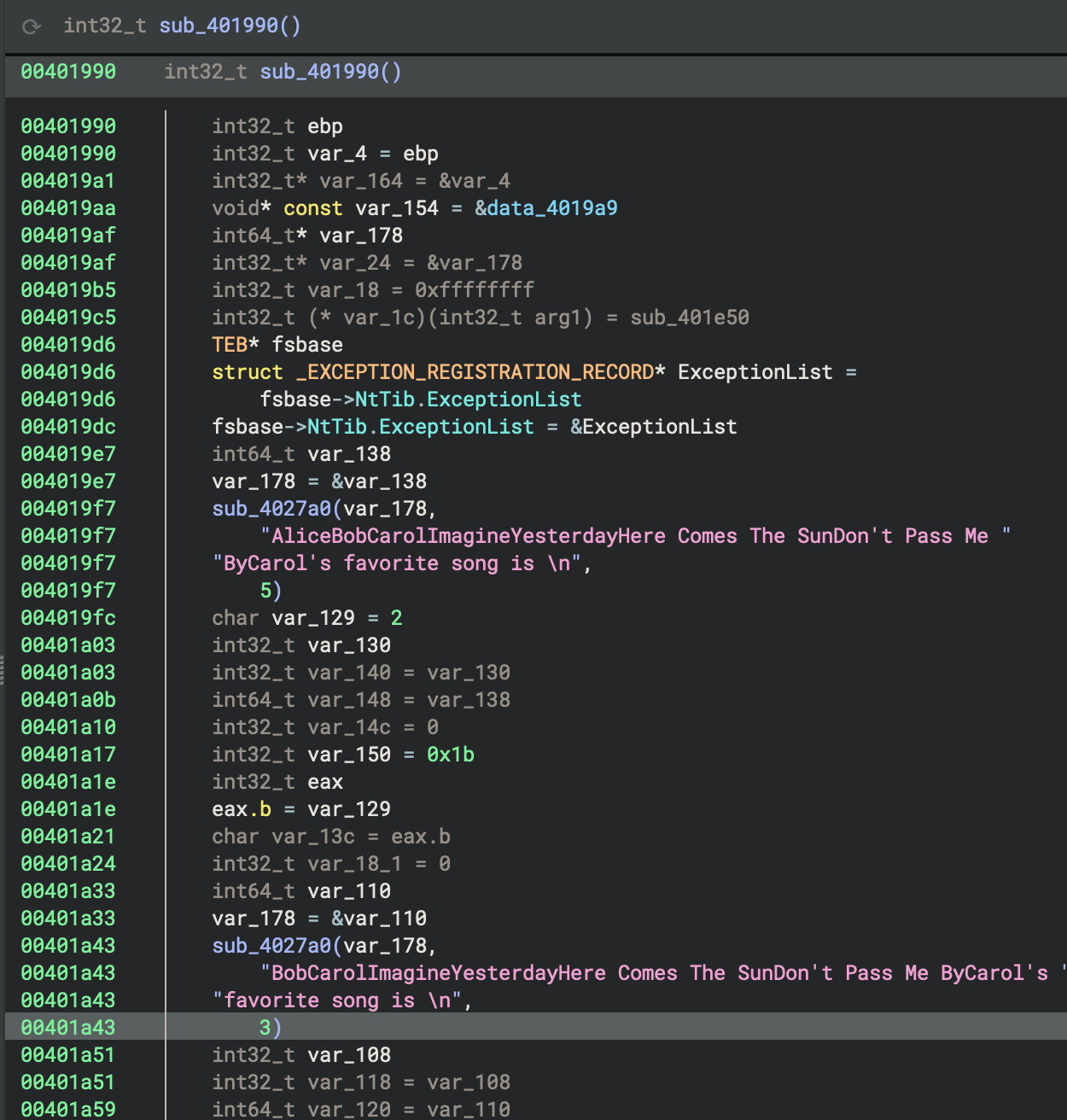
For this binary (32-bit), I didn’t find data cross-references and pointers in read-only memory (often vtable tables) at this point.
This suggests vtables and trait objects may be obfuscated, inlined, or use atypical layouts. Might have to implement manual inspection of cross-referenced read-only data and function signatures. But the question is, which is the first target. Which one is the specific function, address, or data region for us to conduct the deeper analysis?
Phase-by-Phase Comparison: x86 GNU (GCC/MinGW) vs MSVC
Phase 1: Entry Point & Security
| Aspect | GNU (GCC/MinGW) | MSVC |
|---|---|---|
| Entry Function | mainCRTStartup |
_start |
| Stack Cookie | Not visible in entry | ___security_init_cookie() called first |
| Exception Handling | _gnu_exception_handler registered |
SEH (Structured Exception Handling) with __except_handler4 |
| Security Features | Later in init sequence | Immediate (highest priority) |
GNU Code:
mainCRTStartup:
    __mingw_app_type = 0
    return __tmainCRTStartup()
MSVC Code:
_start:
    ___security_init_cookie()
    return crt_startup(initialStackPointer, initialBasePointer)
Review crtStartup
The operating system doesn’t directly call
main(), it calls the program’s entry point, which iscrtStartup. This abstraction allows the C runtime to set up everything the code expects to be available (likemalloc(),printf(), global variables, etc.) before the code run
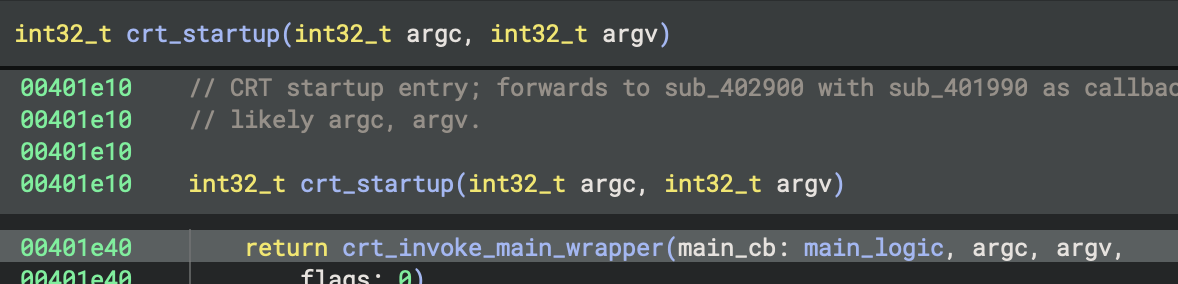
The main function at 0x401990 is named main_logic, uses the cdecl calling convention, takes no parameters, and returns an int32_t; it processes composite Alice strings and structures, with no evidence of Rust-specific mangling or fat pointer usage. All findings and documentation have been applied for future type and control flow recovery.
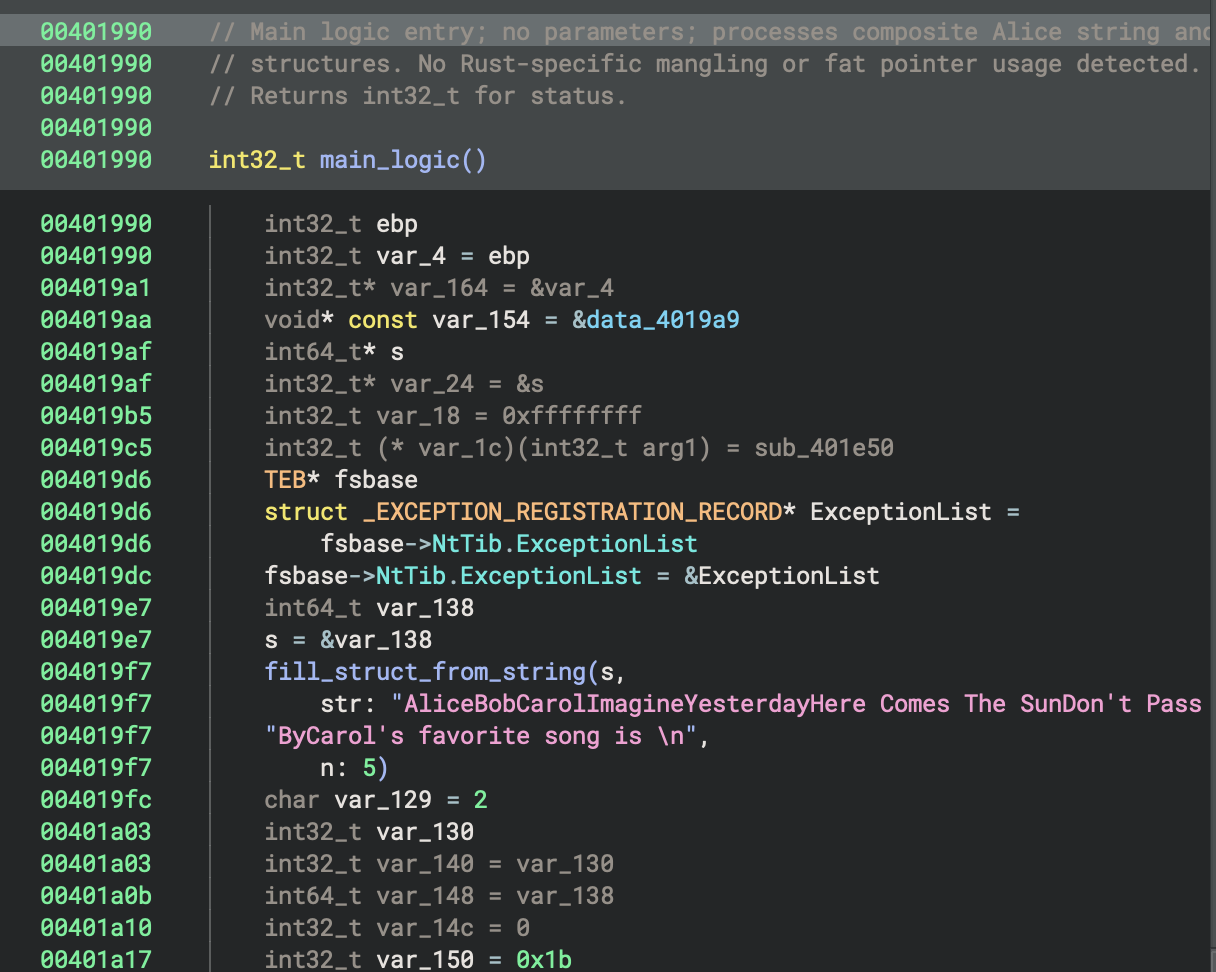
In the context of this program, the main function at 0x401990 is named main_logic, uses the cdecl calling convention, takes no parameters, and returns an int32_t; it processes composite Alice strings and structures, with no evidence of Rust-specific mangling or fat pointer usage. All findings and documentation have been applied for future type and control flow recovery.
64-bit MSVC Debug Build (PE File)
1. Entry Point
This is the High Level Language (HIL). Sometimes we called it High-level Intermediat
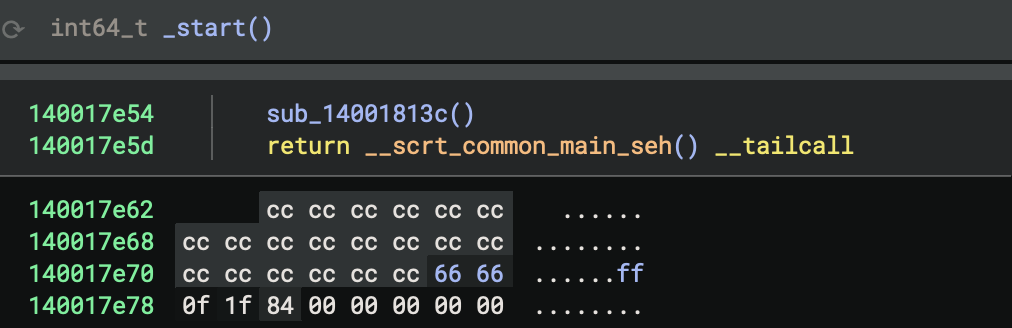
This is the disassembly.
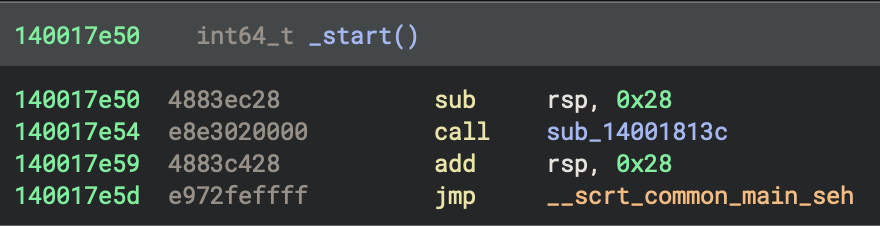
Just for comparison, it helps me see clearly how the variables and function calls work.
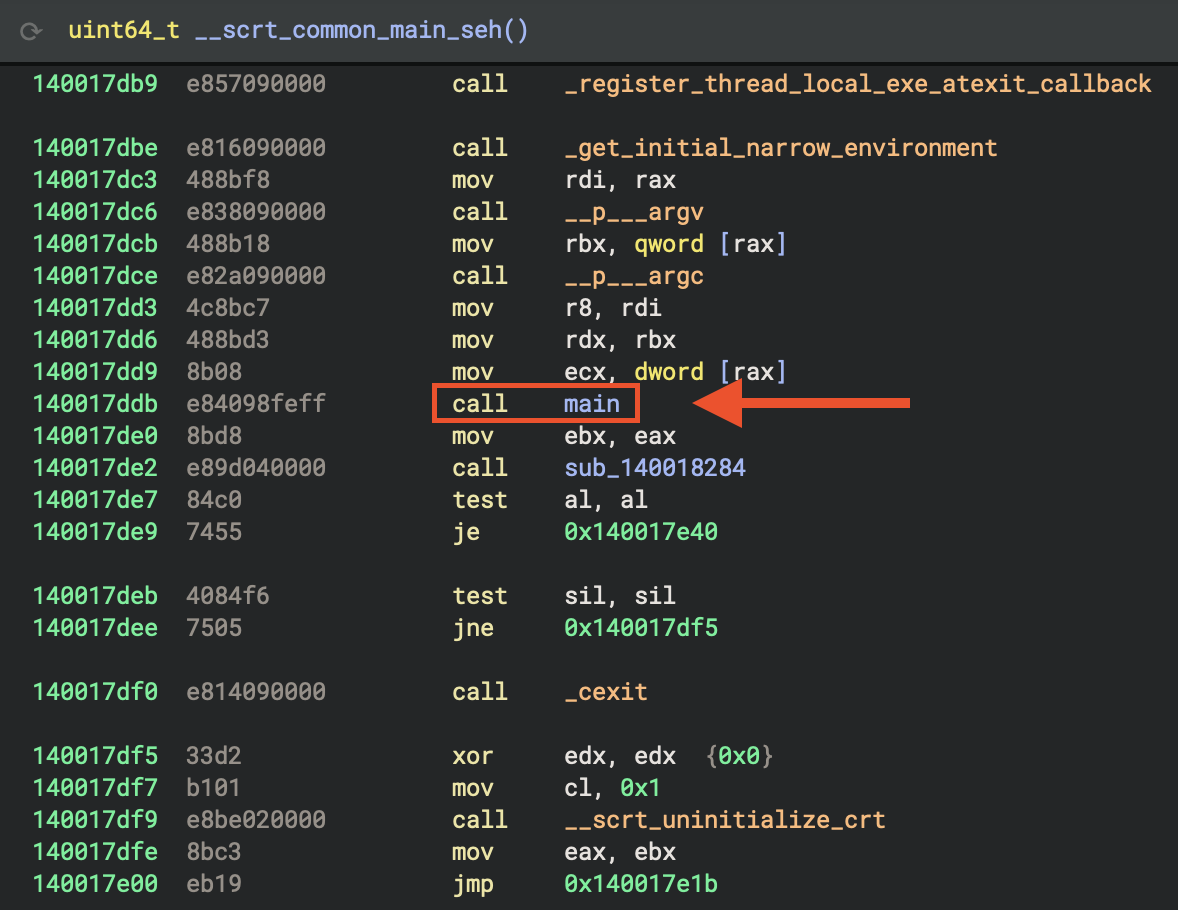
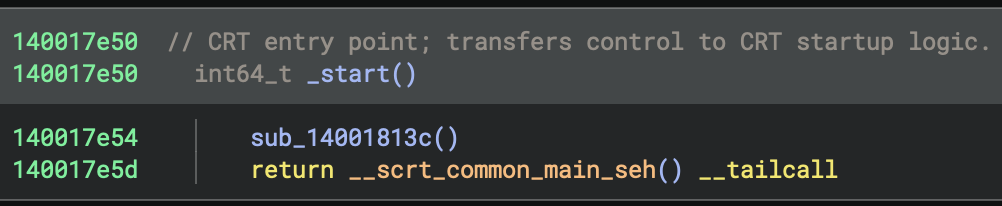
In the function __scrt_common_main_seh__, basically you can see many lines of CRT insitialisation. The most interesting function call is… main (see figure below).
2. Comments on CRT and Runtime Support Routines in Startup Sequence
Try to enumerate all referenced CRT and runtime support routines that are part of or invoked during the startup sequence, starting from _start and including direct and indirect cross-references.
For each function, I tried to document its role in the initialisation process (e.g., memory setup, exception handling, environment setup, I/O configuration).
int64_t _start
__scrt_common_main_seh
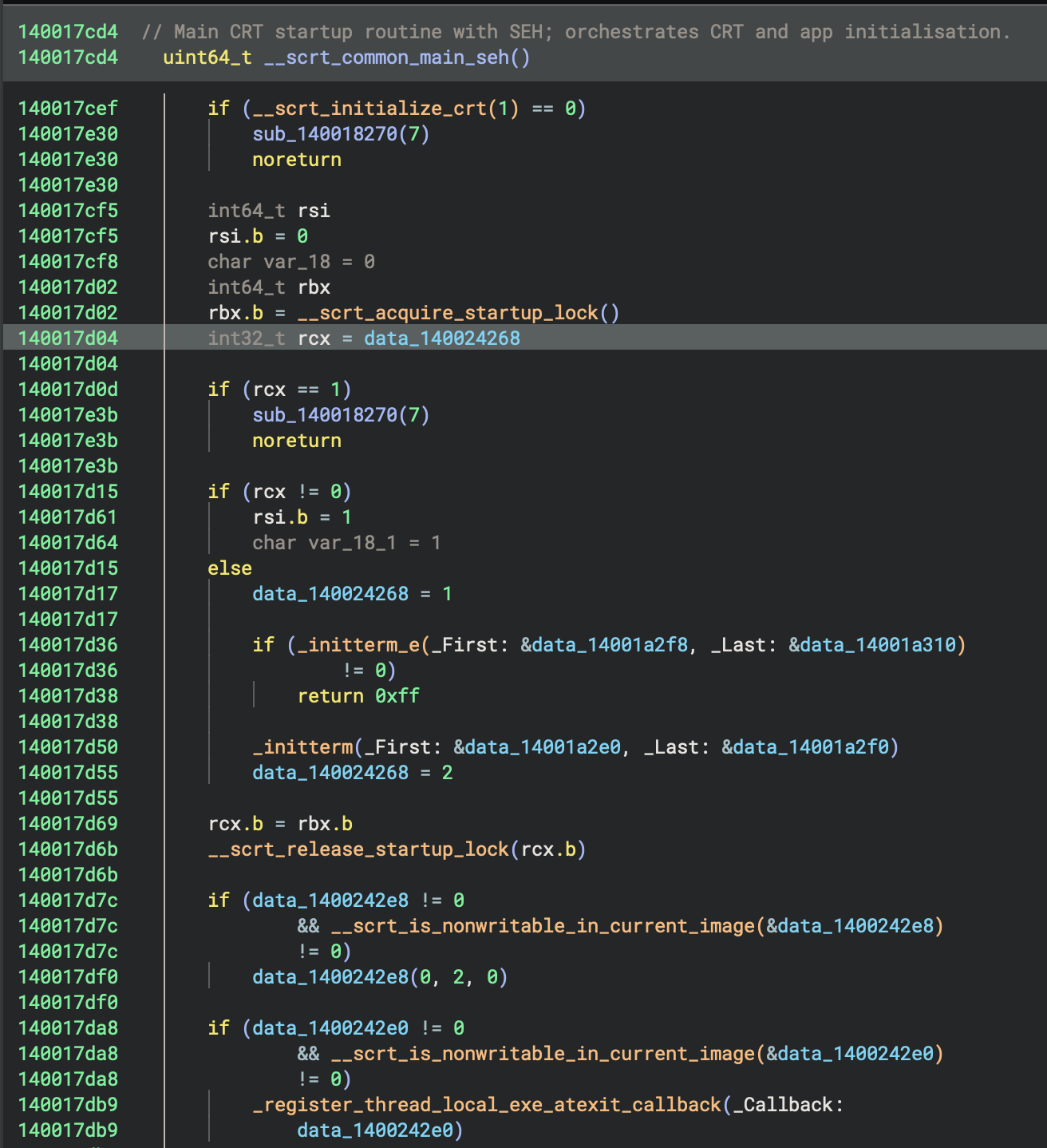
Initialisation State Machine
cif (rcx == 1)
    sub_140018270(7)
    noreturn

if (rcx != 0)
    rsi.b = 1
    char var_18_1 = 1
else
    data_140024268 = 1  // Mark as "initialising"
- rcx == 0: First time initialisation needed → set to 1 (initialising)
- rcx == 1: Already initialising (race condition) → abort
- rcx != 0: Already initialised → skip initialisation
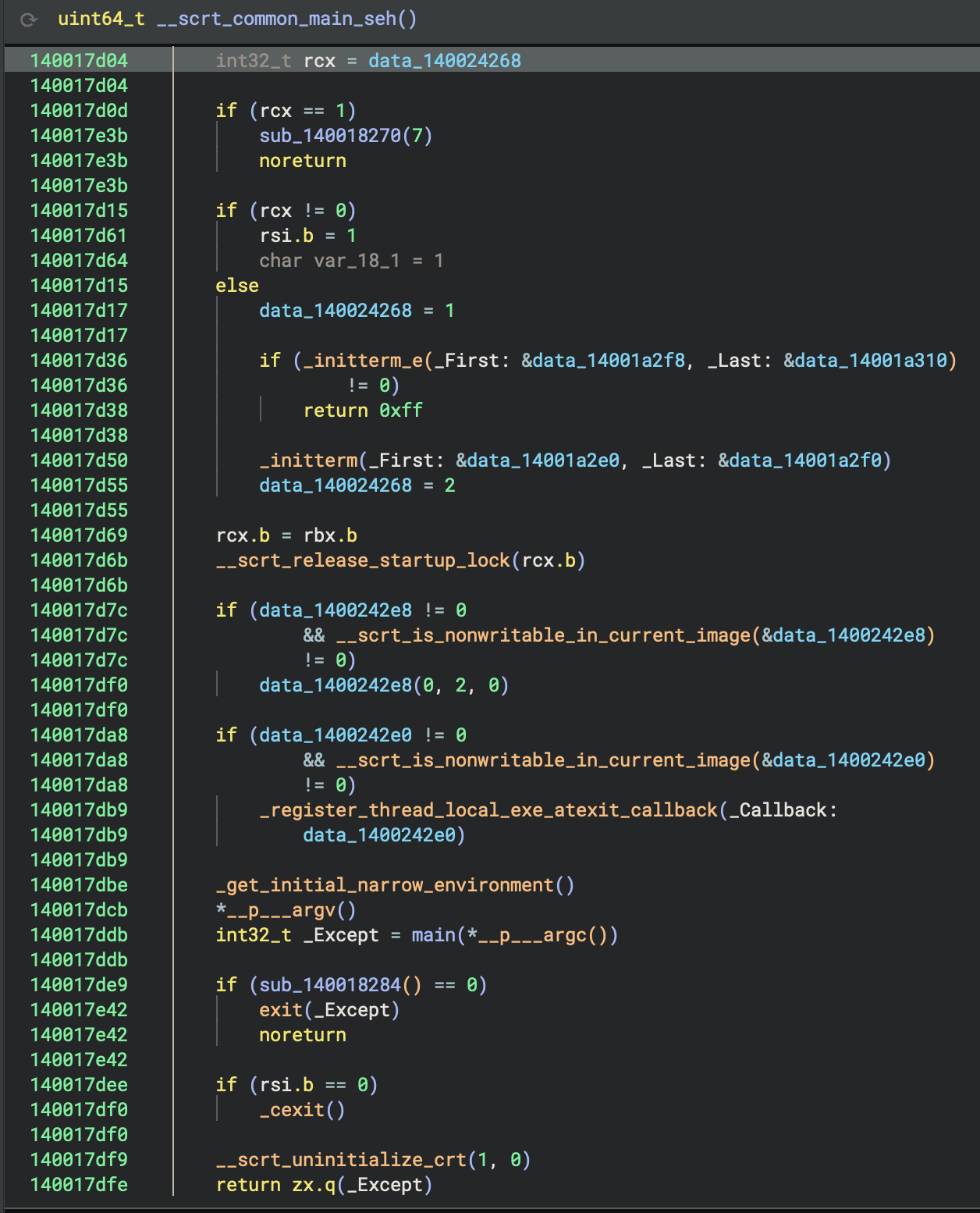
Call main
_get_initial_narrow_environment()
*__p___argv()
int32_t _Except = main(*__p___argc())
Finally, the actual program runs! You can see we get command-line arguments (argc, argv) here, including environment variables, and then call main() with arguments. Lastly, store the return value in _Except.
Comments on sub-functions
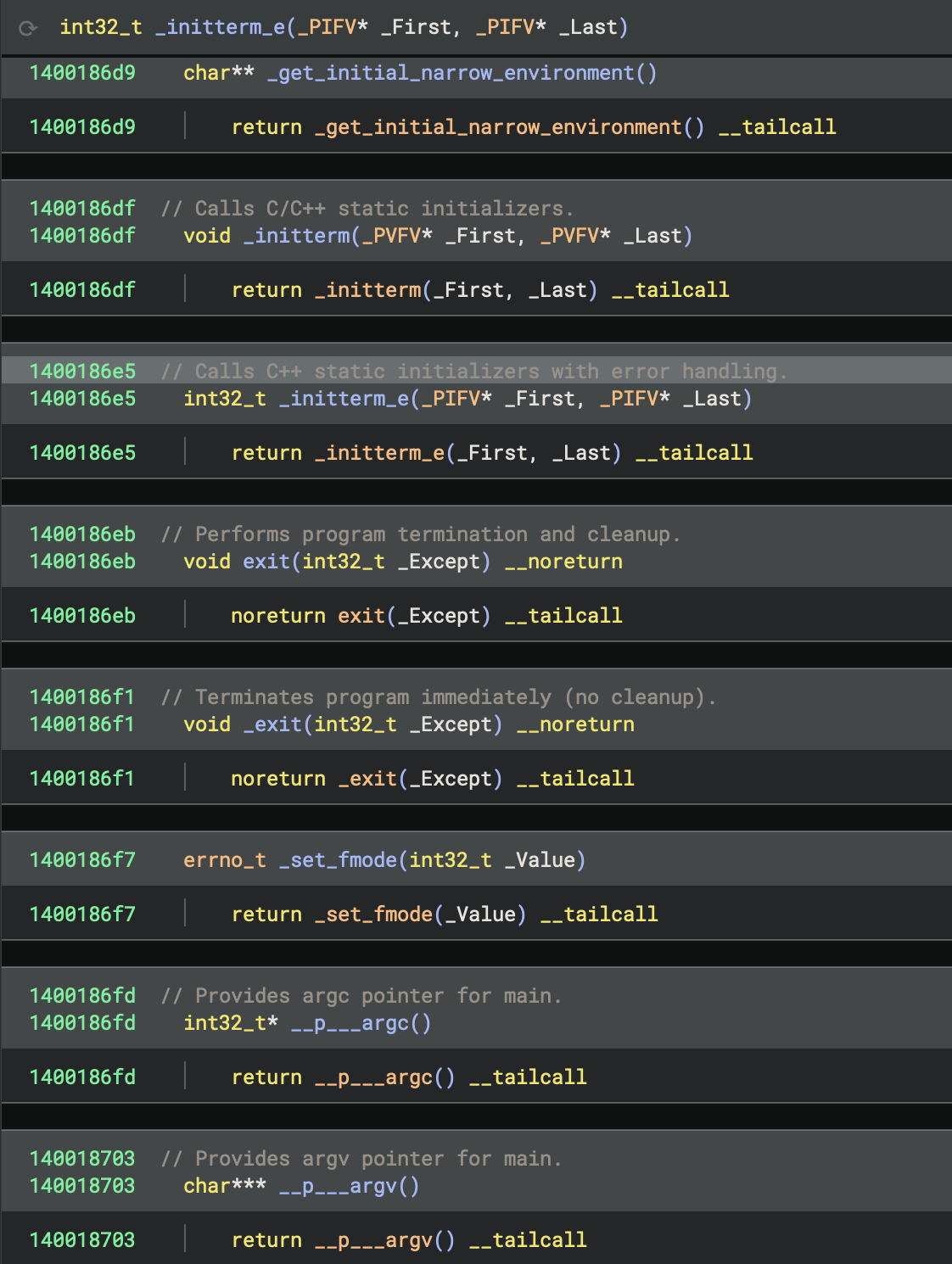
The Complete Startup Flow
_start()
  ↓
__scrt_common_main_seh()
  ↓
1. Initialise CRT (__scrt_initialize_crt)
2. Acquire startup lock
3. Check initialisation state
4. Run pre-main initialisers (_initterm_e, _initterm)
   - C++ global constructors
   - Static object initialisation
5. Release startup lock
6. Register exit callbacks
7. ★ Call main() ★  ← The CODE RUNS HERE
8. Cleanup and exit
  ↓
return exit code
3. Reconstruct the program’s logic from initialisation through to its core behaviour
To understand what the code is doing from the entry point (_start at 0x140017e50), I will follow the execution flow:
- Analyse
sub_14001813cto see any early initialisation or setup it performs. - Examine
__scrt_common_main_seh, which is the C runtime’s main setup routine—this typically leads to the program’smainfunction. - Trace how control passes from
__scrt_common_main_sehto main and then analysemainand its callees (sub_140001270,sub_140002520, etc.).
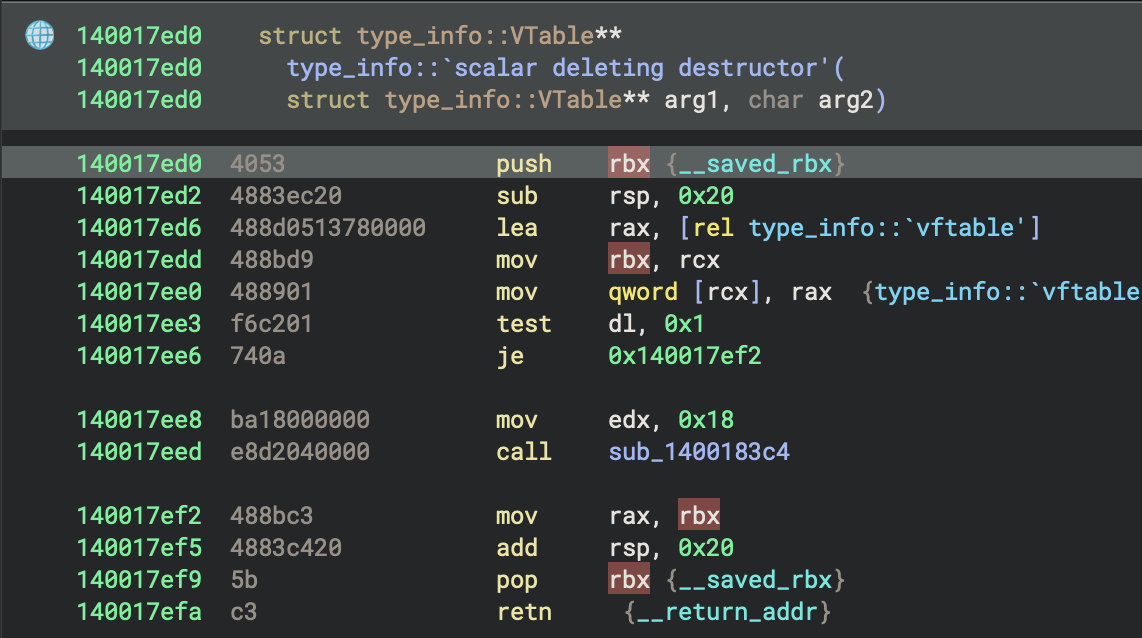
I also found vtable struct when I browsed the function calls “by accident”, it will be useful later on.
4. Enumerate and Characterise _start Call Neighborhood
Callers of _start
None (entry point has no callers within the binary), because the operating system loader jumps directly to _start.
Enumerate all functions in the immediate call neighborhood of _start, including both direct and indirect callees such as sub_14001813c and sub_1400183c4. For each function, document its likely role (CRT, system, or custom logic), summarise its main actions, and highlight any that deviate from standard CRT startup patterns. Present results in a table for easy reference as the user explores the startup phase.
Entry Point
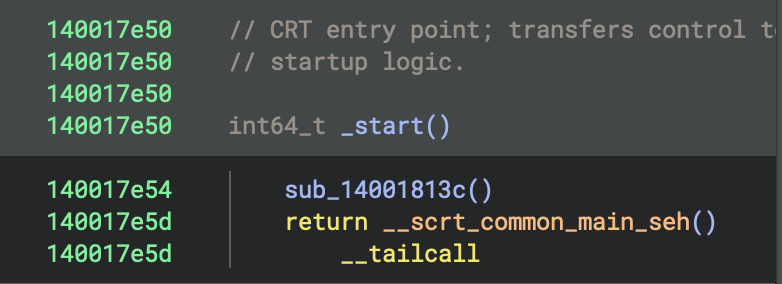
- Address:
0x140017e50 - Function:
_start - Role: This is the program’s entry point (the first function executed)
_start makes two function calls
1. sub_14001813c (Security Cookie Initialisation)
sub_14001813c(Security Cookie Initialisation) at0x140017e54- Purpose: Initialises the security cookie for stack buffer overflow protection
- Key operations: Checks if
__security_cookieis default value (0x2b992ddfa232)
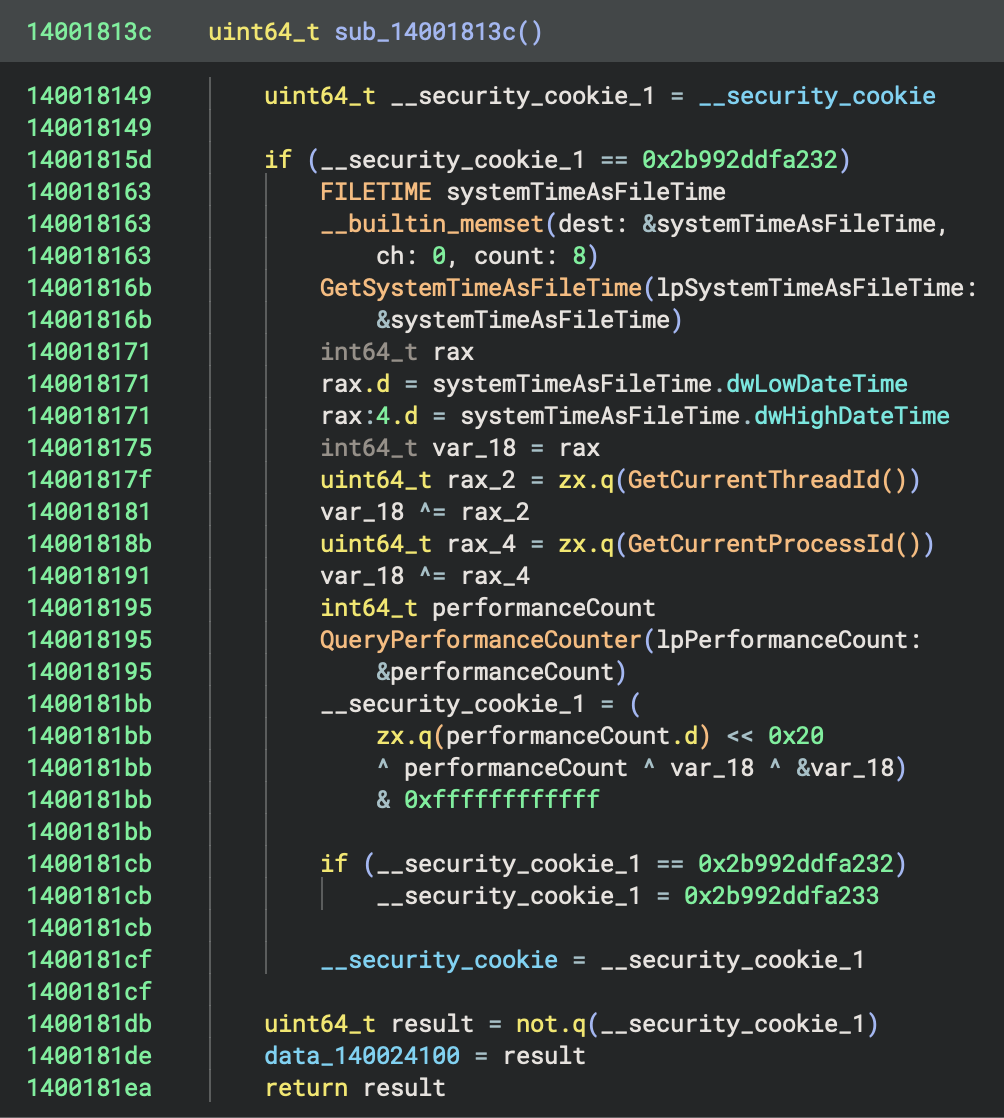
sub_14001813c checks if __security_cookie is default value (0x2b992ddfa232)

sub_14001813c generates random cookie using:
- GetSystemTimeAsFileTime() → current time
- GetCurrentThreadId() → thread ID
- GetCurrentProcessId() → process ID
- QueryPerformanceCounter() → high-resolution counter
- Stack address (&var_18)
sub_14001813c stores cookie in __security_cookie and its complement in data_140024100.
2. __scrt_common_main_seh (Main CRT Initialisation) at 0x140017e5d (tail call)
- Full name:
__scrt_common_main_seh - Address:
0x140017cd4 - Purpose: Standard C Runtime (CRT) initialisation and main program execution
This function orchestrates the entire program startup:
Initialisation Phase:
__scrt_initialize_crt(1): Initialise C runtime__scrt_acquire_startup_lock(): Acquire startup synchronization lock_initterm_e(&data_14001a2f8, &data_14001a310): Execute C++ initialisers (can return errors)_initterm(&data_14001a2e0, &data_14001a2f0): Execute C initialisers__scrt_release_startup_lock(): Release startup lock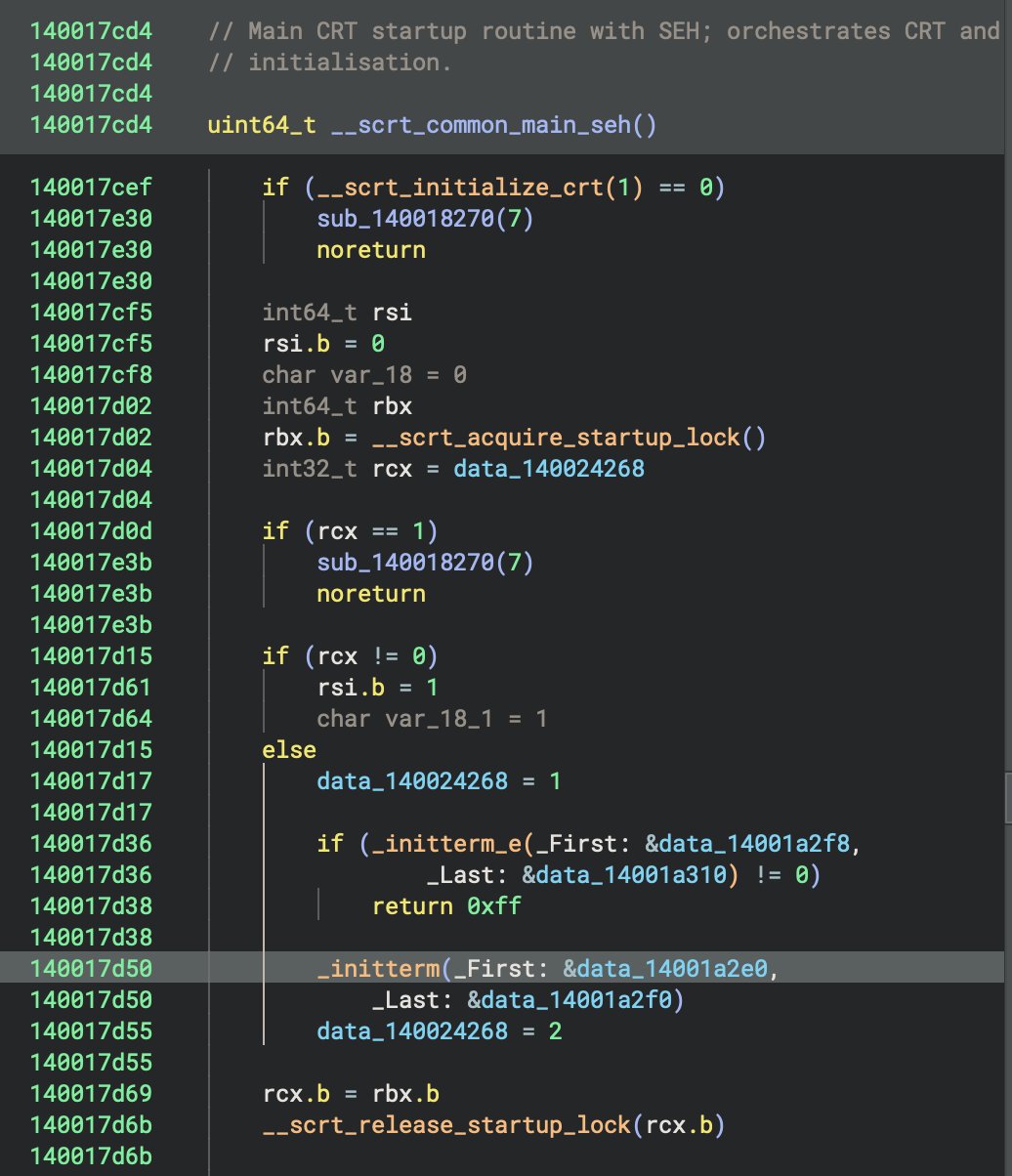
Reading
- Microsoft Learn -
_initterm,_initterm_e:https://learn.microsoft.com/en-us/cpp/c-runtime-library/reference/initterm-initterm-e?view=msvc-170
- GitHub Source (Microsoft Docs) URL:
Pre-Main Setup:
__scrt_is_nonwritable_in_current_image(): Security checks_register_thread_local_exe_atexit_callback(): Register cleanup handlers_get_initial_narrow_environment(): Get environment variables__p___argv(): Get command line arguments__p___argc(): Get argument count
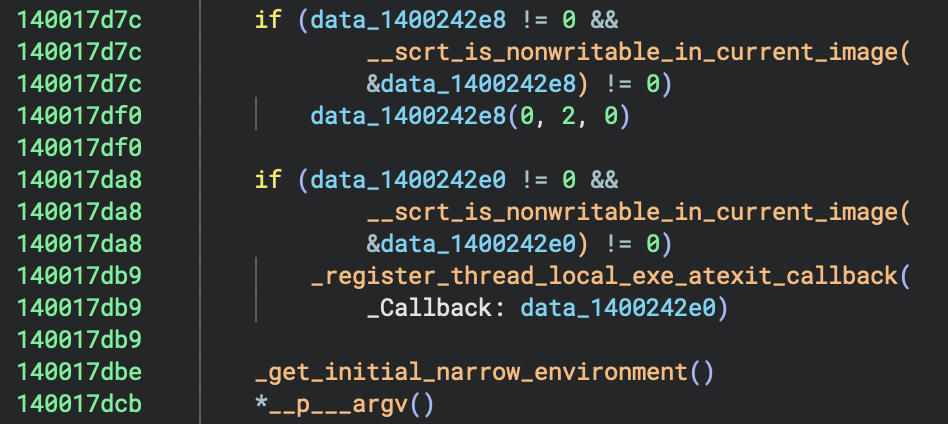
⭐️ Main Execution:
main(*__p___argc())at0x140001620: Execute user’s main function- This calls
sub_140002520(sub_140001270): the actual Rust program logic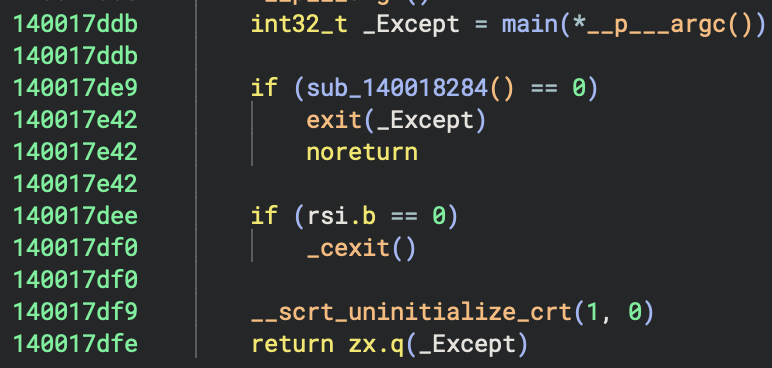
Cleanup Phase:
sub_140018284(): Check if cleanup neededexit(_Except)or_cexit(): Normal termination__scrt_uninitialize_crt(1, 0): Cleanup C runtime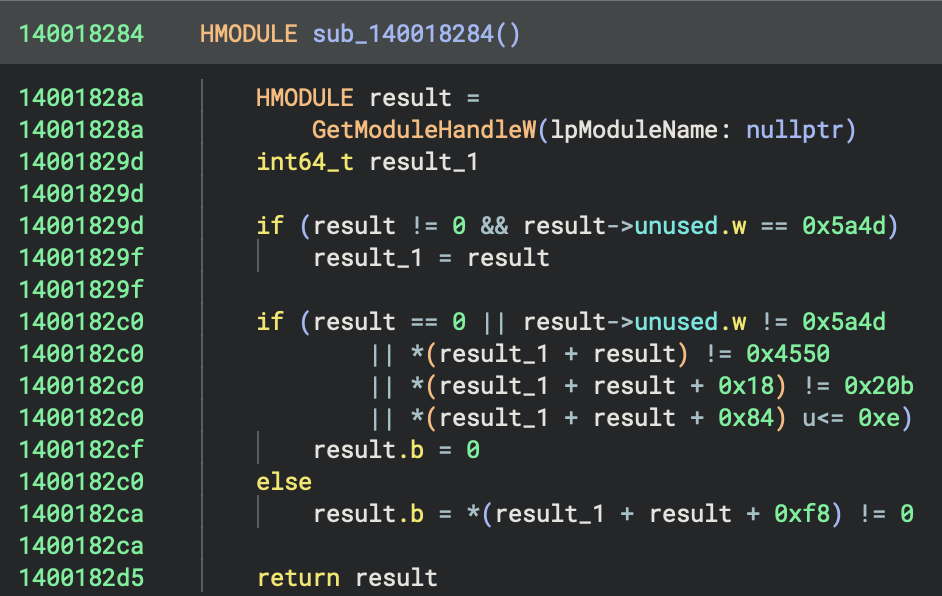
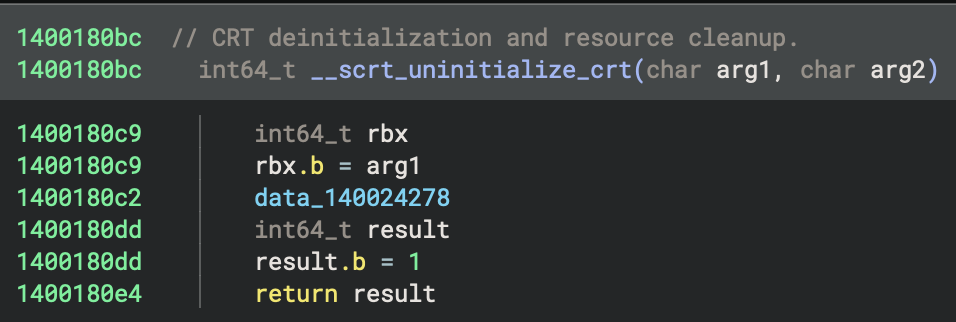
One thing worths mentioning here, is that
WARP > Match Functionsin Binary Ninja is a feature that uses the Workflow-Assisted Reverse-engineering Platform (WARP) system to identify and match unctions in the binary against a large database of known functions from other binaries or libraries.- This automated matching helps you quickly recognizse standard library functions, compiler-generated code, or reused code across different binaries, improving analysis efficiency and accuracy by automatically renaming and annotating matched functions.
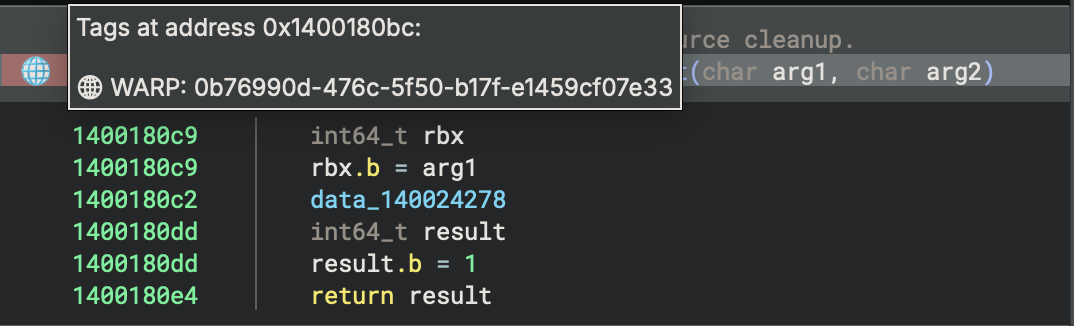
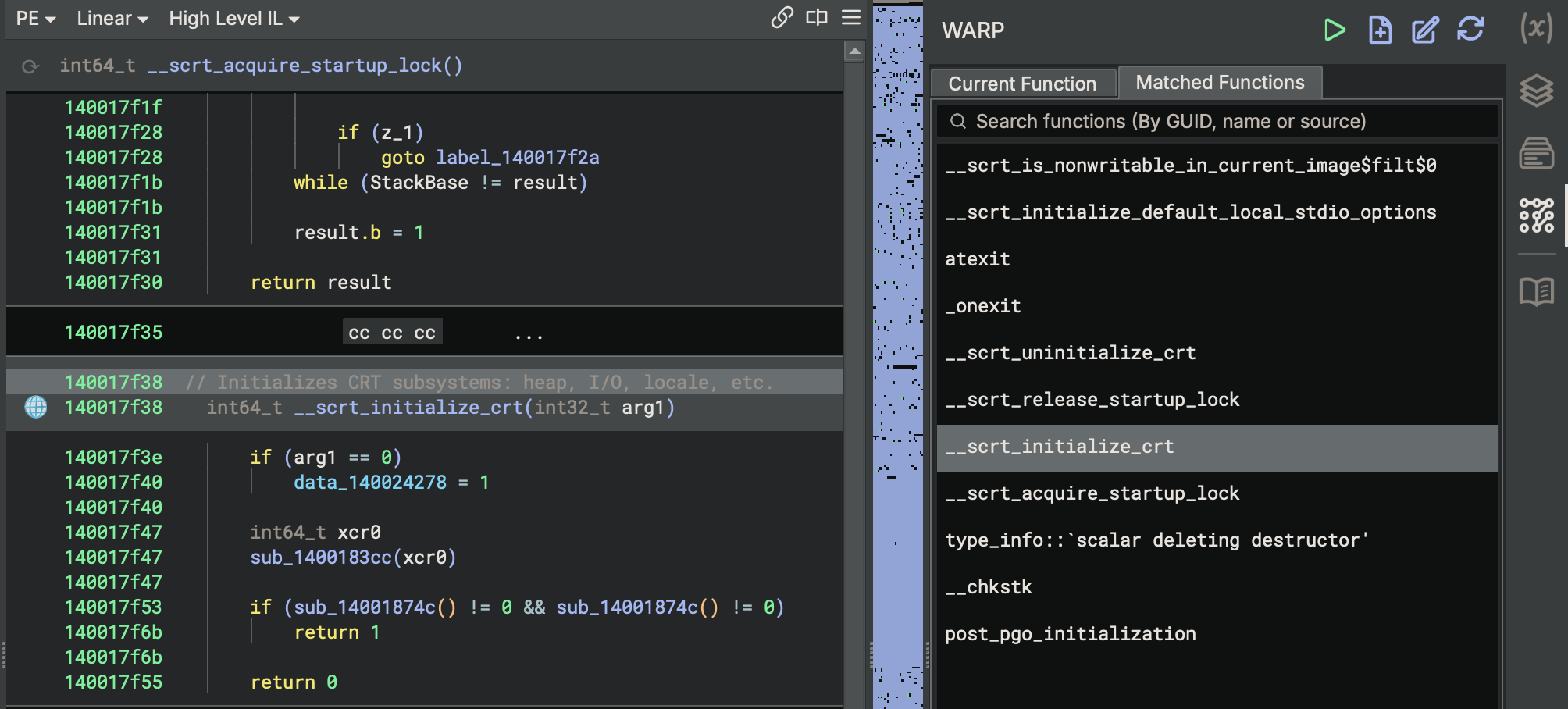
Error Handling:
sub_140018270(7): Called on initialisation errors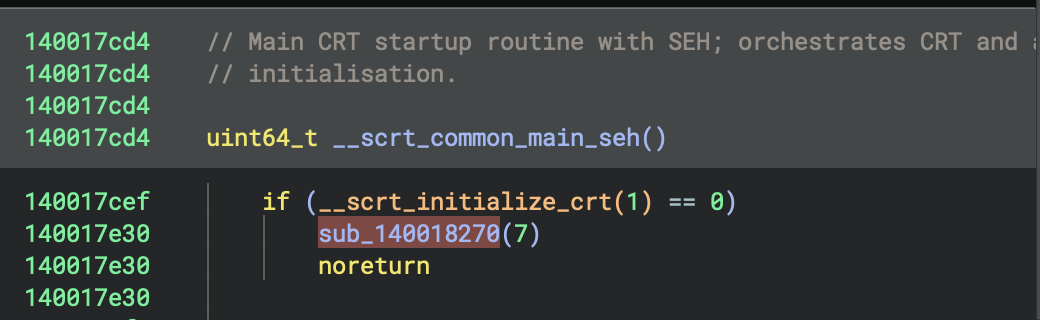
Call Graph Summary
_start (0x140017e50) [ENTRY POINT]
├── sub_14001813c() [Security Cookie Init]
│   ├── GetSystemTimeAsFileTime()
│   ├── GetCurrentThreadId()
│   ├── GetCurrentProcessId()
│   └── QueryPerformanceCounter()
│
└── __scrt_common_main_seh() [TAIL CALL]
    ├── __scrt_initialize_crt(1)
    ├── __scrt_acquire_startup_lock()
    ├── _initterm_e()
    ├── _initterm()
    ├── __scrt_release_startup_lock()
    ├── _get_initial_narrow_environment()
    ├── main() [0x140001620] ← THE PROGRAM
    │   └── sub_140002520(sub_140001270)
    ├── _cexit() or exit()
    └── __scrt_uninitialize_crt(1, 0)
4. main function
In Rust program, usually there are wrappers for entry point functions and main function (see figures below).
HIL View

Disassembly
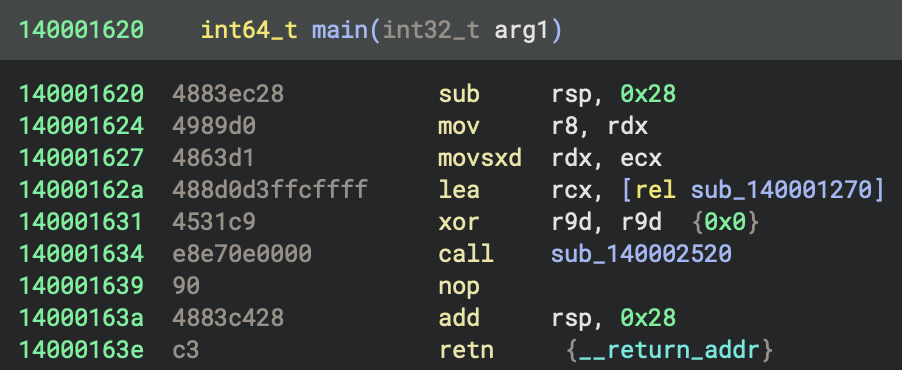
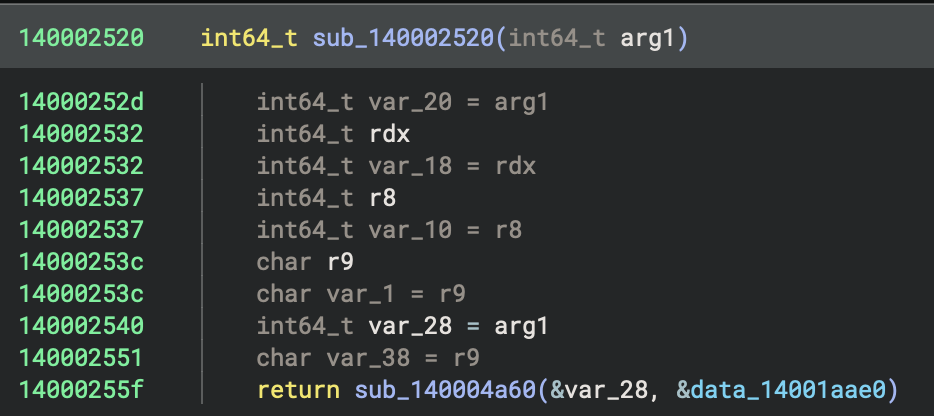
A - sub_140002520 in x64 Rust Program
Normally, pure C program should look liks this (x64 PE file can be found at ../../datasets/Benigh-Samples/01-basic-pl-concept/c-output/hello-x64.exe):
#include <stdio.h>

int main(int argc, char** argv) {
    printf("Hello World\n");
    return 0;
}
Disaseembly of simple C program:
main:
    sub    rsp, 0x28           ; Allocate stack
    lea    rcx, [string]       ; Load "Hello World\n"
    call   printf              ; Call printf directly
    xor    eax, eax            ; return 0
    add    rsp, 0x28           ; Cleanup
    ret
No wrapper needed - main directly contains the code logic.
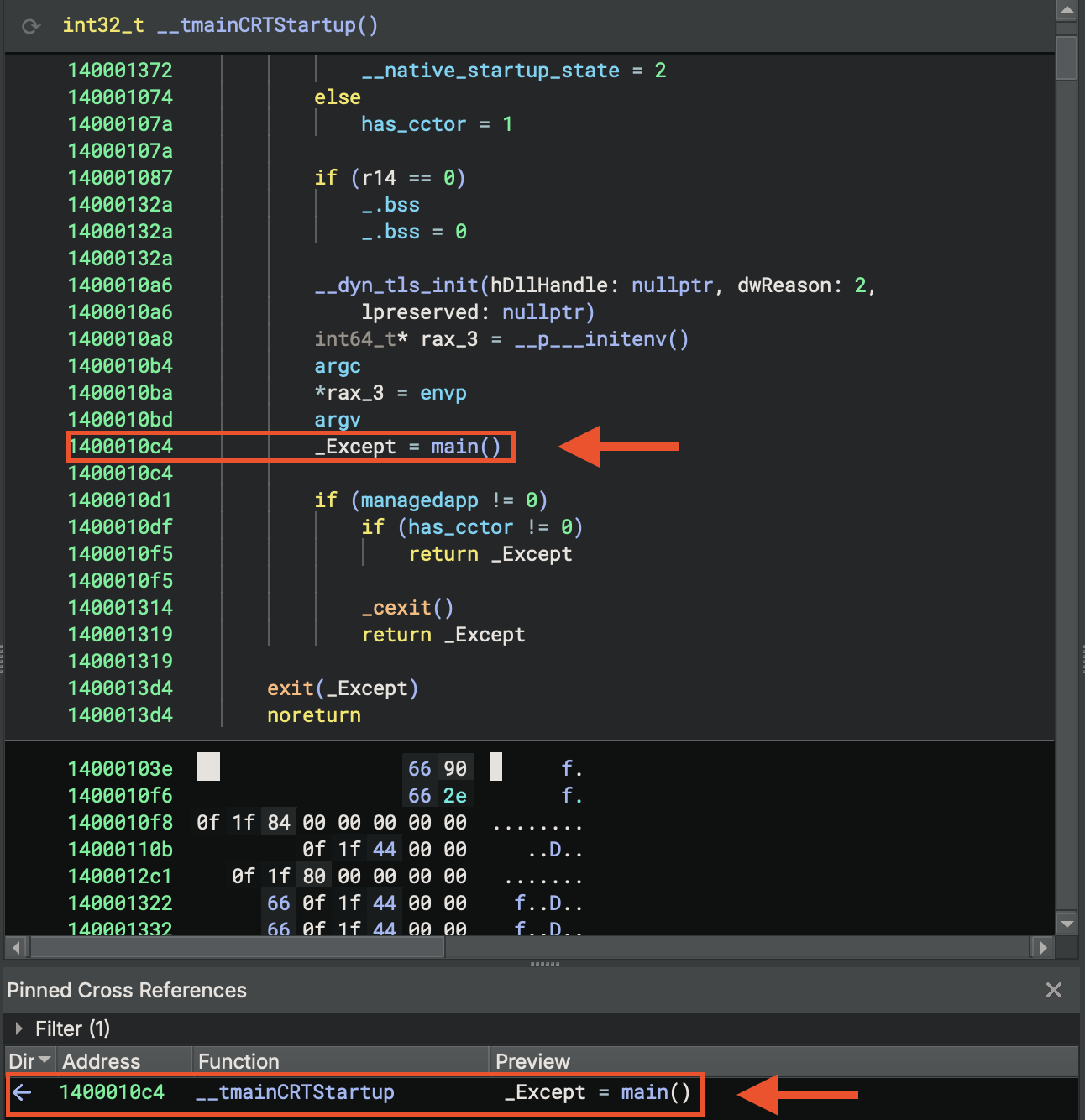
main in C program
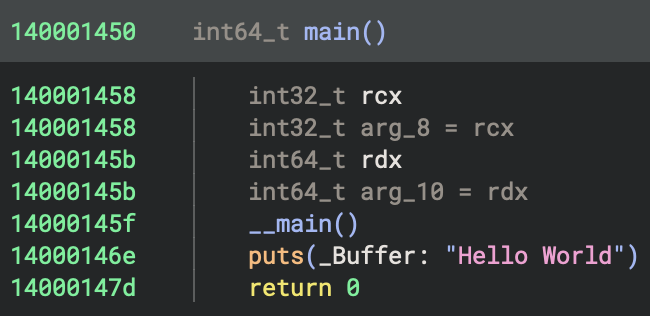
The __main() call at 0x14000145f in the hello-x64.exe is a GCC/MinGW-specific initialisation mechanism.
It Guards against re-initialization using a static flag and calls global C++ constructors by walking __CTOR_LIST__. Also, __main registers global destructors via atexit(__do_global_dtors), usually executing before any user code in main.
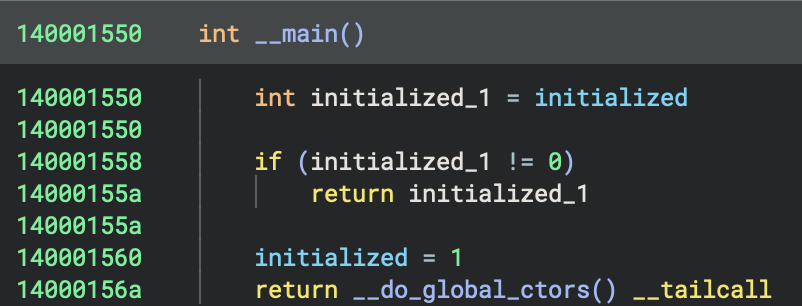 You can always check
 Cross References.
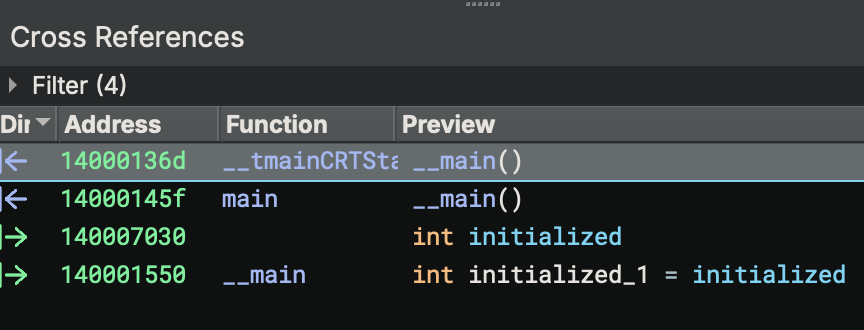
This is functionally equivalent to MSVC’s _initterm_e()mechanism but implemented differently. In a simple C program with no global objects, the constructor list will be nearly empty, making this call very fast. However, in C++ programs with global objects, this is critical for proper initialisation.
Comparison: MSVC vs GCC/MinGW
clang basically is similar to GCC/MinGW, so I didn’t include it in the table below.
| Aspect | MSVC | GCC/MinGW (this binary) |
|---|---|---|
| Constructor mechanism | .CRT$XC* sections |
__CTOR_LIST__ array |
| When constructors run | In CRT startup (before main) | Via __main() call in main |
| Initialisation function | _initterm_e() |
__do_global_ctors() |
| Destructor registration | _initterm() with .CRT$XP* |
atexit(__do_global_dtors) |
| Explicit call required | No | Yes (__main() in main) |
Architecture & Design Philosophy
| Feature | GNU (GCC/MinGW) | MSVC |
|---|---|---|
| Modularity | Multiple discrete functions | Integrated into fewer functions |
| State Tracking | ___native_startup_state integer |
crtInitializationStateGlobal enum |
| Thread Safety | Stack-based detection with sleep loop | Startup lock mechanism |
| Security First | Security features later in sequence | Security cookie initialised first |
Unique GNU/MinGW Features
_pei386_runtime_relocator()- MinGW-specific runtime relocations for PE32- Argv deep copy - Persistent copy of command-line arguments
- Triple TLS force flags -
initltsdrot,initltsdyn,initltssuo - Stack base detection loop - Multi-threading/debugging detection
__main()double-call - Once for CRT C++, once for Rust__CTOR_LIST__/__DTOR_LIST__- Classic GCC constructor tables- Manual COM/file mode setup - Explicit
__p__fmode()/__p__commode()
Unique MSVC Features
___security_init_cookie()- Immediate stack canary setup- SEH frames - Built-in exception handling infrastructure
- Startup lock mechanism -
___scrt_acquire_startup_lock() - State enum -
Uninitialized→Initializing→Initialized - Integrated CRT init - Single
___scrt_initialize_crt()call - Thread-local exit callbacks -
_register_thread_local_exe_atexit_callback
5. Reconstruction
This function (sub_140001270) is a Rust-compiled routine that builds and manipulates several string-like buffers, calls helper routines to process them, and then performs a loop with further data processing and conditional logic..
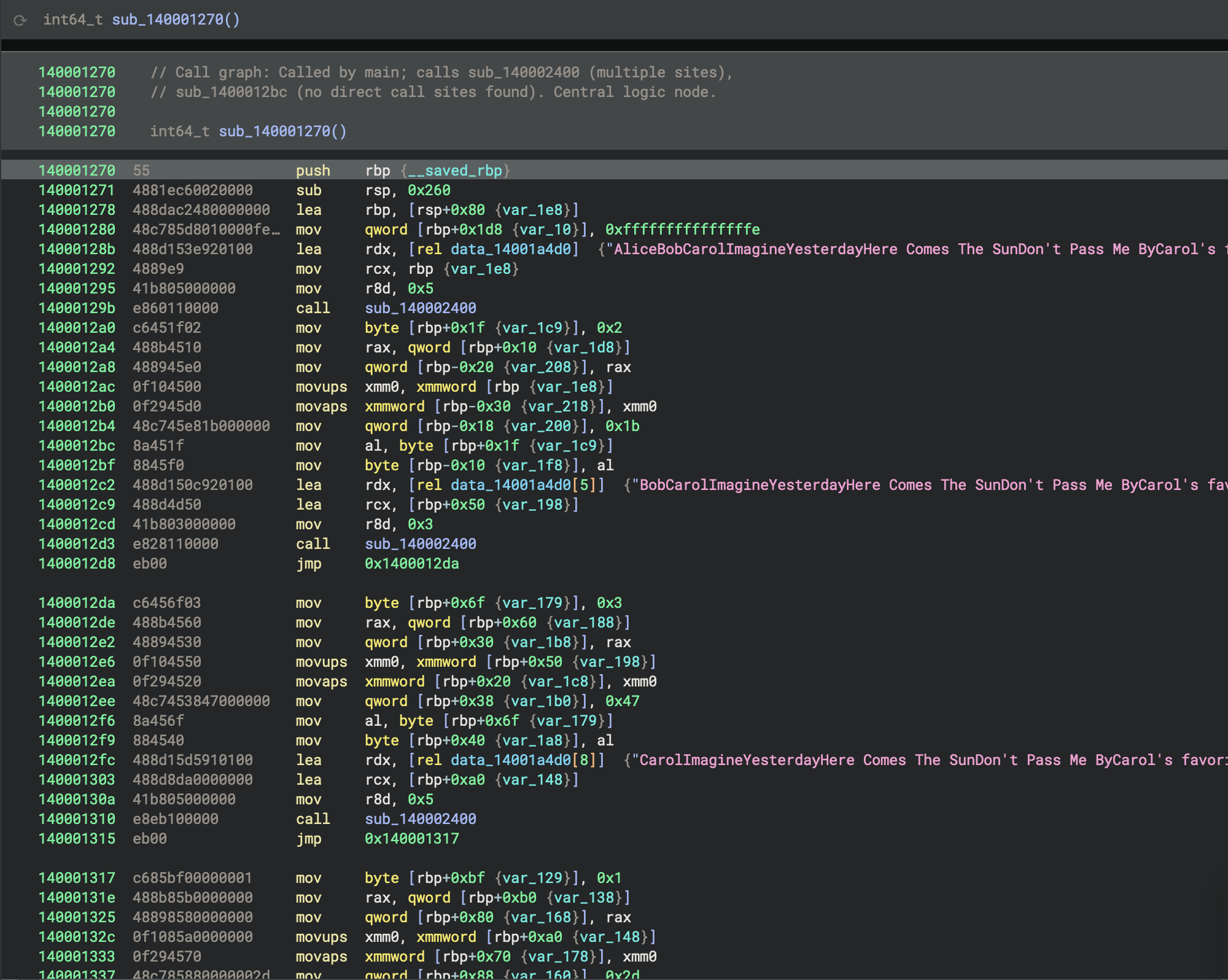
Below is a decompiled and annotated summary with improved naming and comments:
// Central data-processing routine, called by main and CRT
int64_t process_song_variations() {
    // Initialize first buffer with a song string
    StringBuf buf_alice;
    sub_140002400(&buf_alice, "AliceBobCarolImagineYesterdayHere Comes The SunDon't Pass Me ByCarol's favorite song is \n", 5);
    char idx_alice = 2;

    // Copy buffer and set up second buffer
    StringBuf buf_bob;
    sub_140002400(&buf_bob, "BobCarolImagineYesterdayHere Comes The SunDon't Pass Me ByCarol's favorite song is \n", 3);
    char idx_bob = 3;

    // Copy buffer and set up third buffer
    StringBuf buf_carol;
    sub_140002400(&buf_carol, "CarolImagineYesterdayHere Comes The SunDon't Pass Me ByCarol's favorite song is \n", 5);
    char idx_carol = 1;

    // Initialize state for a processing loop
    int64_t state = sub_140002480(0);
    int64_t loop_counter = 0xa;

    // Main processing loop
    while (true) {
        int64_t flag, value;
        flag, value = sub_140002460(&state);

        if ((flag & 1) == 0)
            break;

        if (value > 5) {
            int64_t result = sub_140001230(&buf_alice, value);
            int128_t temp1, temp2;
            sub_140002940(&temp1, &value);
            sub_140002940(&temp2, &result);

            // Further processing with global data and helper routines
            int128_t processed1 = temp1, processed2 = temp2;
            void* output;
            sub_140002d10(&output, &data_14001a570, &processed1);
            sub_140006620(&output);
        }
    }

    // Select a string based on idx_carol
    const char* selected;
    switch (idx_carol) {
        case 0: selected = "ImagineYesterdayHere Comes The SunDon't Pass Me ByCarol's favorite song is \n"; break;
        case 1: selected = "YesterdayHere Comes The SunDon't Pass Me ByCarol's favorite song is \n"; break;
        case 2: selected = "Here Comes The SunDon't Pass Me ByCarol's favorite song is \n"; break;
        case 3: selected = "Don't Pass Me ByCarol's favorite song is \n"; break;
    }

    // Final processing and cleanup
    int128_t final_buf;
    sub_140002900(&final_buf, &selected);
    int128_t processed_final = final_buf;
    void* output_final;
    sub_140002d60(&output_final, &data_14001a530, &processed_final);
    sub_140006620(&output_final);

    // Cleanup buffers and return
    sub_140001750(&buf_carol);
    sub_140001750(&buf_bob);
    return sub_140001750(&buf_alice);
}
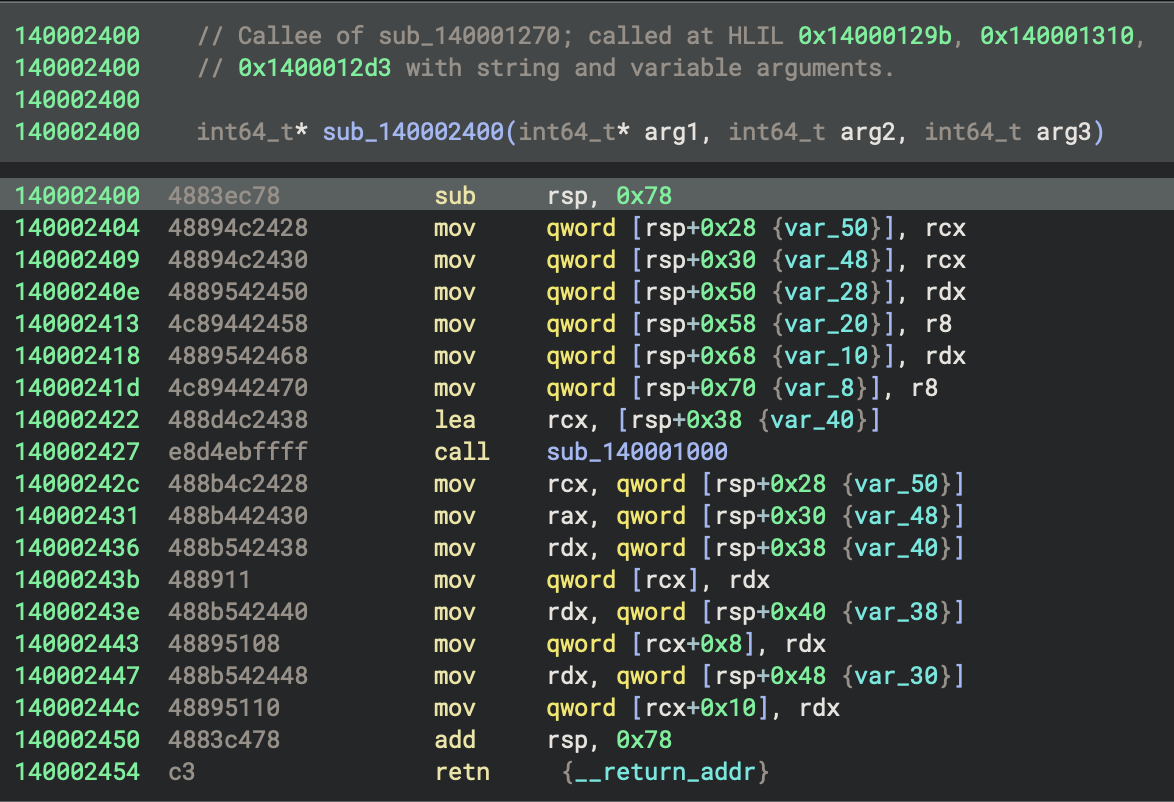
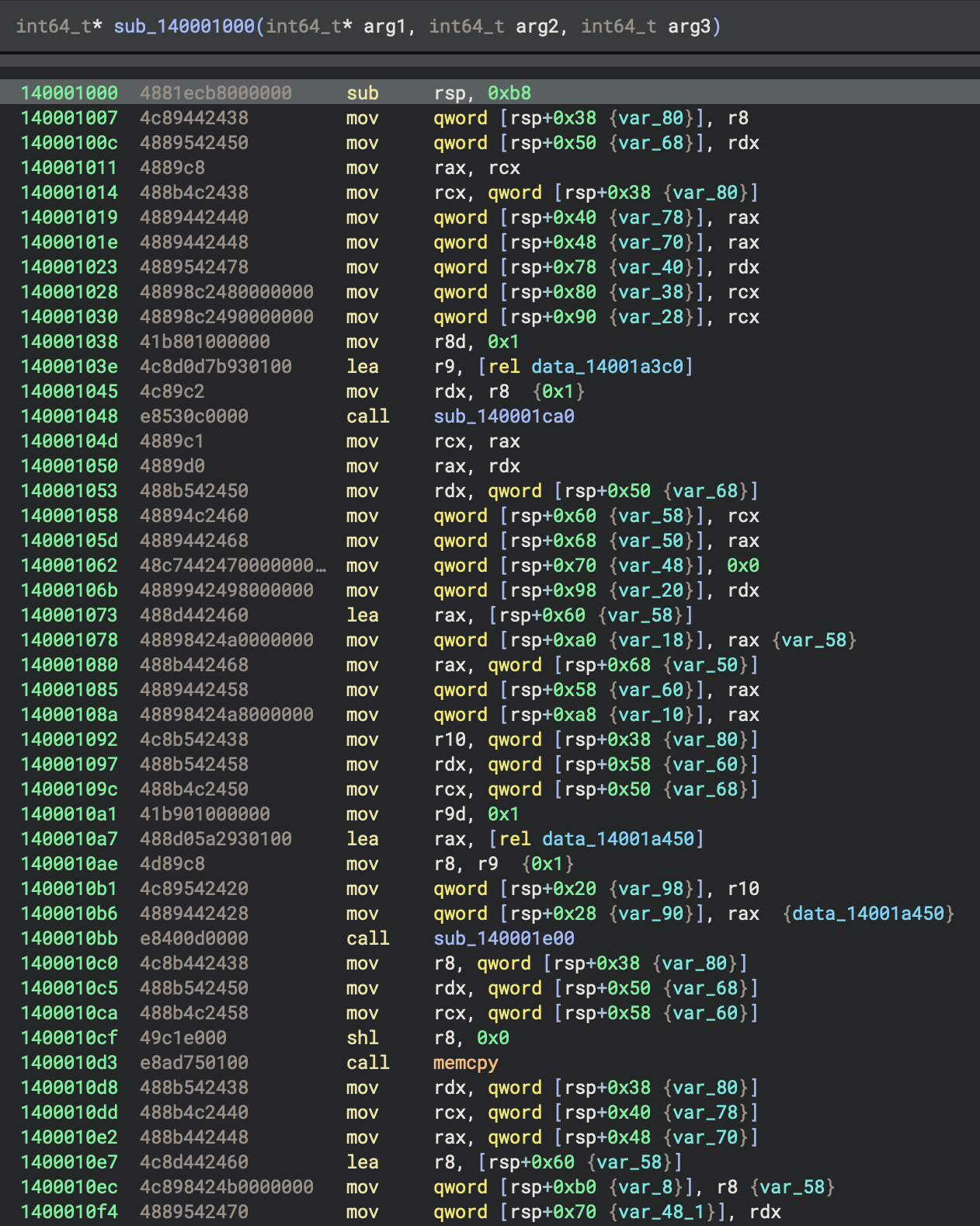
sub_140002400is a buffer or structure initialiser: it takes a destination pointer and two arguments (likely a string pointer and a length or count), callssub_140001000to initialise a temporary buffer with those arguments, then copies the buffer’s contents into the destination structure. This function serves as a constructor or initialiser for the string/buffer objects used in process_song_variations.
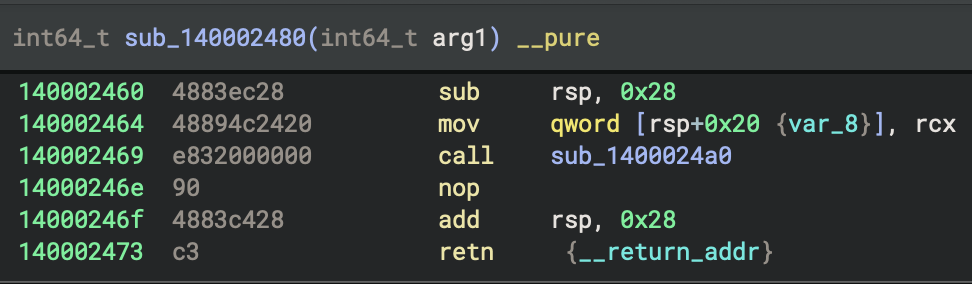
sub_140002480 is a trivial state initialiser or passthrough: it takes an argument and simply returns it, possibly serving as a placeholder or for interface consistency in the processing loop.
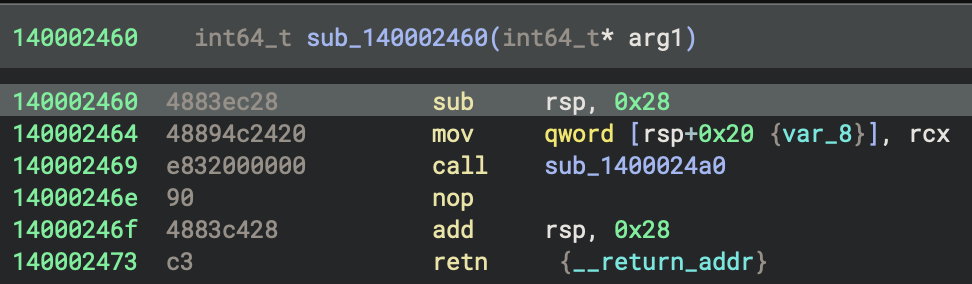
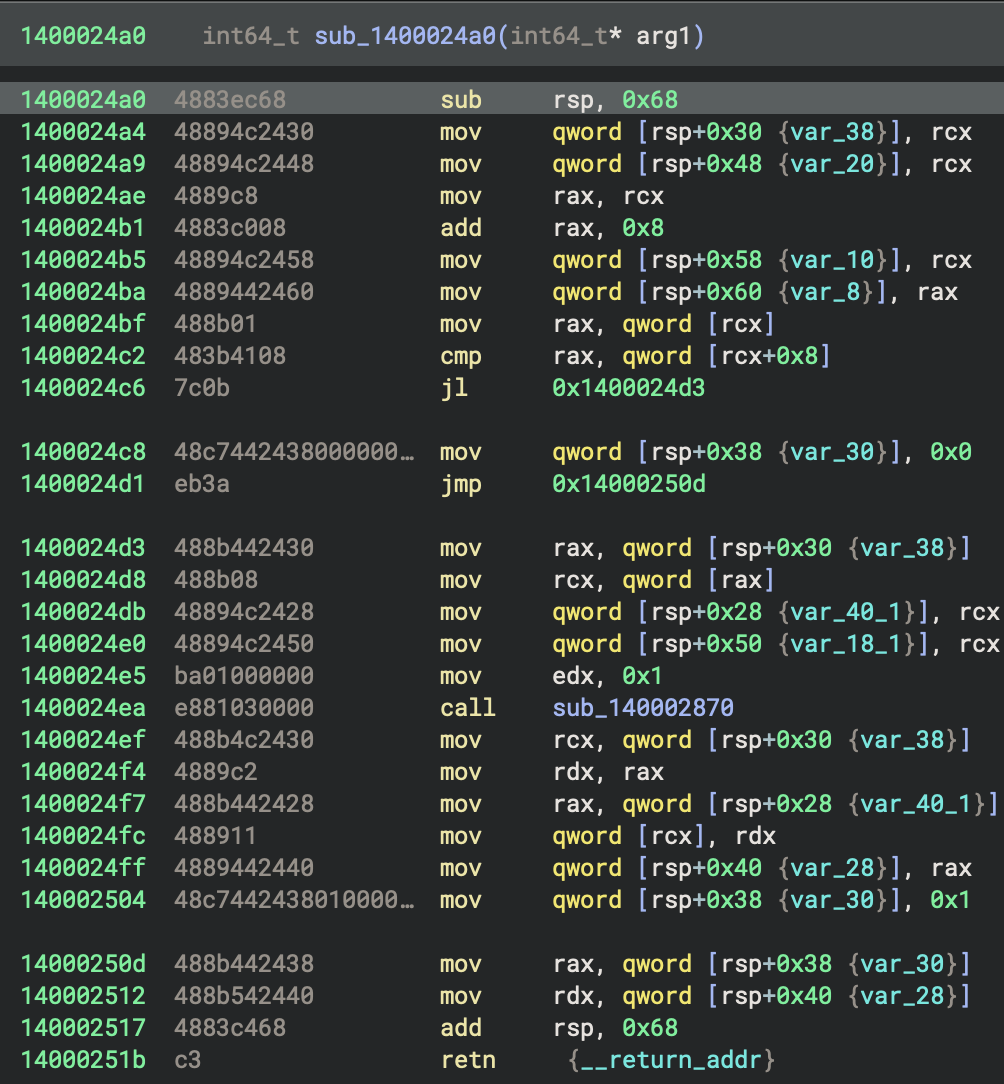
sub_140002460 is a thin wrapper that takes a pointer to state and calls sub_1400024a0 with it, returning the result. The actual logic for generating or iterating values is in sub_1400024a0.
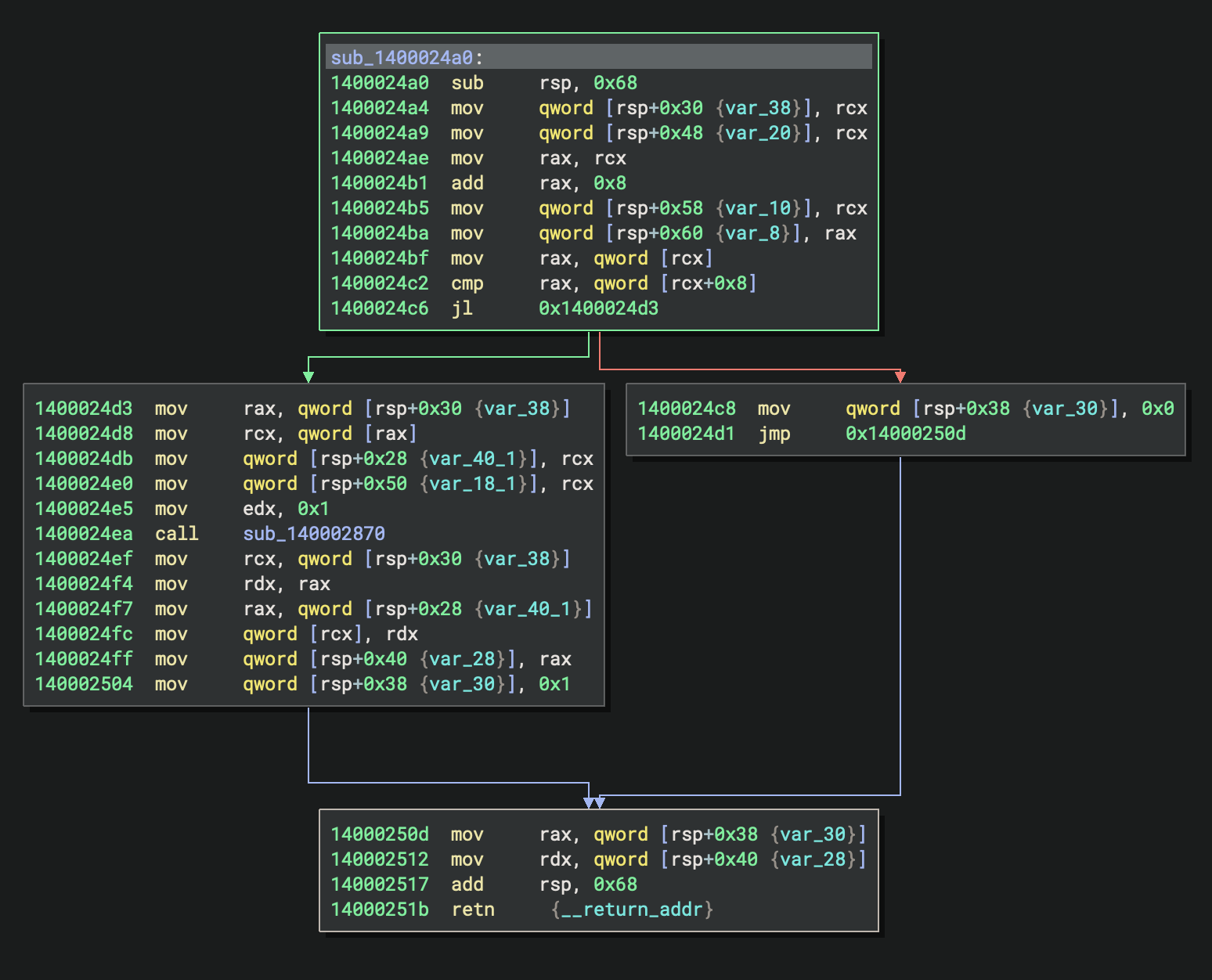
sub_1400024a0 implements an iterator or stateful generator:
It checks if the current value (*arg1) is greater than or equal to a limit (arg1[1]); if so, it returns 0 (end condition).
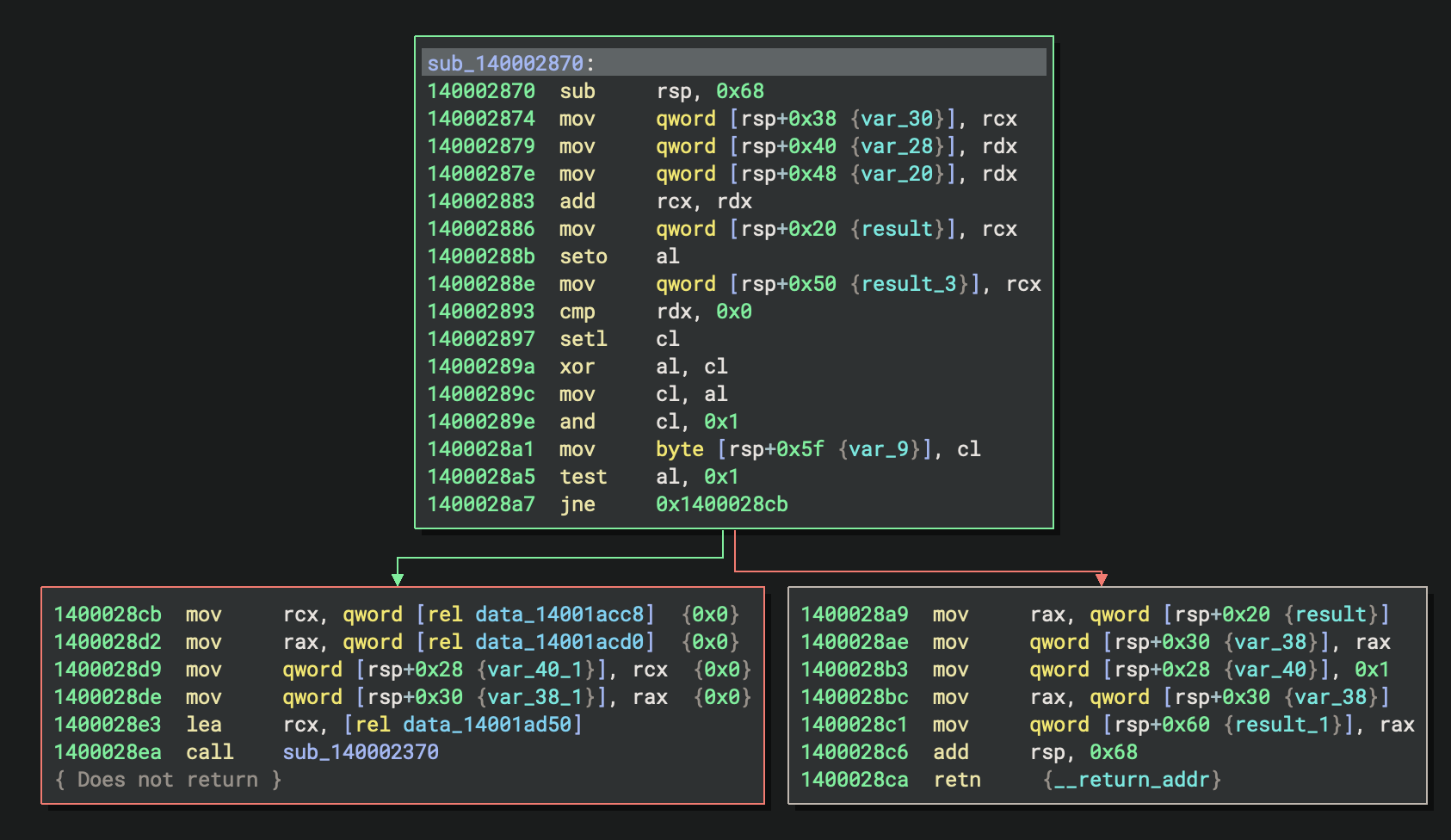
Otherwise, it updates the state using sub_140002870 and returns 1 (continue).
The current value is also saved for use.
This function is likely used in the main processing loop to produce a sequence of values or indices for further processing.
32-bit GNU Release Build (PE File)
GNU Binary (GCC/MinGW)
- File:
basic_pl_concepts-x86-i686-release-gnu.exe - Compiler: GCC (MinGW-w64 toolchain)
- Entry Point:
0x401410-mainCRTStartup - Architecture: 32-bit x86 (i686)
- Build Type: release
0. Execution Summary
The entry point function at 0x401410 is _mainCRTStartup, which sets ___mingw_app_type to 0 and then tail-calls ___tmainCRTStartup(), delegating further initialisation to the C runtime startup routine.
There is no std::rt::lang_start in release build, only std::rt::lang_start_internal (0x427850) to initialise Rust std library.
1. Entry point
As previously discussed, _WinMainCRTStartup can be ignored.
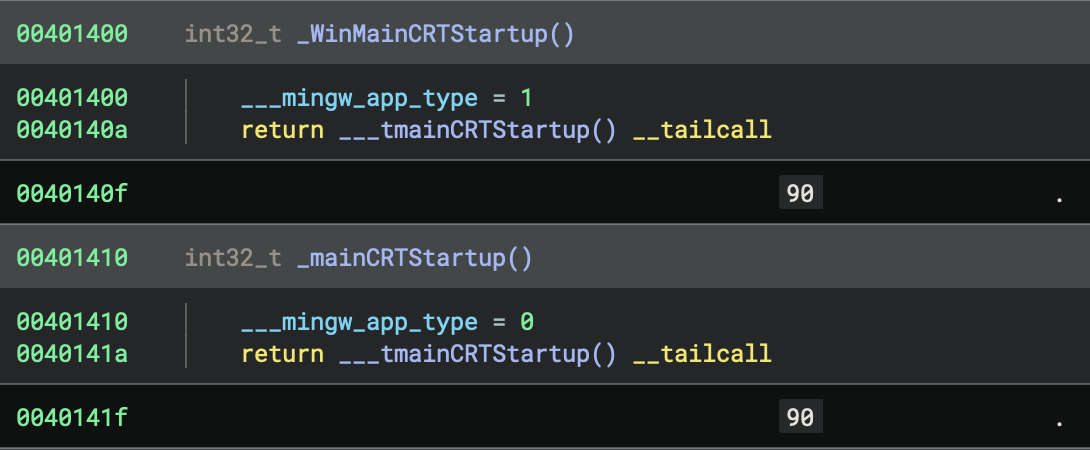
mainCRTStartup (0x401410) - PE Entry Point
  ↓
  • Initialise flag: dword[0x4e222c] = 0
  • Jump to __tmainCRTStartup
  ↓
__tmainCRTStartup (0x401010) - Main CRT Startup
  ↓
  [Complete CRT initialisation - all 7 phases]
  ↓
_main (0x4017f0) - C Main Wrapper (Setup Rust Runtime Entry)
  ↓
std::rt::lang_start_internal (0x427850) - Initialise Rust Standard Library
  ↓
basic_pl_concepts::main::h524223c2eb0d038e (0x4015d0) ★ YOUR OptimisED RUST CODE (RELEASE BUILD) ★
  ↓
Return to std::rt::lang_start_internal
  ↓
Return to _main
  ↓
Return to __tmainCRTStartup
  ↓
__tmainCRTStartup cleanup:
  • _cexit() - Run exit handlers
  • Cleanup resources
  • exit(exit_code) - Terminate process
  ↓
Process Terminates
- Entry Point:
mainCRTStartup(0x401410) - Purpose: The official entry point defined in the PE header
mainCRTStartup initialises a global variable at 0x4e222c to 0, then immediately jumps to __tmainCRTStartup at 0x401010
2. Compiler Optimisations Applied
- No Person structs created
- No String allocations
- Loop completely unrolled
- All values computed at compile time
- Enum match resolved statically
3. main
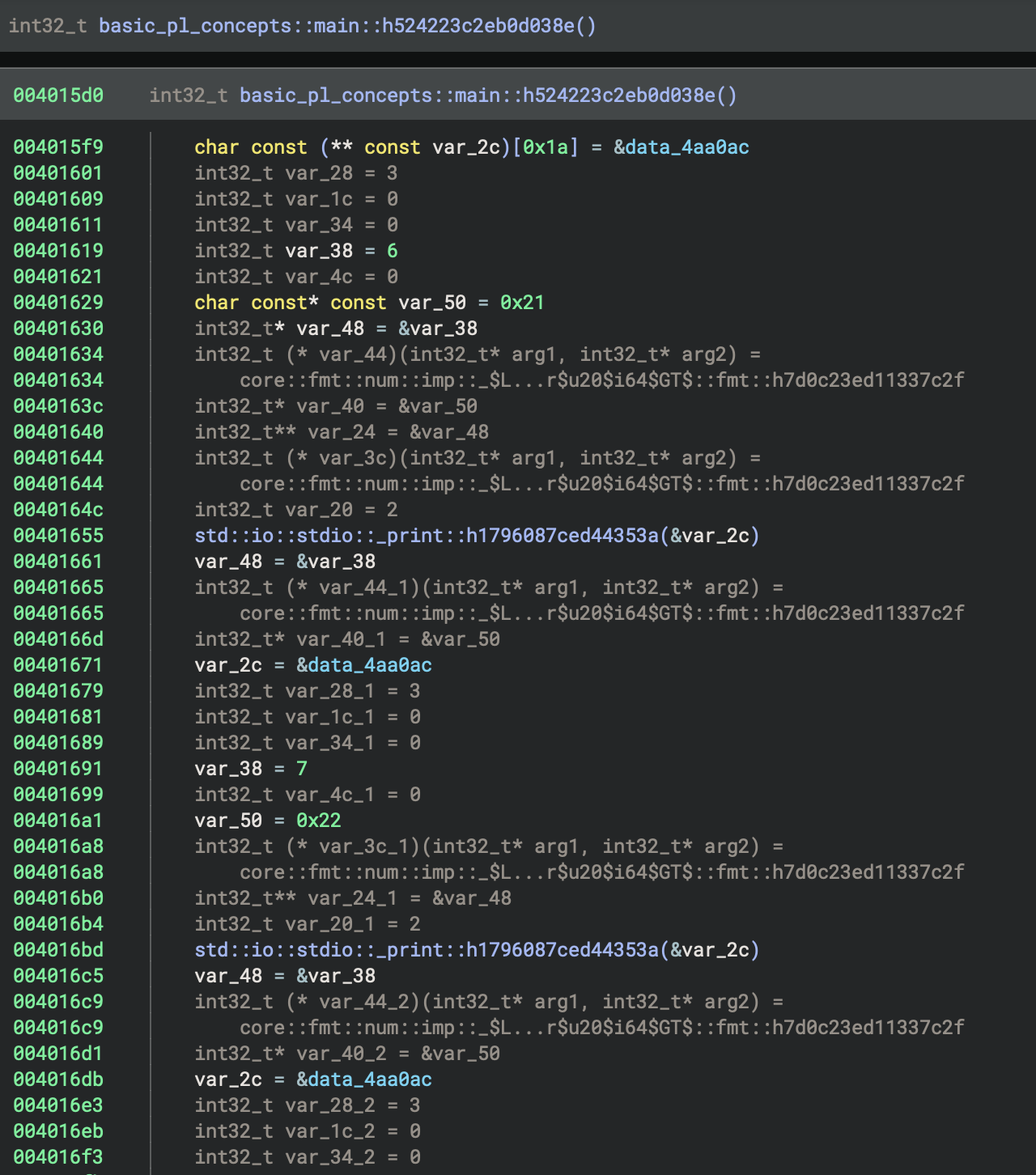
The code in basic_pl_concepts::main::h524223c2eb0d038e hardcodes the print calls for i = 6..9 and corresponding ages, reusing the format string at 0x4aa0ac, and calls std::io::stdio::_print() for each; the final print uses a different string at 0x4aa05c and 0x4aa080, followed by standard function epilogue and return.
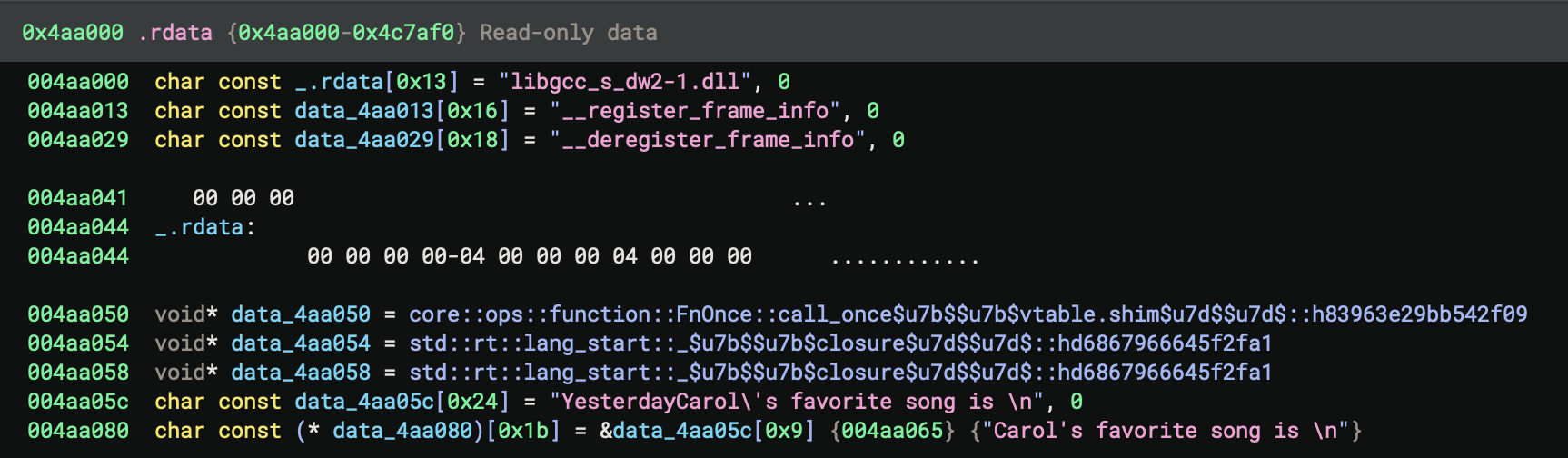
4. How to Recognise Patterns in Optimised Binaries
Carol’s favourite song

Iteration 1
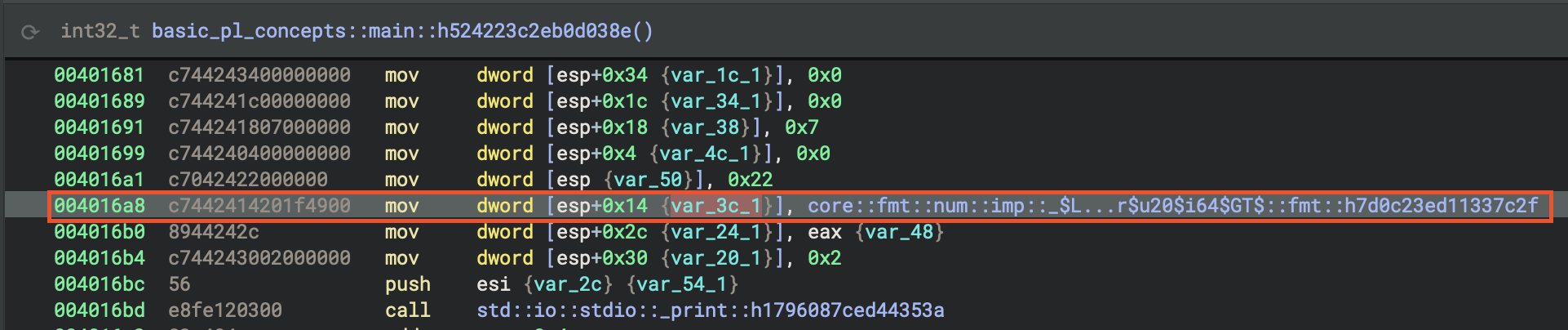
hex_values = [0x21, 0x22, 0x23, 0x24]
for h in hex_values:
    print(f"0x{h:02x} = {h}")
Output:
0x21 = 33
0x22 = 34
0x23 = 35
0x24 = 36
Repeating Number Pattern
00401619  c7 44 24 18 06 00 00 00   mov dword [esp+0x18], 0x6
00401629  c7 04 24 21 00 00 00      mov dword [esp], 0x21      ; 33 decimal

00401691  c7 44 24 18 07 00 00 00   mov dword [esp+0x18], 0x7
004016a1  c7 04 24 22 00 00 00      mov dword [esp], 0x22      ; 34 decimal

004016fb  c7 44 24 18 08 00 00 00   mov dword [esp+0x18], 0x8
0040170b  c7 04 24 23 00 00 00      mov dword [esp], 0x23      ; 35 decimal

00401757  c7 44 24 18 09 00 00 00   mov dword [esp+0x18], 0x9
00401767  c7 04 24 24 00 00 00      mov dword [esp], 0x24      ; 36 decimal
Pattern Recognition:
- Numbers increment by 1:
6, 7, 8, 9 - Paired with:
0x21, 0x22, 0x23, 0x24(33, 34, 35, 36) - Deduction: This is a loop!
for i in 6..10 - Relationship:
33 = 27 + 6→ Someone is 27 years old, calculating future age
Format String Analysis
Address: 0x4aa090
String: "In  years, Alice will be "
         ↑↑
Notice the TWO spaces! This is for formatting a number.
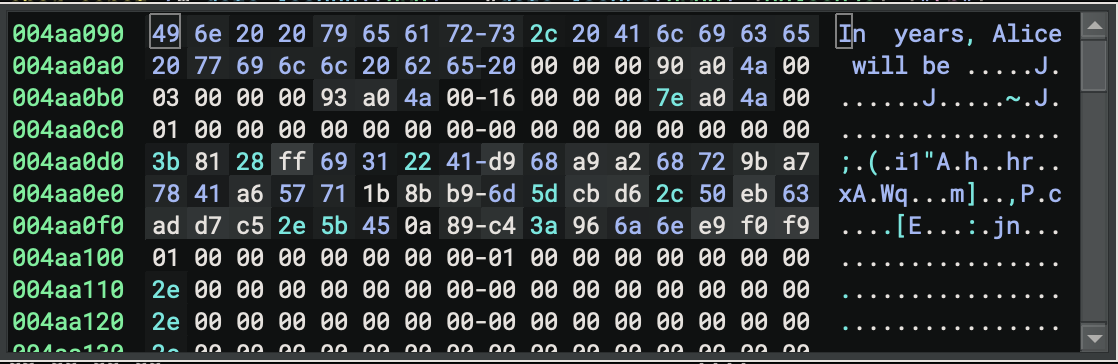
Pattern: “In {} years, Alice will be {}”
- First {} → loop variable (6, 7, 8, 9)
- Second {} → calculated age (33, 34, 35, 36)
The string at 0x4aa090 is “In years, Alice will be “, with two spaces marking the positions for the formatted numbers; this matches the pattern “In {} years, Alice will be {}”, where the first placeholder is the loop variable (i) and the second is the calculated age.
| Address | Instruction | Value (Hex) | Value (Dec) | |
|---|---|---|---|---|
| 0x401619 | mov dword [esp+0x18], 0x6 | 0x6 | 6 | |
| 0x401629 | mov dword [esp], 0x21 | 0x21 | 33 | |
| 0x401691 | mov dword [esp+0x18], 0x7 | 0x7 | 7 | |
| 0x4016a1 | mov dword [esp], 0x22 | 0x22 | 34 | |
| 0x4016fb | mov dword [esp+0x18], 0x8 | 0x8 | 8 | |
| 0x40170b | mov dword [esp], 0x23 | 0x23 | 35 | |
| 0x401757 | mov dword [esp+0x18], 0x9 | 0x9 | 9 | |
| 0x401767 | mov dword [esp], 0x24 | 0x24 | 36 |
In Binary Ninja Python console or external script
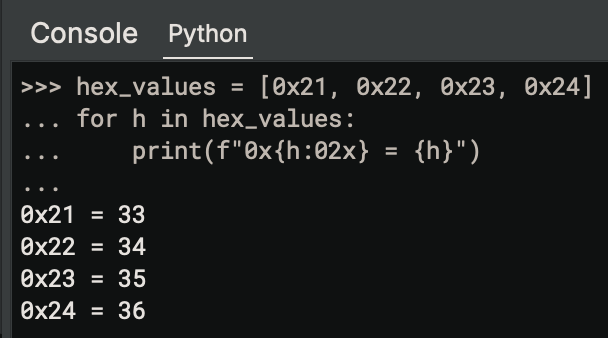
Organise Data into Pairs*
Notice the pattern that values always come in pairs before each call _print:
Iteration 1:  [esp+0x18] = 6,  [esp] = 33
Iteration 2:  [esp+0x18] = 7,  [esp] = 34
Iteration 3:  [esp+0x18] = 8,  [esp] = 35
Iteration 4:  [esp+0x18] = 9,  [esp] = 36
The values for each print are set up in the function basic_pl_concepts::main::h524223c2eb0d038e at 0x4015d0, specifically at the following HLIL code addresses:
- For i=6, age=33: values are set up around
0x401619(loop var) and0x401630(age), followed by the print call at0x401655 - For i=7, age=34: values are set up around
0x401691(loop var) and0x4016a8(age), followed by the print call at0x4016bd - For i=8, age=35: values are set up around
0x4016fb(loop var) and0x40170b(age), followed by the print call at0x401727 - For i=9, age=36: values are set up around
0x401757(loop var) and0x401767(age), followed by the print call at0x40178f
What we recognise here
Each pair is loaded just before the corresponding call to
std::io::stdio::_print.
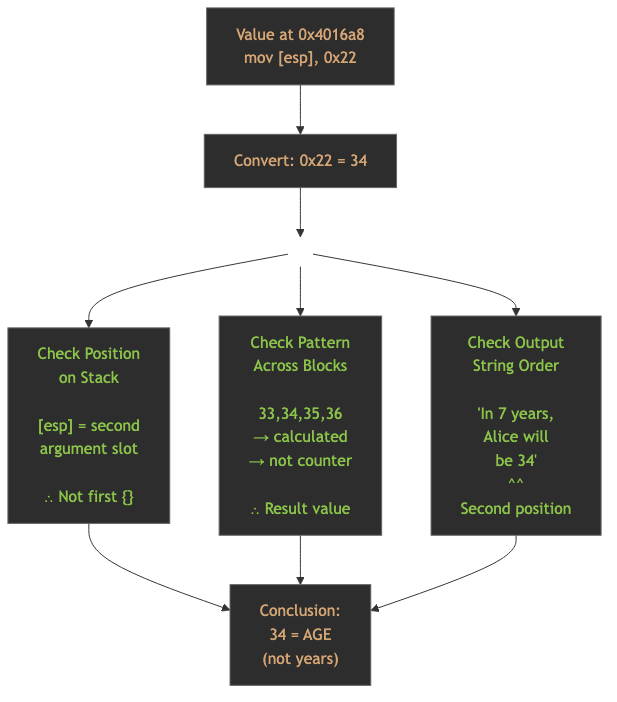
Identifying “Age” at 0x4016a8Step
1. Understand Rust’s println! Format
- Rust's `println!` macro compiles to:
println!("In {} years, Alice will be {}", years, age)
         └── arg 1 ──┘  └── string ──┘  └── arg 2 ──┘
This becomes to:
Format string: "In {} years, Alice will be {}"
Arguments: [years, age]
           └─ 1st ─┘ └─ 2nd ─┘
2. Find the Format String Structure

At 0x4016a1 (mov [esp], 0x22), the value 34 (age) is placed as the second argument for the format string, while at 0x401691 (mov [esp+0x18], 0x7), the value 7 (years) is set as the first argument; these match the Rust println! macro’s argument order for the format string “In {} years, Alice will be {}”.
Let’s look at the disassembly around 0x4016a8:
; Second iteration (i=7, age=34)
00401671  c7 44 24 24 ac a0 4a 00   mov [esp+0x24], 0x4aa0ac  ; Format descriptor
00401679  c7 44 24 28 03 00 00 00   mov [esp+0x28], 0x3       ; 3 string fragments
00401681  c7 44 24 34 00 00 00 00   mov [esp+0x34], 0x0
00401689  c7 44 24 1c 00 00 00 00   mov [esp+0x1c], 0x0
00401691  c7 44 24 18 07 00 00 00   mov [esp+0x18], 0x7       ; ← FIRST value (7)
00401699  c7 44 24 04 00 00 00 00   mov [esp+0x4], 0x0
004016a1  c7 04 24 22 00 00 00      mov [esp], 0x22           ; ← SECOND value (34)
                                                                ;   0x22 = 34 decimal
004016a8  c7 44 24 14 20 1f 49 00   mov [esp+0x14], 0x491f20  ; fmt function ptr
004016b0  89 44 24 2c                mov [esp+0x2c], eax
004016b4  c7 44 24 30 02 00 00 00   mov [esp+0x30], 0x2       ; 2 arguments
004016bc  56                         push esi
004016bd  e8 fe 12 03 00             call _print               ; Call print!
3. Decode the Format String Table
At 0x4aa0ac, the format descriptor is a table of pointers and lengths that define the string fragments for formatting—each entry pairs a pointer to a string segment (e.g., “In “, “ years, Alice”, “ will be “) with its length, allowing the print function to reconstruct the full format string with inserted arguments.

At 0x4aa0ac, we have the format descriptor:
Offset | Value      | Meaning
-------|------------|------------------------------------------
+0x00  | 0x4aa090   | → Pointer to "In "
+0x04  | 0x00000003 | → Length of "In " = 3 bytes
+0x08  | 0x4aa093   | → Pointer to " years, Alice"
+0x0c  | 0x00000016 | → Length = 22 bytes (0x16)
+0x10  | 0x4aa07e   | → Pointer to " will be "
+0x14  | 0x00000001 | → Length = 1 byte
This creates the template:
"In {} years, Alice will be {}"
 └─1─┘ └────────2────────┘ └─3─┘
   ↑                          ↑
 arg[0]                    arg[1]
4. Map Stack Positions to Arguments
Looking at the stack layout before _print:
Stack Layout Analysis:
┌──────────────┬─────────────────────────────────────┐
│ [esp+0x24]   │ 0x4aa0ac (format string descriptor) │
│ [esp+0x28]   │ 0x3 (number of string pieces)       │
│ [esp+0x30]   │ 0x2 (number of arguments)           │
├──────────────┼─────────────────────────────────────┤
│ [esp+0x18]   │ 0x7 (First argument: YEARS)         │ ← arg[0]
│ [esp]        │ 0x22 = 34 (Second argument: AGE)    │ ← arg[1]
├──────────────┼─────────────────────────────────────┤
│ [esp+0x8]    │ Pointer to arg[0]                   │
│ [esp+0x10]   │ Pointer to arg[1]                   │
│ [esp+0xc]    │ 0x491f20 (Display::fmt for i64)     │
│ [esp+0x14]   │ 0x491f20 (Display::fmt for i64)     │
└──────────────┴─────────────────────────────────────┘
The order matters
- First
{}in format string → Takes argument at[esp+0x18]= 7 (years)- Second
{}in format string → Takes argument at[esp]= 34 (age)
5. Reconstructed Rust code
// Deduced from the binary:
fn main() {
    let alice_age = 27;  // Computed from 33 - 6 = 27

    // Loop unrolled to only i=6,7,8,9 in binary
    // Original probably: for i in 0..10 { if i > 5 { ... } }
    for years in 0..10 {
        if years > 5 {
            println!("In {} years, Alice will be {}",
                     years,
                     alice_age + years);
        }
    }

    // Carol's favorite song
    let carol_favorite = "Yesterday";  // Hardcoded in binary
    println!("Carol's favorite song is {}", carol_favorite);
}
6. Pattern Recognition
- [esp+0x18] increments: 6 → 7 → 8 → 9 (loop counter)
- [esp] increments: 33 → 34 → 35 → 36 (calculated value)
- Relationship: [esp] = [esp+0x18] + 27
7. Semantic Deduction
- Loop counter = “years in the future”
- Calculated value = “future age”
🎓 Key Principles learnt
- Look for repetition → Suggests loops
- Extract all constants → Build data set
- Test arithmetic operations → Addition, subtraction, multiplication
- Verify consistency → Same formula across all data points
- Context from strings → “years” + “age” = time calculation
8. Runtime Argument Order Convention
Rust follows this calling convention for println!:
std::io::stdio::_print(&Arguments {
    pieces: &["In ", " years, Alice will be "],
    args: &[
        Argument { value: &years, formatter: Display::fmt },  // ← arg[0]
        Argument { value: &age,   formatter: Display::fmt },  // ← arg[1]
    ]
})
Stack layout mirrors this:
Arguments Array:
  [0] → years (at [esp+0x18])
  [1] → age   (at [esp])
9. Trace Function Pointer Usage
Notice at 0x4016a8, this is a function pointer to display the integer. It points to core::fmt::Debug for i64. This confirms it’s formatting an integer for display.
004016a8 c7 44 24 14 20 1f 49 00 mov [esp+0x14], 0x491f20
10. Summary Flowchart
Key Differences: Debug vs Release Build
Debug Build (0x4016d0)
- Creates actual Person structs on stack
- locates Strings on heap
- Full loop with iterator
- All conditional logic present
- 352 bytes stack frame
- Readable variable names
- Pattern matching logic intact
Release Build (0x4015d0)
- No structs created, they are completely eliminated
- No heap allocations, they are all on stack
- Loop unrolled, only 4 iterations (i=6,7,8,9)
- Values precomputed, ages calculated at compile time
- 64 bytes stack frame, which is 82% reduction!
- Constant folding that “Yesterday” hardcoded
- Dead code eliminated, which means, removed i=0..5 iterations
Finding
This is a perfect example of Rust’s zero-cost abstractions!
Rust Runtime Initialisation
Why Rust Needs MORE
Rust has additional runtime requirements beyond C:
_start
└── __scrt_common_main_seh() [C Runtime]
    └── main() [C-compatible entry]
        └── sub_140002520() [Rust Runtime - std::rt::lang_start]
            ├── Initialise panic handler
            ├── Initialise allocator
            ├── Setup thread locals
            ├── Initialise backtrace support
            └── sub_140001270() [RUST CODE]
What Rust Initialises That C Doesn’t
| Feature | C | Rust |
|---|---|---|
| Stack canaries | ✅ (via CRT) | ✅ (via CRT) |
| Global constructors | ✅ (via _initterm) |
✅ (via _initterm) |
| Heap allocator | ✅ (malloc ready) | ✅ (custom allocator setup) |
| Panic handler | ❌ | ✅ (Rust-specific) |
| Unwinding support | ❌ (longjmp/SEH only) | ✅ (Rust panic unwinding) |
| Thread-local storage | Minimal | ✅ (Rust’s TLS model) |
| Backtrace initialisation | ❌ | ✅ (for panic messages) |
| Command-line encoding | Basic | ✅ (UTF-8 validation/conversion) |
Key Differences Illustrated
C Program Entry
OS Loader
  ↓
_start (CRT)
  ↓
__scrt_common_main_seh (CRT initialisation)
  ↓
main() ← THE C CODE DIRECTLY
  ↓
exit (CRT cleanup)
Rust Program Entry
OS Loader
  ↓
_start (CRT)
  ↓
__scrt_common_main_seh (C runtime initialisation)
  ↓
main() [Trampoline wrapper]
  ↓
std::rt::lang_start (Rust runtime initialisation)
  ↓
std::rt::lang_start_internal
  ↓
RUST main() ← THE RUST CODE
  ↓
Rust cleanup + CRT cleanup
Compare to C program initilisation - Stage 1
C programs have runtime initialisation (_start →__scrt_common_main_seh),
| Aspect | C | Rust |
|---|---|---|
| CRT initialisation | ✅ Yes | ✅ Yes |
| (inherits C’s)Language runtime | ❌ No extra layer | ✅ Yes (std::rt::lang_start) |
| Main function | Direct entry | Wrapped/indirect entry |
| Complexity | Lower | Higher |
The wrapper function you see (main calling sub_140002520) is Rust-specific - it’s the Rust standard library’s runtime initialization that C doesn’t need.
A pure C program would have the code directly in
mainwithout this extra indirection.
C vs Rust Runtime Initialisation - Stage 2
| Feature | C | Rust | Key References |
|---|---|---|---|
| Stack canaries | ✅ (via CRT /GS) |
✅ (inherits CRT) | MS Learn /GS |
| Global constructors | ✅ (via _initterm) |
✅ (via _initterm) |
MS Learn _initterm |
| Heap allocator | ✅ (malloc ready) | ✅ (custom setup) | Rust RFC 1974 |
| Panic handler | ❌ | ✅ (Rust-specific) | Rust Book Ch9 |
| Unwinding support | ❌ (longjmp/SEH) | ✅ (panic unwinding) | Rust std::rt |
| Thread-local storage | Minimal | ✅ (Rust TLS model) | Rust Reference |
| Backtrace initialisation | ❌ | ✅ (panic messages) | SO Backtrace |
| Command-line encoding | Basic | ✅ (UTF-8 validation) | Rust rt.rs |
Comparison Table: C VS C++ VS Rust
| Language | Layers | What Initialises |
|---|---|---|
| C | 2 layers | OS → CRT → main() |
| C++ | 2 layers | OS → CRT (+ constructors) → main() |
| Rust | 3 layers | OS → CRT → Rust runtime → main() |
Comparison: x86 vs x86-64
Key Differences
| Features | x86 (32-bit) | x86-64 (64-bit) |
|---|---|---|
| Address Size | 0x00416d6a | 0x140017e50 |
| Integer Types | int32_t | int64_t |
| Binary size | 127 KB | 148 KB |
| Calling convention | cdecl/stdcall | __fastcall (args in registers) |
| Registers | EAX, EBP, ESP | RAX, R10, GS |
| Entry Point | crt_startup() | __scrt_common_main_seh() |
Assembly Differences
x86 (32-bit):
push ebp
mov ebp, esp
sub esp, 0x20
; Use 32-bit registers
x86-64 (64-bit):
push rbp
mov rbp, rsp
sub rsp, 0x40
; Use 64-bit registers, more parameter passing in registers
Optimisation Impact Analysis
Code Size Comparison (x86 32-bit)
| Build Type | Size | Notes |
|---|---|---|
| Default release | 116 KB | opt-level=3 (default) |
| Explicit O3 | 103 KB | No change from default |
| Aggressive | 103 KB | LTO, strip, panic=abort |
Optimisation Effects
LTO (Link-Time Optimisation):
- Cross-crate inlining
- Better dead code elimination
- ~5-10% size reduction
Strip:
- Removes debug symbols
- Smaller binary
- Harder to reverse engineer
Panic = “abort”:
- Simpler panic handler
- No unwinding code
- Smaller binary
Codegen-units = 1:
- Better optimisation opportunities
- Longer compile time
- Slightly smaller/faster code
Learning Exercises
Common Patterns
Enum Discrimination
; Loading enum discriminant
mov eax, [rbp-8]       ; Load enum value
cmp eax, 0             ; Compare with variant 0
je .variant_john       ; Jump if John
cmp eax, 1             ; Compare with variant 1
je .variant_paul       ; Jump if Paul
; ... etc
String Construction
; String::from() call
lea rdi, [rip + str_data]  ; String data pointer
mov rsi, str_len           ; String length
call _ZN3std6string6String4from
Panic Handler
; Panic location structure
lea rdi, [rip + .Lpanic_loc]
lea rsi, [rip + .Lpanic_msg]
call _ZN4core9panicking9panic_fmt
Compiler Explorer
The link to Compiler Explorer is https://godbolt.org/.
Settings
The binary will be targeting Windows, the format is x86-64 MSVC PE file, release mode.
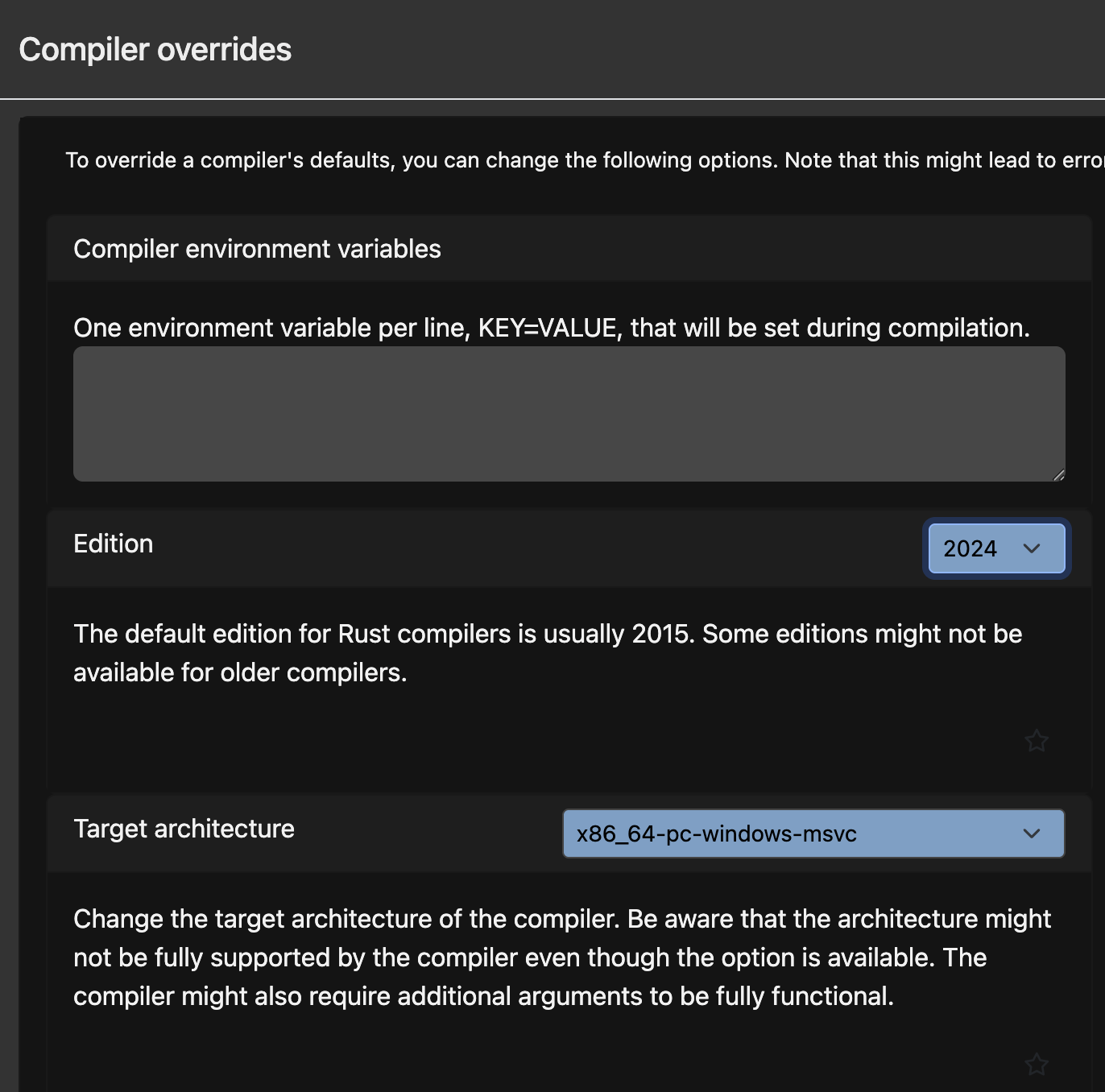 But I couldn’t successfully compiled the PE file. The platform won’t provide the necessary environment linking libraries (see the figure below).
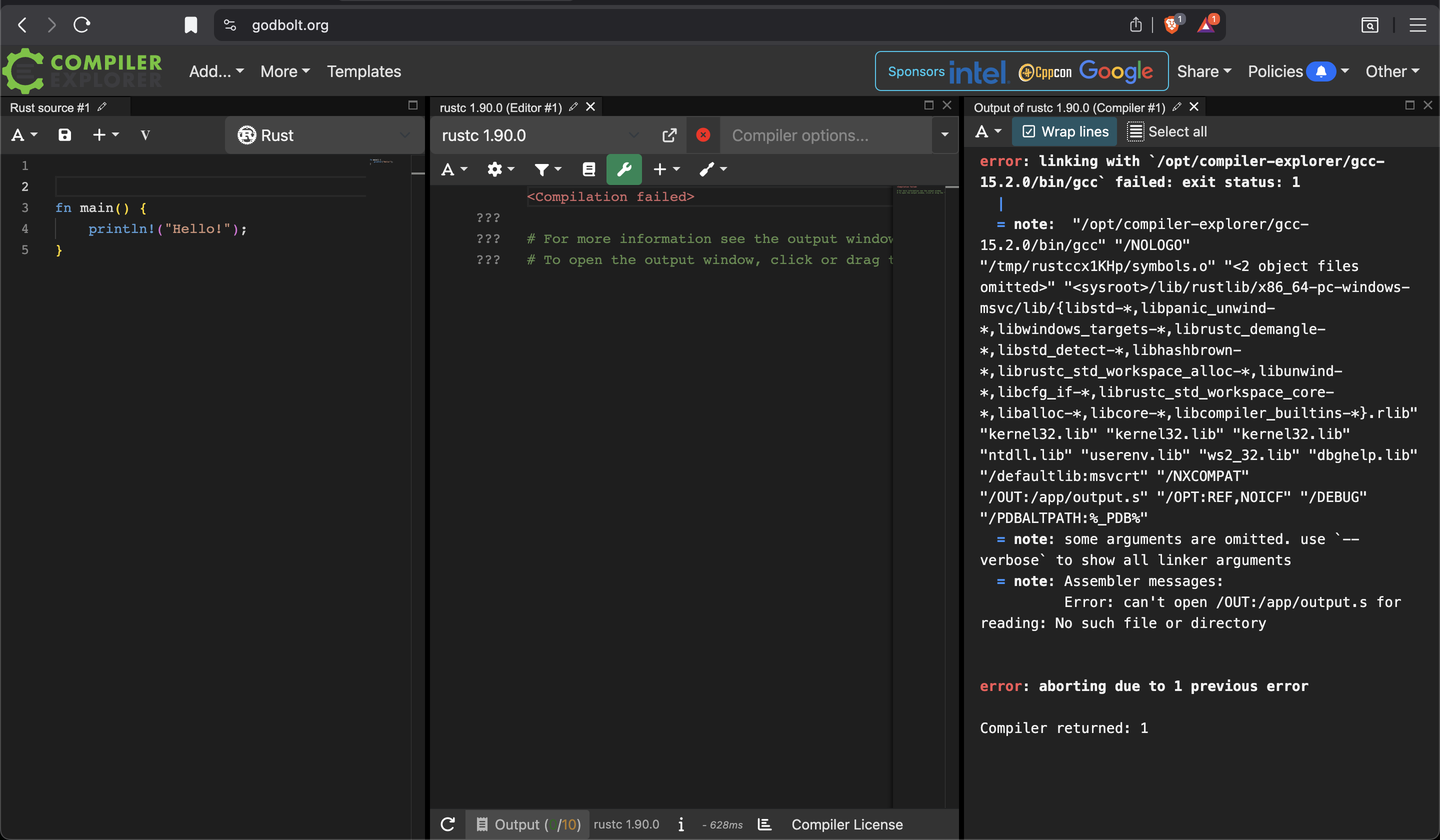
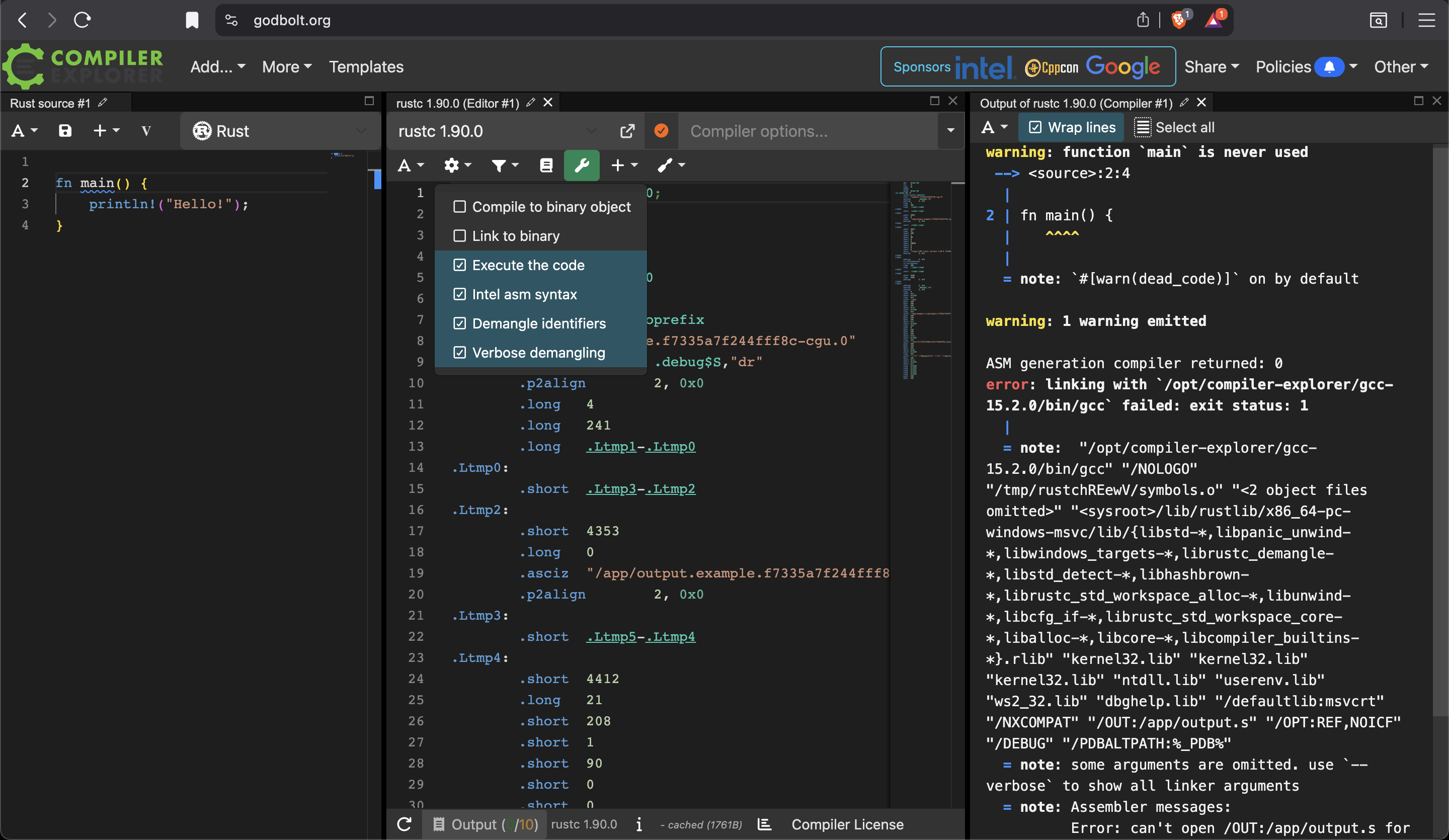
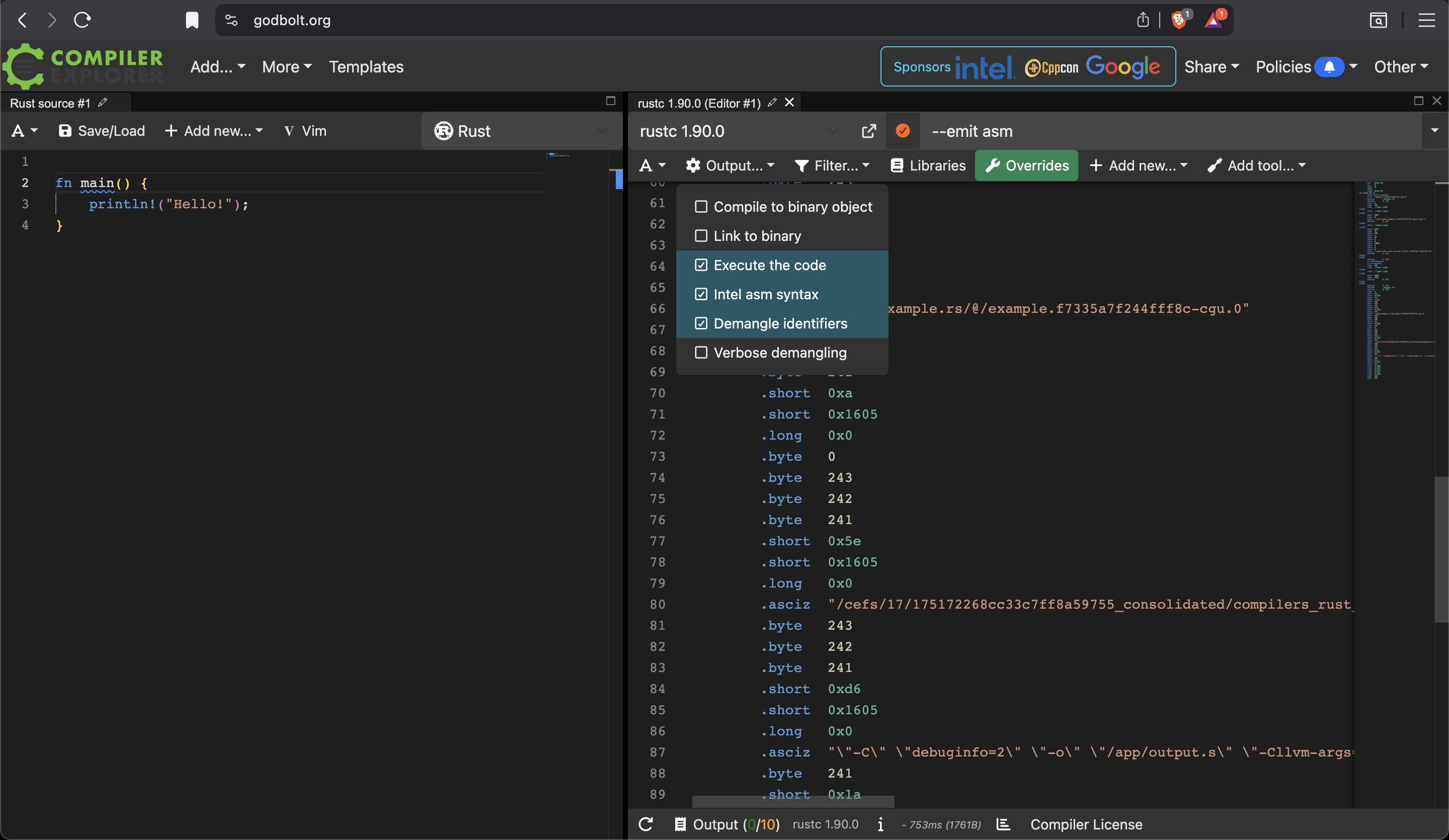
Other Tools for Viewing Raw Disassembly
Here are other tools for viewing raw assembly of Rust binaries:
1. cargo-show-asm (Recommended for Rust)
The best Rust-specific tool:
cargo install cargo-show-asm
cargo asm --rust my_crate::function_name
Pros:
- Designed specifically for Rust
- Shows demangled function names
- Integrates with
cargo - Can show both
assemblyandLLVM IR - Filters out irrelevant code
2. objdump (Built-in, reliable)
# Disassemble specific sections
objdump -d -M intel target/release/your_binary

# With source interleaving
objdump -S -M intel target/release/your_binary

# Disassemble specific function
objdump -d -M intel target/release/your_binary | grep -A 50 "function_name"
Pros: Available everywhere, simple, reliable
3. Compiler Explorer (Godbolt) & Decompiler Explorer (Dogbolt)
It’s good for analysing .elf, but to compile into PE file, it’s more challenging. Moreover, Compiler Explorer will truncate assembly codes if the binary contains too many. It’s not ideal for analysing RUst binary, because a simple Rust program (let’s say simply printing out “HelloWorld”) contains 94K+ lines of assembly. I cannot easily find the entry point, whilst other tools (e.g. Binary Ninja, Ghidra & IDA Pro) will do for you. It’s also easy to find entry point using debuggers such as radare2.
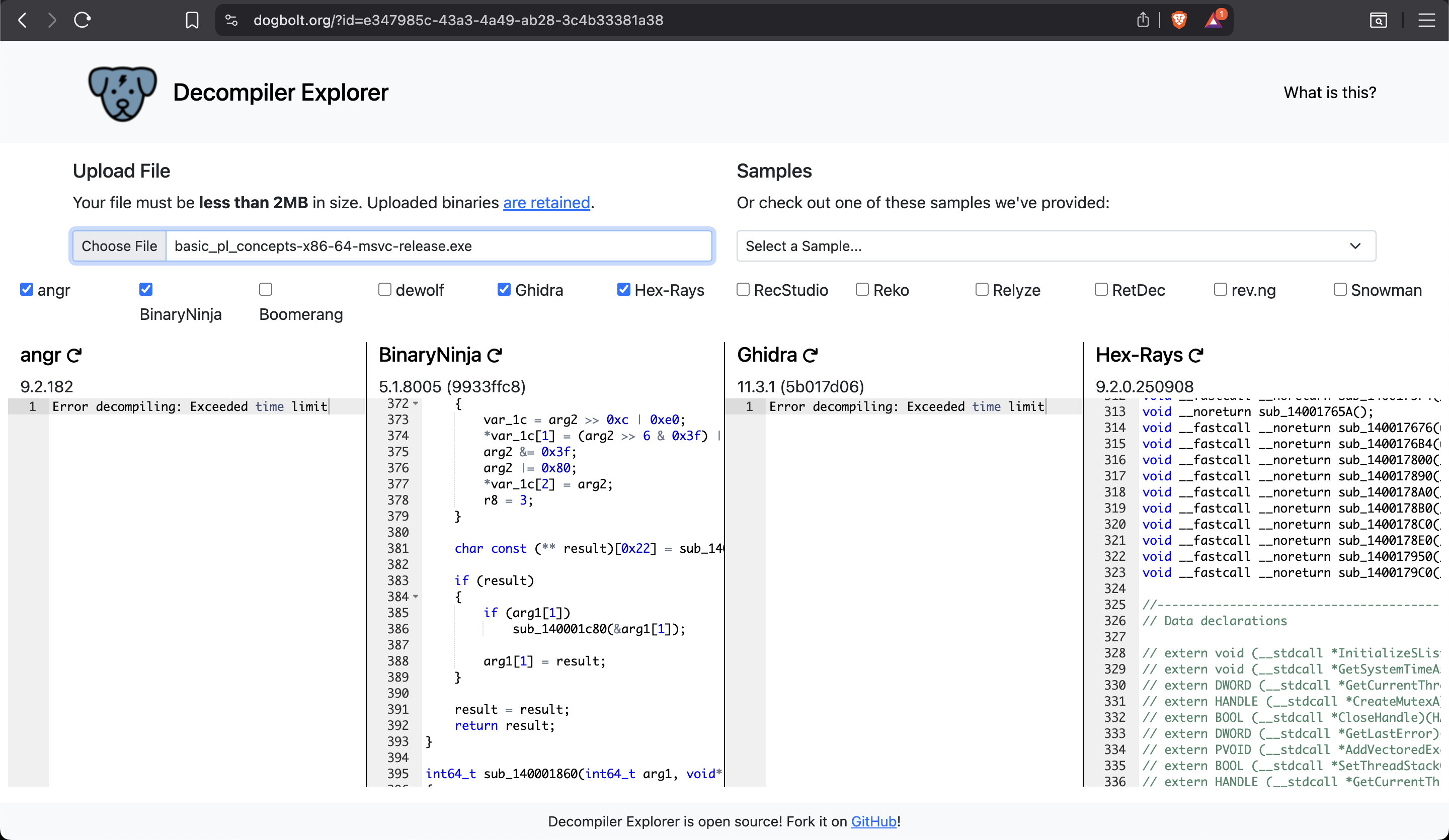
4. cargo-asm (Alternative to cargo-show-asm)
cargo install cargo-asm
cargo asm my_crate::function_name --rust
5. IDA Pro / Ghidra (Reverse engineering)
For complex analysis:
- IDA Pro (commercial, best-in-class)
- Ghidra (free, NSA-developed)
Both excellent for deep analysis, but overkill for simple viewing.
6. rustc directly
rustc --emit asm -C opt-level=3 main.rs
# Creates main.s file
Binary Ninja V.S. Raw Disassembly - Analysis of basic_pl_concepts-x86-64-msvc-release.exe
Triage in Binary Ninja:
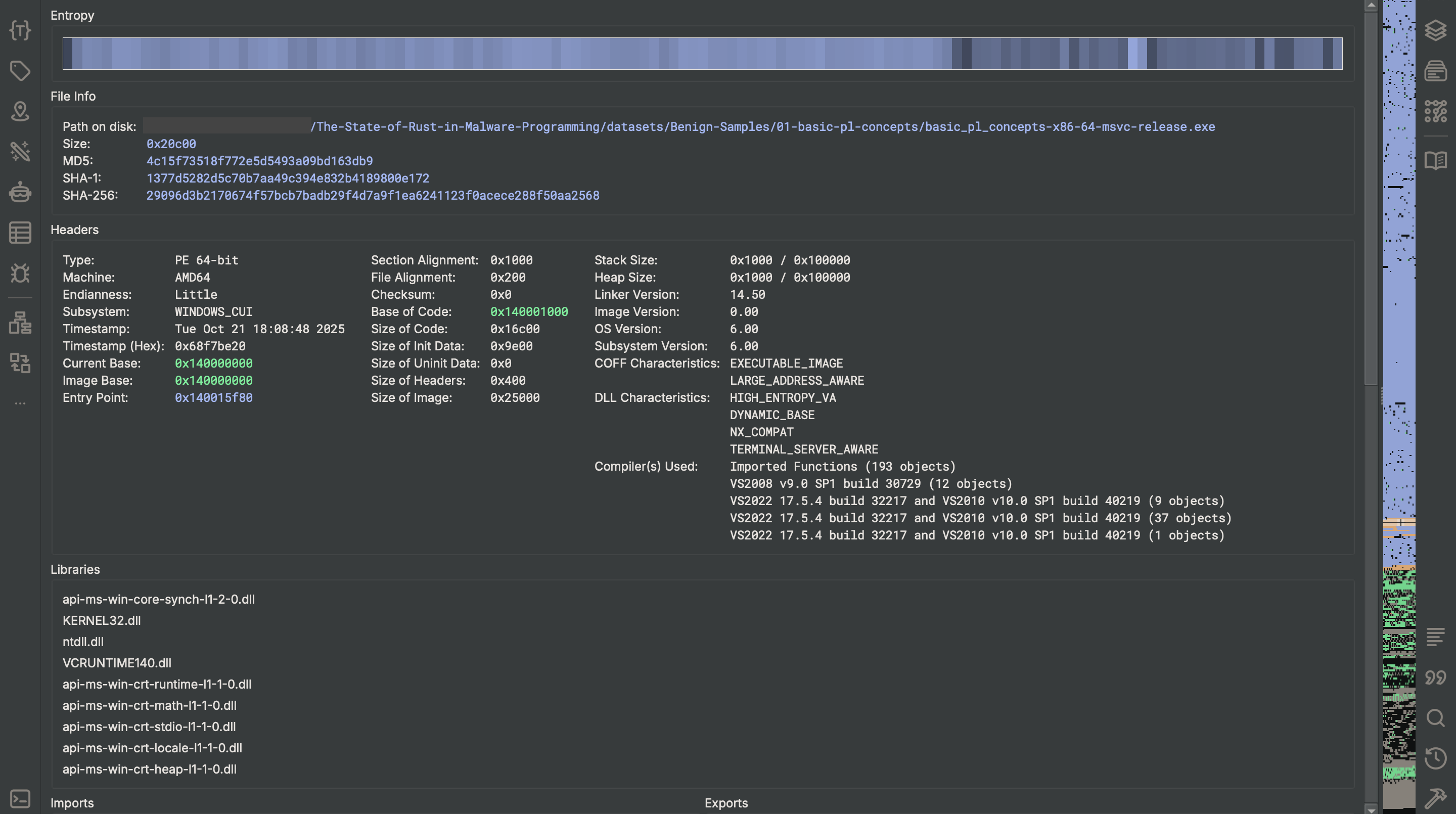
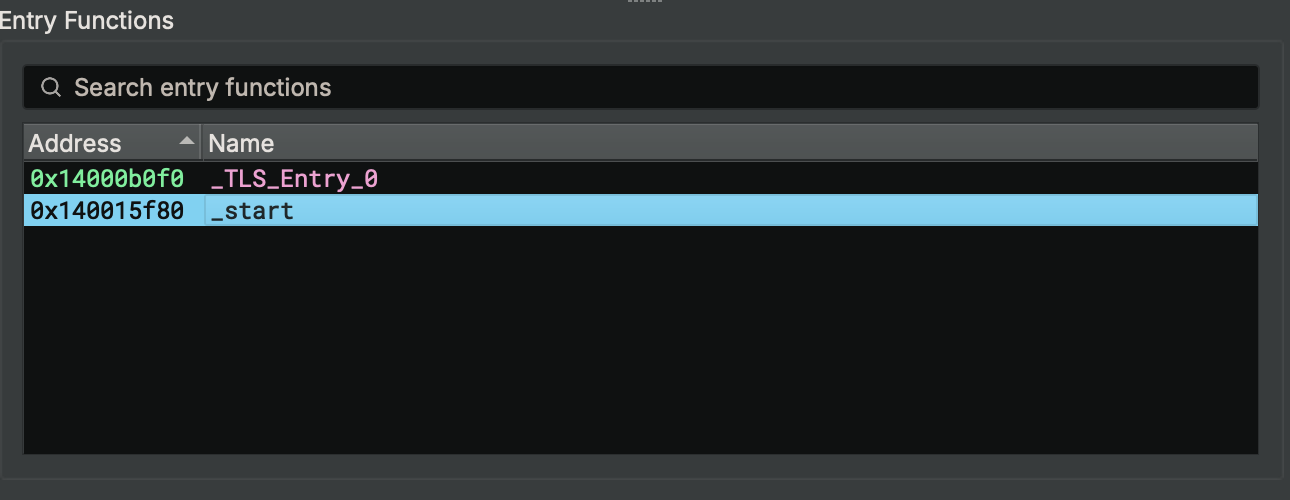
This is Binary Ninja’s disassembly.
It provides inbuilt annotations (see curly brackets) to assist researchers gain clearer insight about the binary.
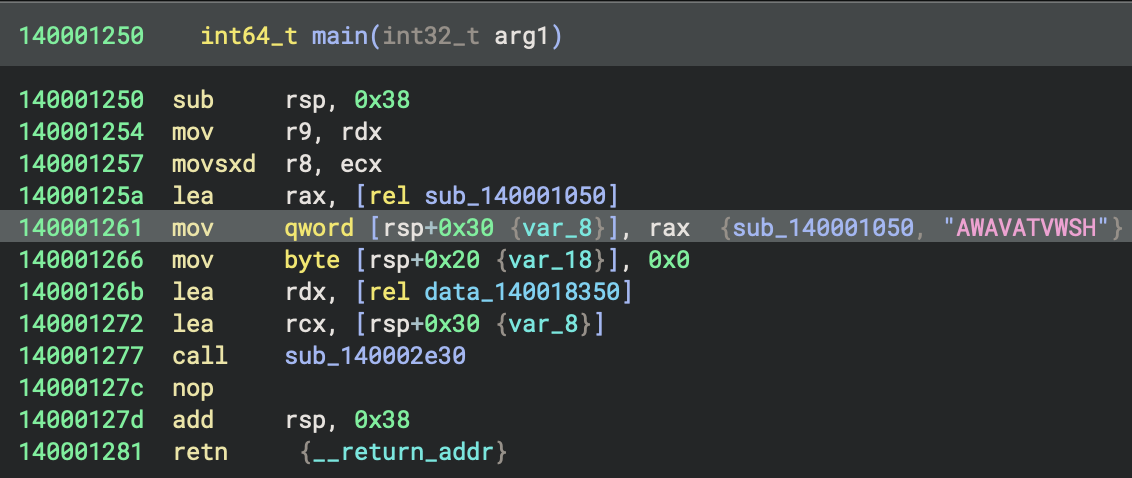
This is the disassembly using objdump. I save the result into a text file, because without doing so, it’s impossible to easily browse all the disassembly.
objdump -d -M intel ./basic_pl_concepts-x86-64-msvc-release.exe > objdump_x86-64-msvc.txt
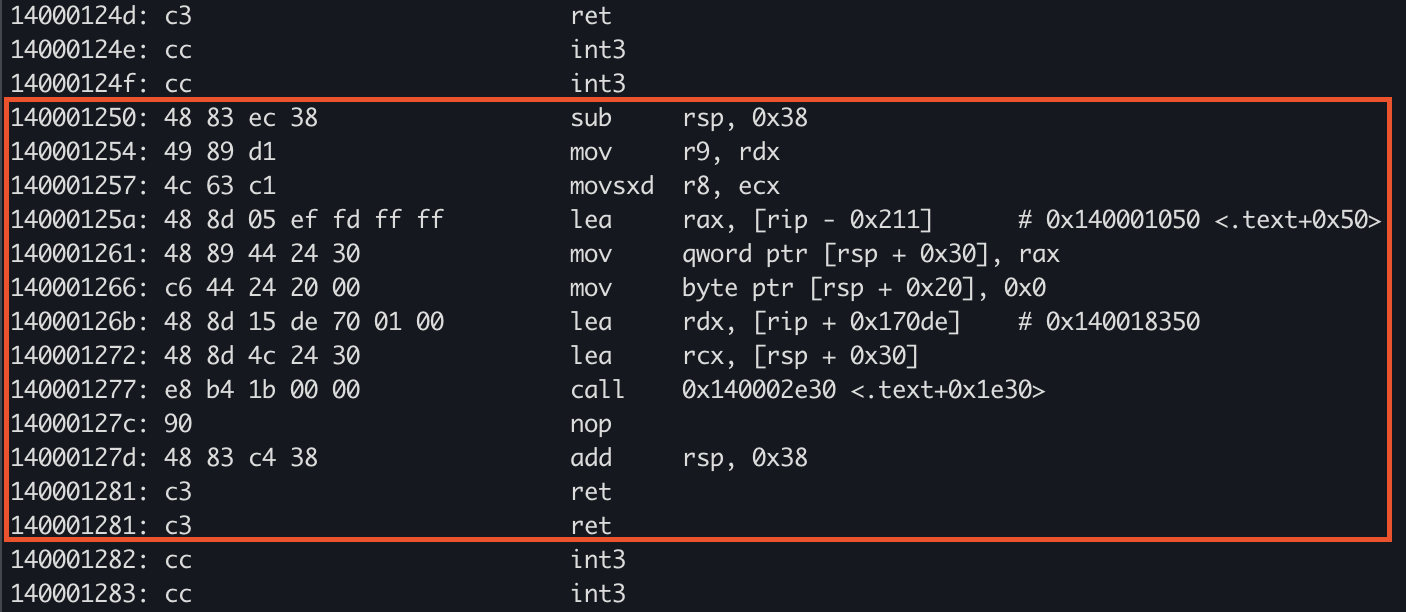
Analyse 0x140002e30
- This code at
0x140001250(main) sets up a stack frame, prepares function call arguments by moving and sign-extending values into registers (r9, r8), loads addresses into registers (rax, rdx, rcx), stores a pointer and a zero byte on the stack, and then calls a function at0x140002e30 - It is orchestrating a function call—likely passing a pointer, a data address, and a zero-initialised value as arguments, typical of an initialisation or setup routine.
Analyse 140001050
The start in objdump
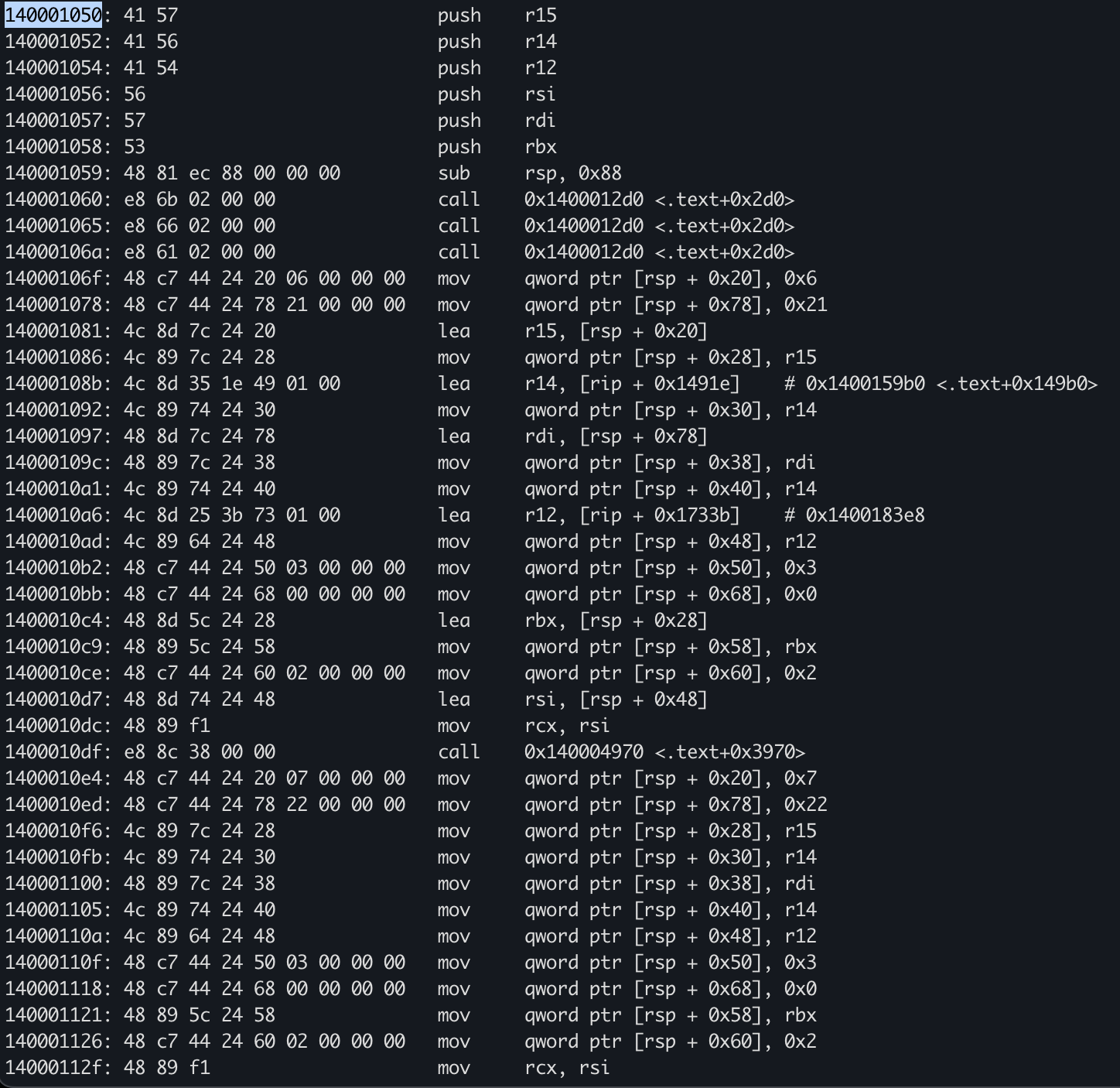 In Binary Ninja
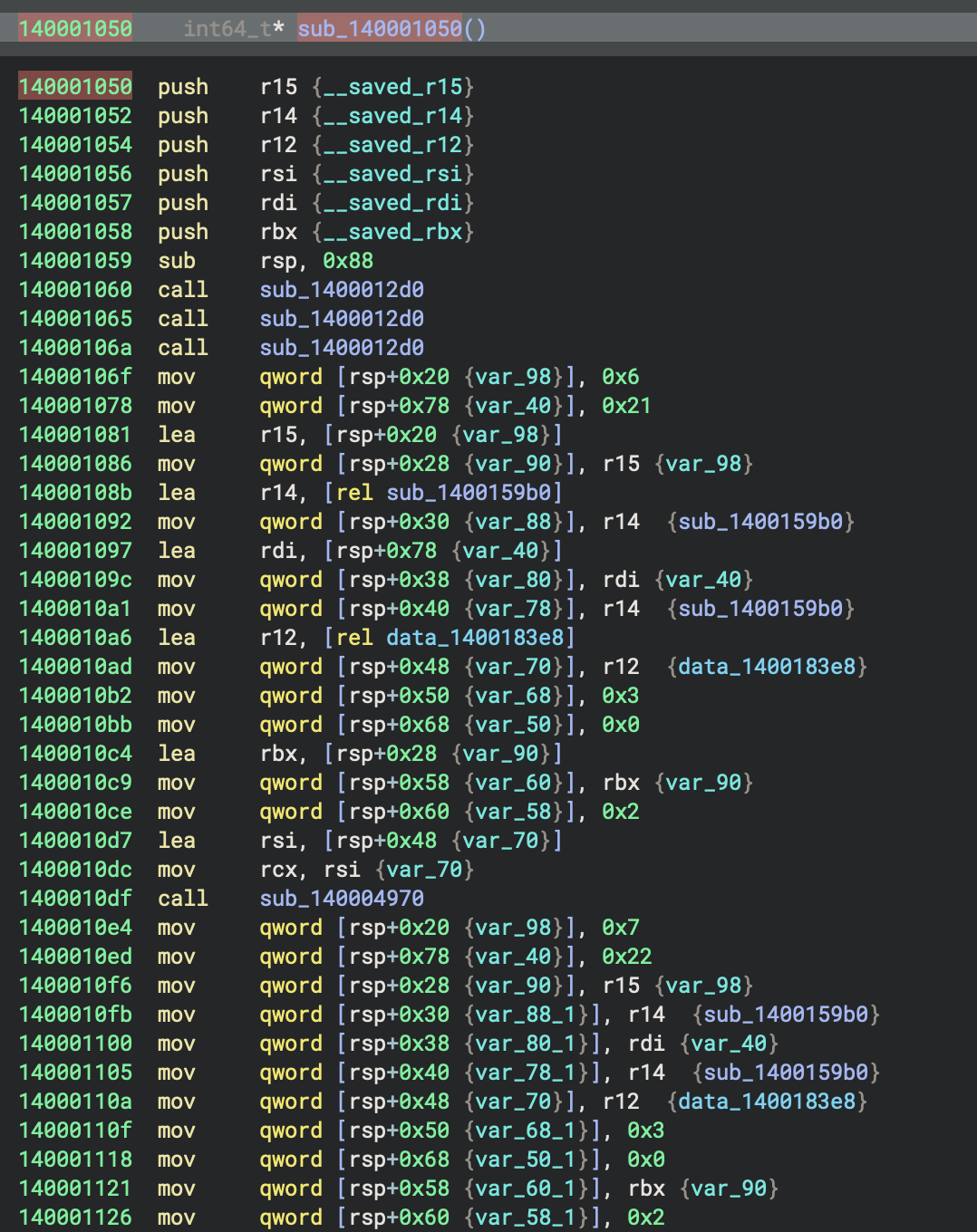
- This function,
mainat0x140001250, initialises a local pointer variable to the address ofsub_140001050, zeroes a local byte, and then callssub_140002e30, passing the address of the local pointer and a data address (data_140018350) - Its primary purpose is to set up and delegate execution to
sub_140002e30with prepared arguments.
HIL
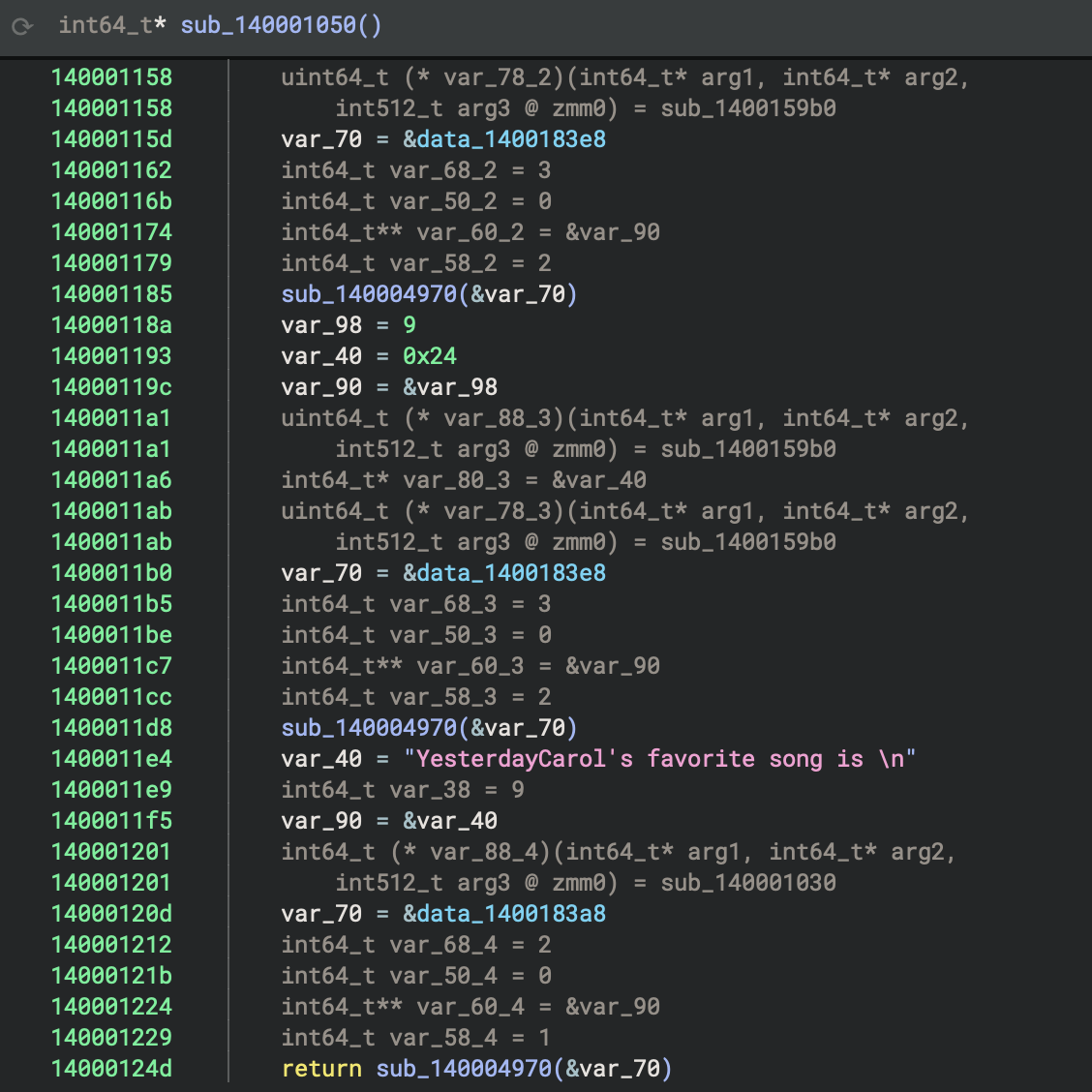 Disassembly
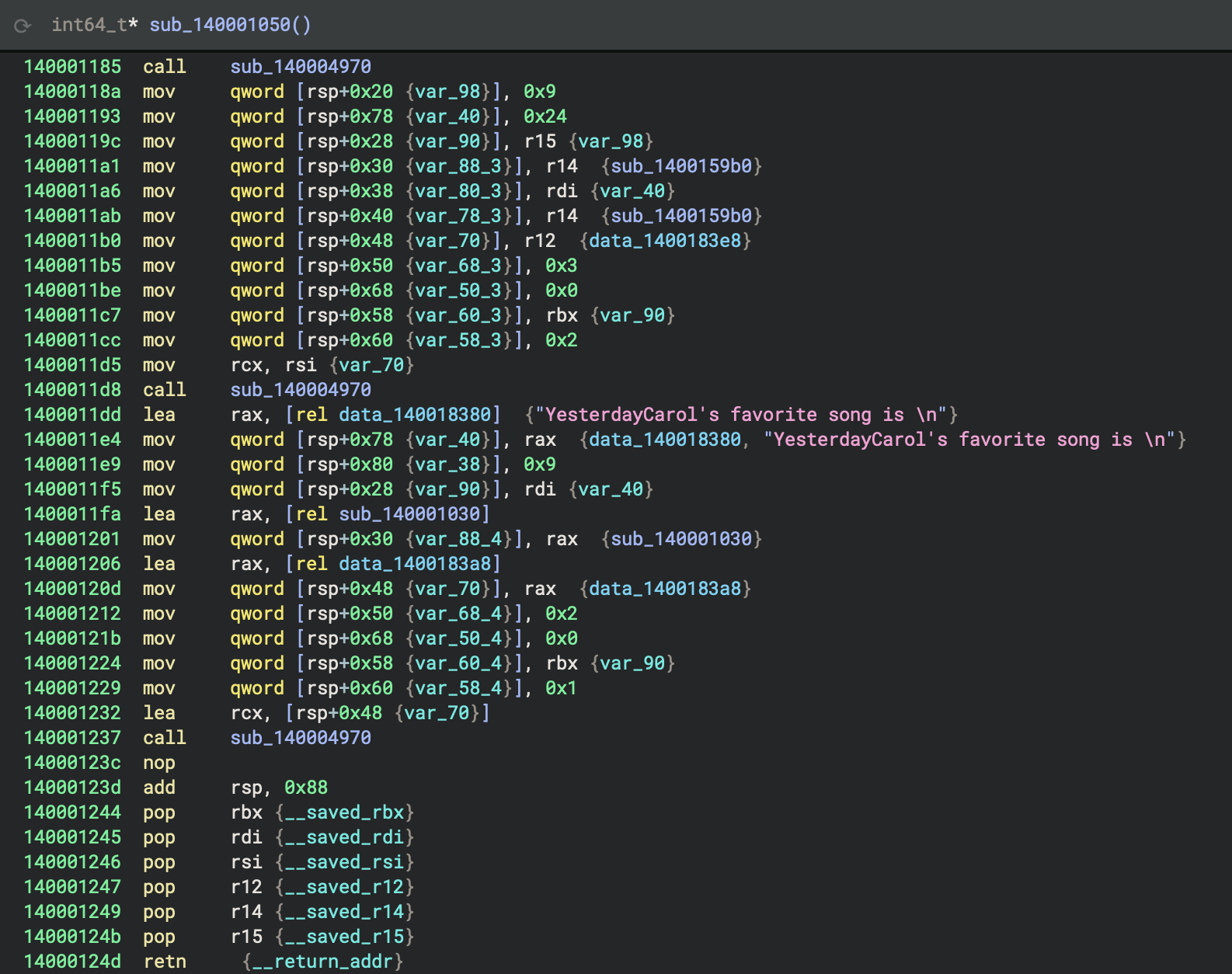
One address 140004970 keeps being called (3 times).
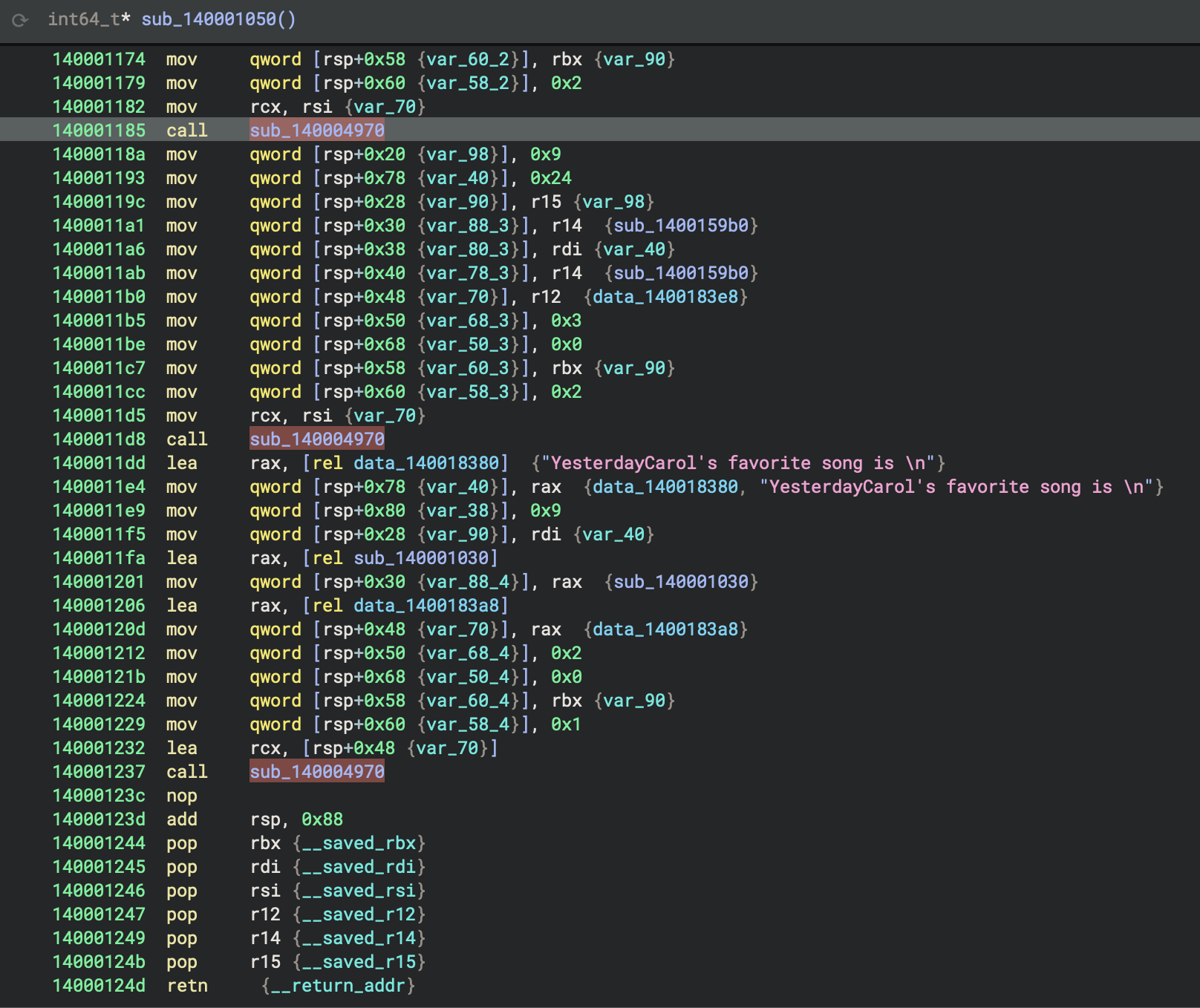
It’s from std library stdoutlibrary. Source code can be check on Rust repo \src\io\mod.rs.
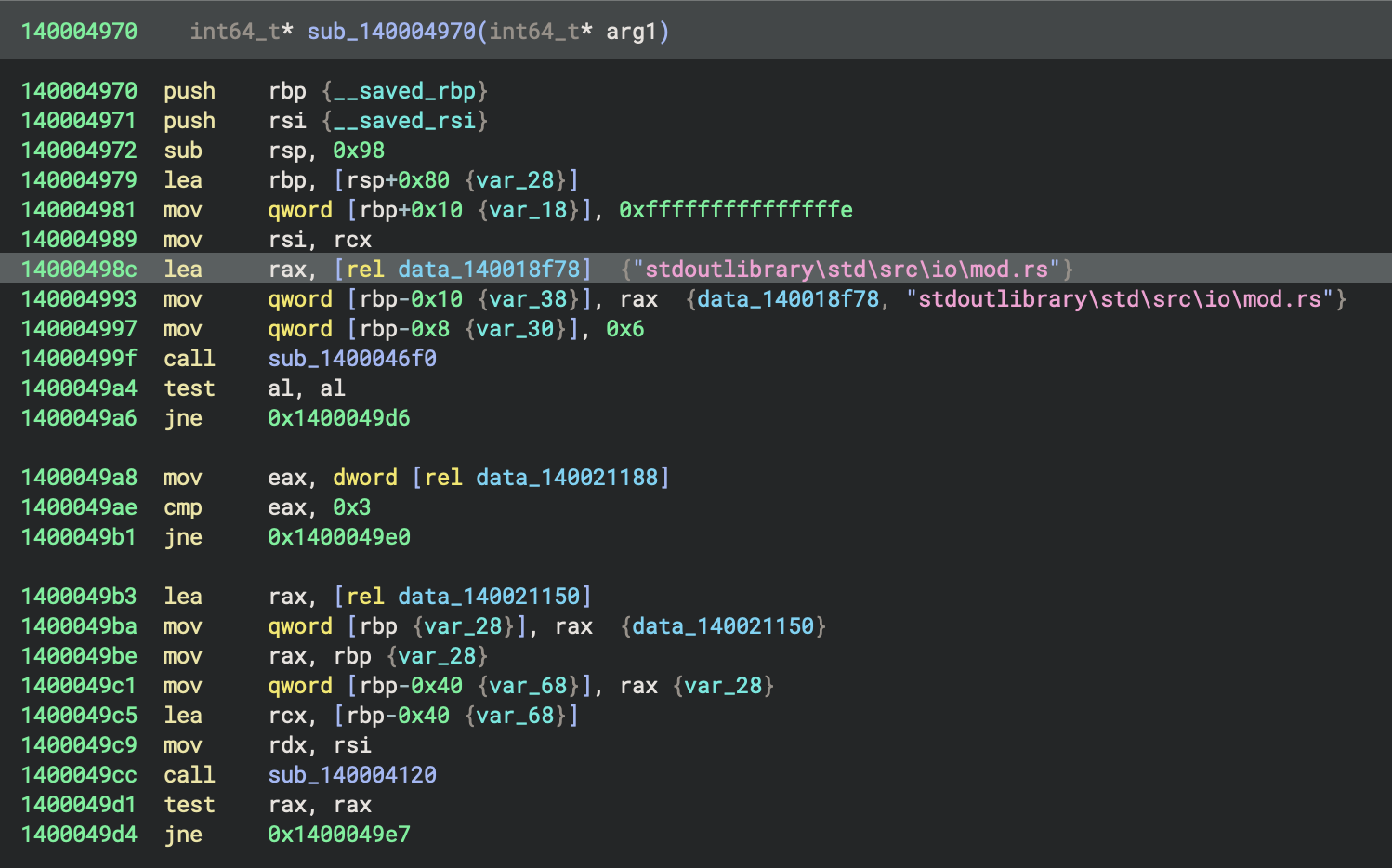

- The current function,
sub_140001050, prepares a series of stack variables and register values—setting up pointers, constants, and state—then calls another function (sub_140004970), and continues initialising more stack values - This pattern is performing structured setup or context initialisation, likely as part of a larger initialisation or dispatcher routine.
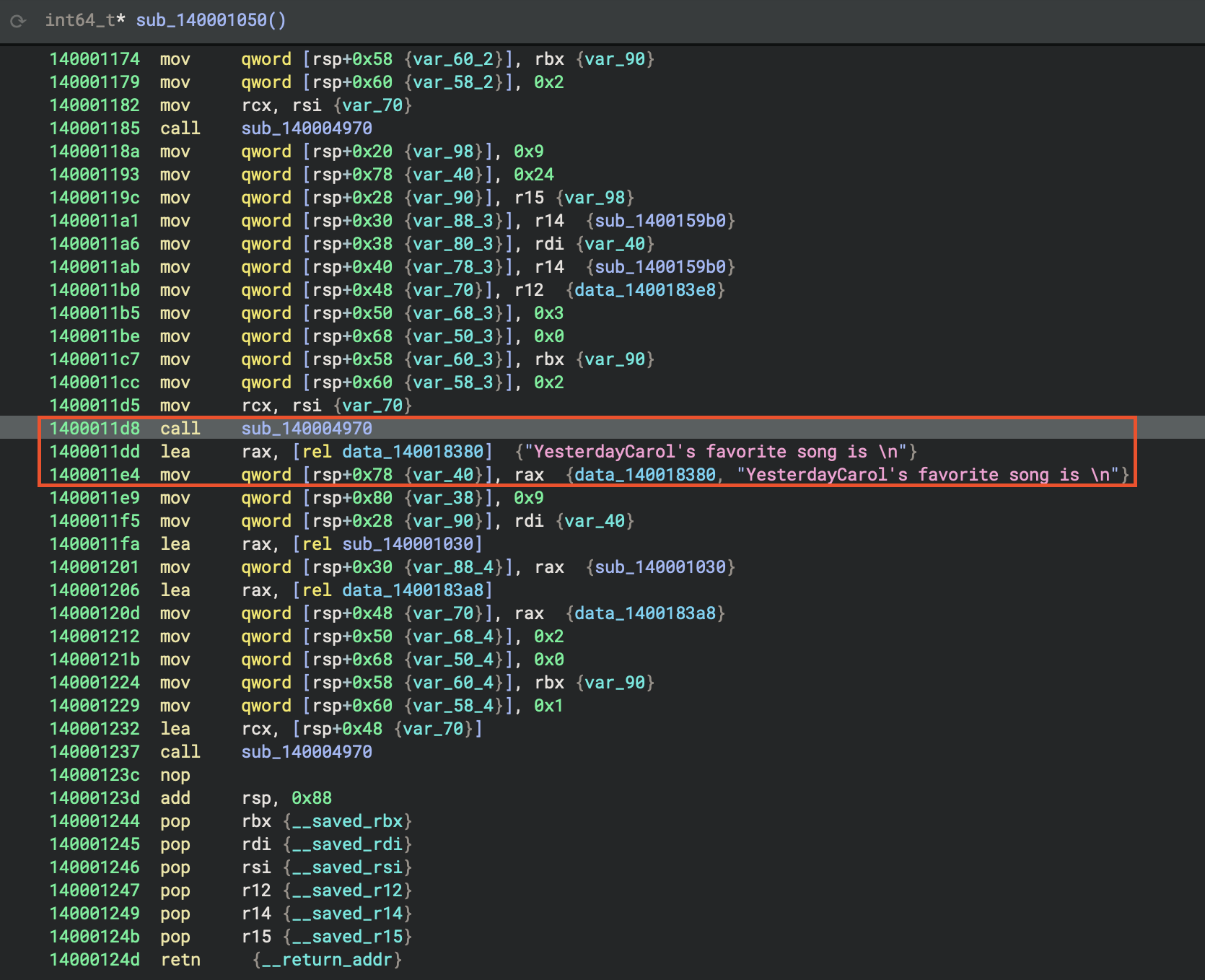
- To be clear, this actually the final printing result of this Rust program. During compilation, it has been calculated and inlined, part of the optimisation.
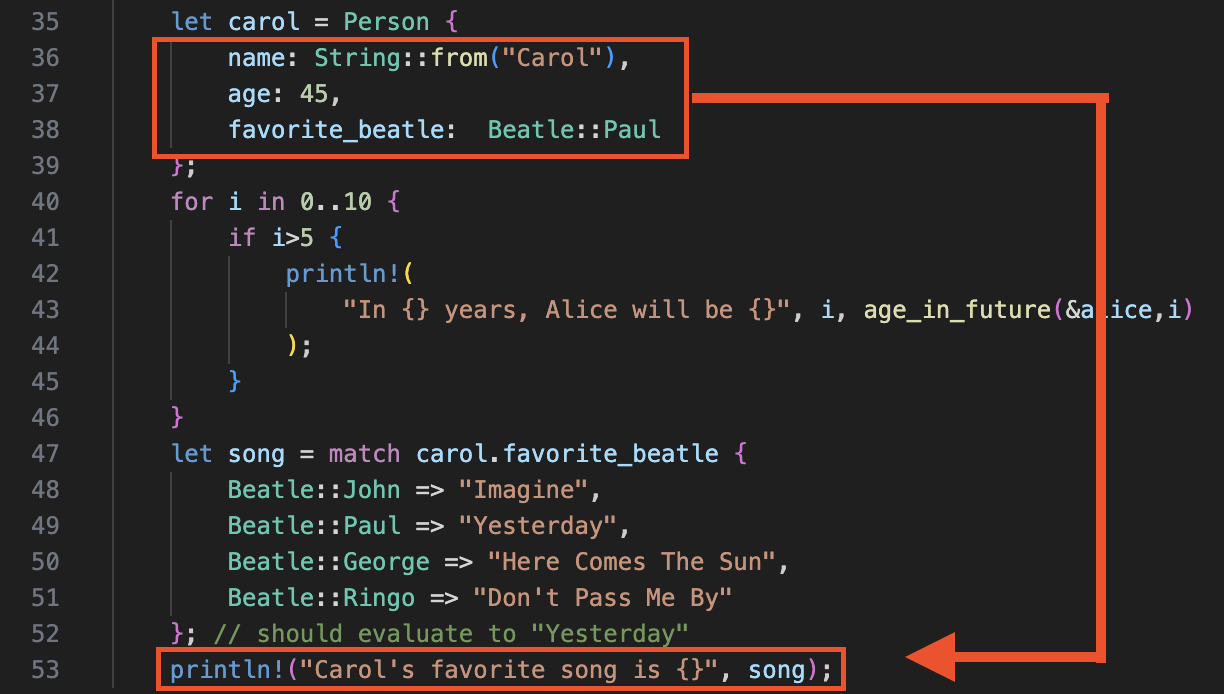
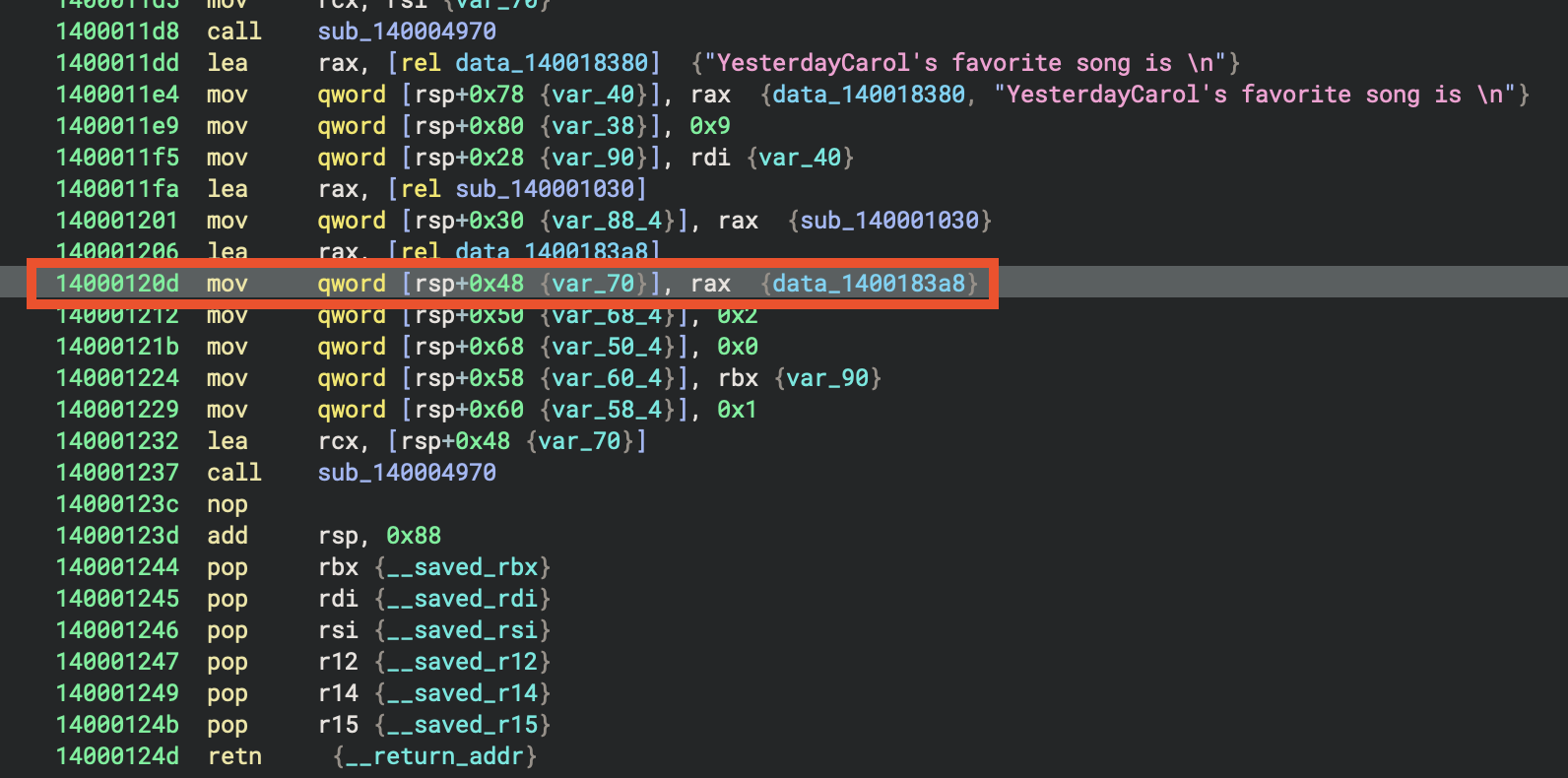
In sub_140001050, the function sub_140004970 is called three times in succession, each after setting up a similar but slightly modified group of local variables. This pattern indicates that sub_140004970 is being used to process or initialise three distinct but structurally related data sets—likely performing the same operation on each, such as initialising objects, filling tables, or configuring state blocks with different parameters. This is a common approach when handling arrays of structures or repeated setup tasks.
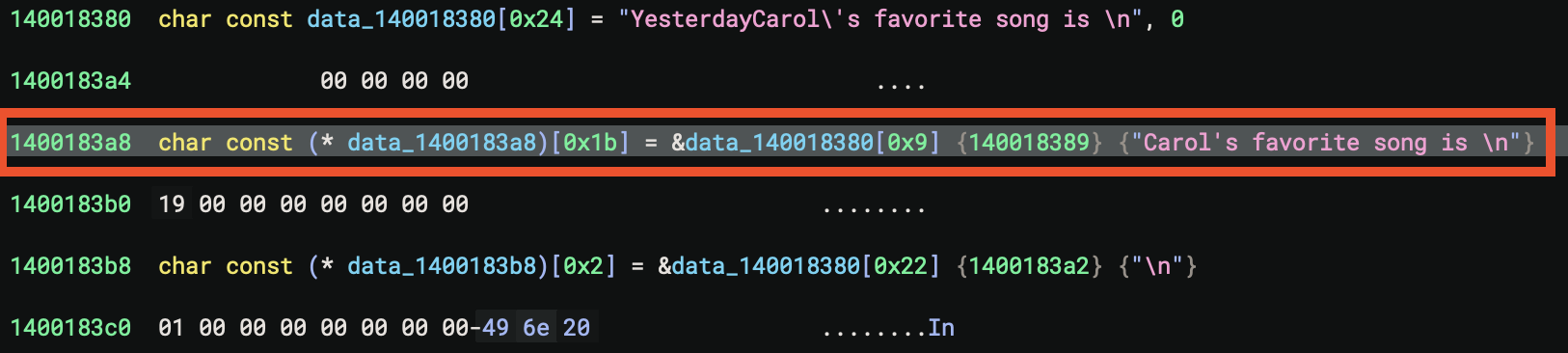
Key Addresses Found ⭐️
| Component | Address | Description |
|---|---|---|
| Rust Main Function | 0x140001050 |
The actual Rust main() implementation |
| Lang Start Wrapper | 0x140001250 |
Rust’s std::rt::lang_start - wraps main for panic handling |
| Entry Point | 0x140001000 |
CRT entry that eventually calls lang_start |
0. Lang Start Wrapper
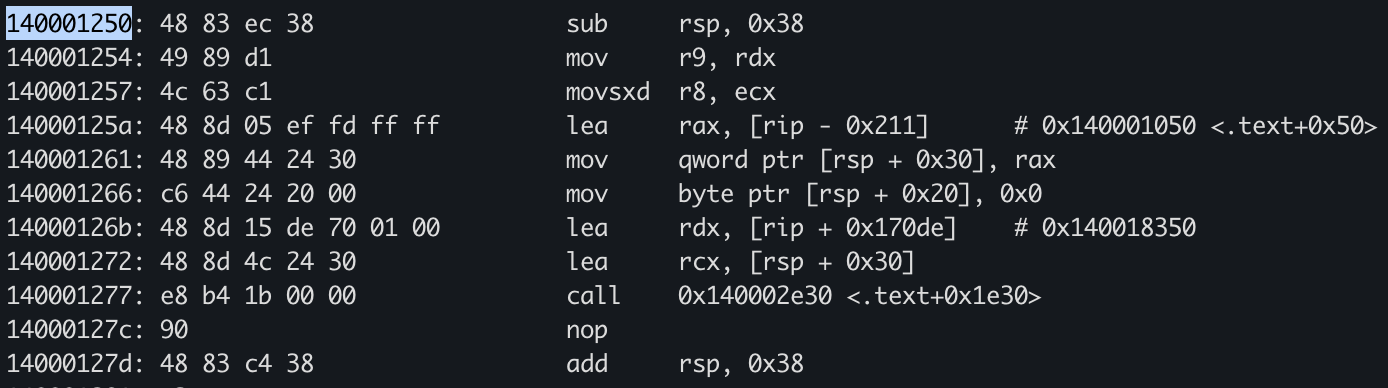
🔍 1. Entry Point Analysis
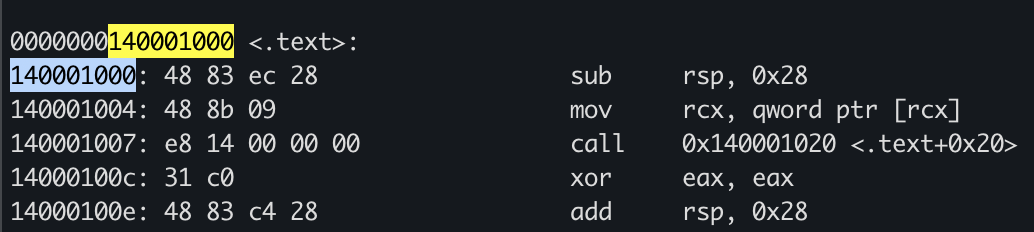
At 0x140001000 - CRT Entry
140001000: sub     rsp, 0x28          ; Allocate stack frame
140001004: mov     rcx, [rcx]         ; Get first arg (function pointer)
140001007: call    0x140001020        ; Call wrapper
14000100c: xor     eax, eax           ; return 0
14000100e: add     rsp, 0x28          ; Clean stack
140001012: ret
Purpose: This is the Windows CRT entry point that:
- Takes a function pointer as argument
- Calls it indirectly
- Returns 0 to the OS
🦀 2. Rust Main Function at 0x140001050
This is where your actual Rust code begins. Let’s map the assembly to the source:
Function Prologue
140001050: push    r15
140001052: push    r14
140001054: push    r12
140001056: push    rsi
140001057: push    rdi
140001058: push    rbx
140001059: sub     rsp, 0x88          ; Allocate 136 bytes stack space
Analysis: Saving callee-saved registers and allocating a large stack frame for local variables (Person structs).
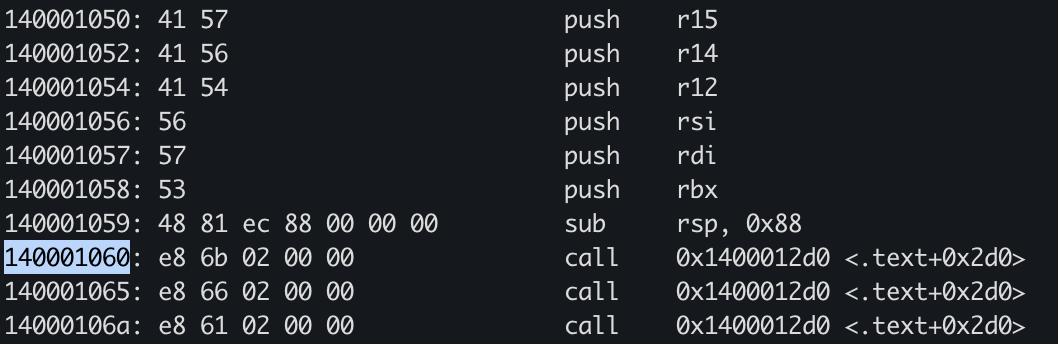
Section 1: String Allocations (Lines 60-63)
140001060: call    0x1400012d0        ; String::from("Alice")
140001065: call    0x1400012d0        ; String::from("Bob")
14000106a: call    0x1400012d0        ; String::from("Carol")
Rust Code Mapping:
let alice = Person {
    name: String::from("Alice"),    // <-- First call
    ...
};
let bob = Person {
    name: String::from("Bob"),      // <-- Second call
    ...
};
let carol = Person {
    name: String::from("Carol"),    // <-- Third call
    ...
};
Section 2: Loop Counter and Ages (Lines 64-65)

14000106f: mov     qword [rsp + 0x20], 0x6     ; Loop variable i = 6
140001078: mov     qword [rsp + 0x78], 0x21    ; Age value = 33 (0x21)
Analysis:
0x6= Loop counter starting at 6 (for i in 0..10, checking if i>5)0x21= 33 in decimal - this is likely the result ofage_in_future(&alice, 6)= 27 + 6
Section 3: Building Format Arguments

140001081: lea     r15, [rsp + 0x20]          ; Pointer to loop counter
140001086: mov     [rsp + 0x28], r15          ; Store in format args
14000108b: lea     r14, [rip + 0x1491e]       ; Load format string pointer
140001092: mov     [rsp + 0x30], r14          ; Store format string
Rust Code Mapping:
println!(
    "In {} years, Alice will be {}",
    i,                                  // <-- First arg (r15)
    age_in_future(&alice, i)           // <-- Second arg
);
Section 4: The Loop - Repeated println! Calls
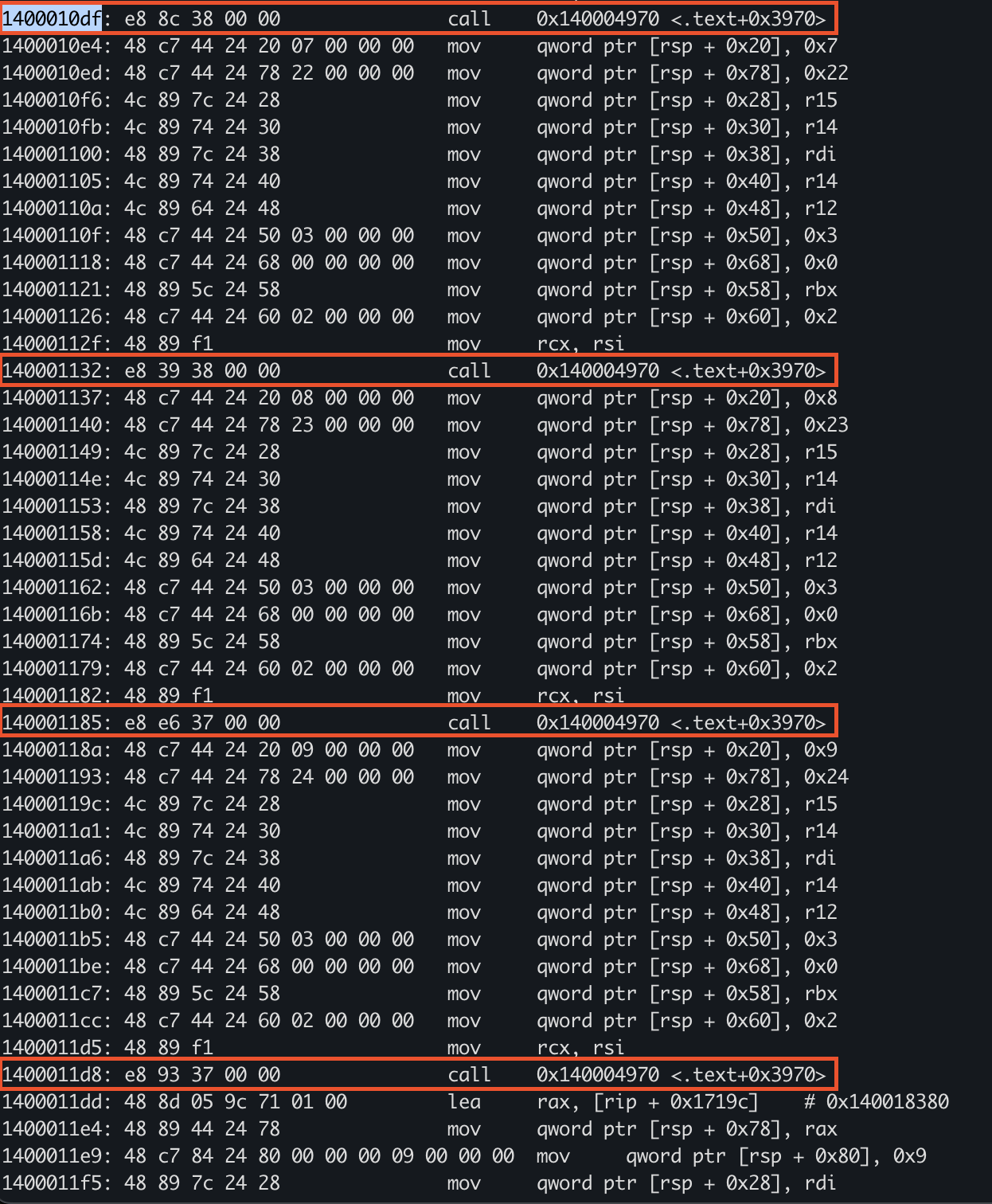
1400010df: call    0x140004970        ; println! for i=6
140001132: call    0x140004970        ; println! for i=7
140001185: call    0x140004970        ; println! for i=8
1400011d8: call    0x140004970        ; println! for i=9
Pattern Recognition: The compiler unrolled the loop for i in 0..10 { if i>5 { ... } }
- Each call has slightly different stack offsets
- Counter increments: 0x6 (6) → 0x7 (7) → 0x8 (8) → 0x9 (9)
- Ages calculated: 0x21 (33) → 0x22 (34) → 0x23 (35) → 0x24 (36)
Section 5: Match Expression for Carol’s Favorite Song

1400011dd: lea     rax, [rip + 0x1719c]       ; Load string "Yesterday"
1400011e4: mov     [rsp + 0x78], rax          ; Store result
1400011e9: mov     qword [rsp + 0x80], 0x9    ; String length = 9
Rust Code Mapping:
let song = match carol.favorite_beatle {
    Beatle::John => "Imagine",
    Beatle::Paul => "Yesterday",           // <-- Carol has Paul
    Beatle::George => "Here Comes The Sun",
    Beatle::Ringo => "Don't Pass Me By"
};
Analysis:
- The match was resolved at compile time! Carol’s favorite_beatle is
Beatle::Paul - The compiler optimised this to directly load “Yesterday” (9 bytes)
- ⭐️ No runtime branching needed
Section 6: Final println! Call
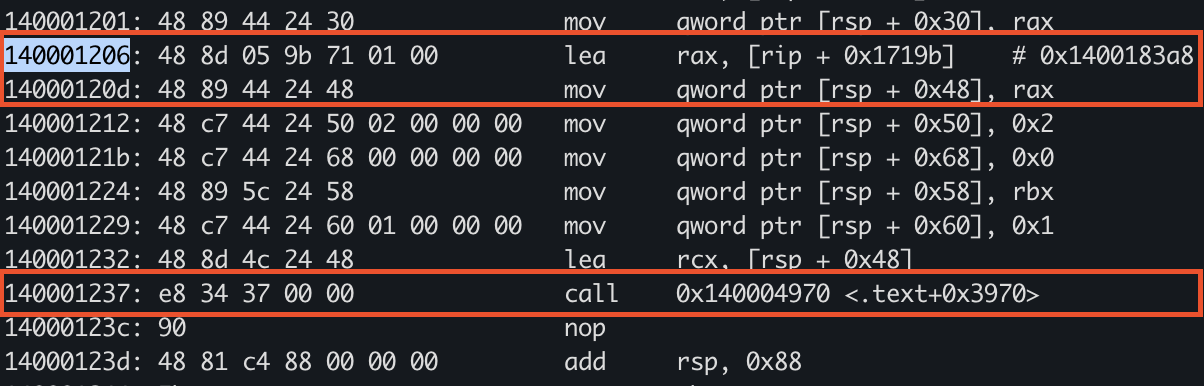
140001206: lea     rax, [rip + 0x1719b]       ; Format string pointer
14000120d: mov     [rsp + 0x48], rax
140001237: call    0x140004970                ; println! final call
Rust Code Mapping:
println!("Carol's favorite song is {}", song);
🔧 3. How to Reconstruct Rust Code from Disassembly
Step-by-Step Methodology
Step 1: Find the Entry Points
- Look for the Rust main at addresses that:
- Have multiple
pushinstructions saving registers - Call functions repeatedly (string allocations, println!)
- Have large stack allocations (0x80+)
- Have multiple
- In this binary:
- Rust main:
0x140001050 - Lang start wrapper:
0x140001250
- Rust main:
Step 2: Identify Rust Standard Library Calls
| Pattern | Likely Rust Function |
|---|---|
call followed by string data |
String::from() |
Multiple lea + struct building |
Format args for println!() |
lea loading pointers to stack |
Reference passing (&var) |
| Repeated similar call sequences | Loop unrolling |
Step 3: Recognie Rust-Specific Patterns
A. String Allocation Pattern
call    0x1400012d0    ; String::from() or similar allocator
lea     rax, [rip + offset]  ; Load string data pointer
mov     [dest], rax    ; Store in struct
B. println! Macro Pattern
; Build argument array on stack
lea     r15, [rsp + arg1_offset]
mov     [rsp + array_slot_1], r15
lea     r14, [rip + format_string]
mov     [rsp + array_slot_2], r14
mov     qword [rsp + count], 0x2    ; 2 arguments
call    <println_function>
C. Match Expression Optimization
When you see direct loads without branches:
lea rax, [rip + string_data] ; Direct load = compile-time optimization
This indicates the match was resolved at compile time.
D. Loop Unrolling
Repeated code blocks with incrementing values:
mov     [rsp + x], 0x6
call    function
mov     [rsp + x], 0x7
call    function
mov     [rsp + x], 0x8
call    function
Step 4: Reconstruct Data Structures
Person Struct Layout
Based on the assembly, we can infer:
struct Person {
    name: String,           // Offset +0x00 (ptr, len, cap = 24 bytes)
    age: i64,              // Offset +0x18 (8 bytes)
    favorite_beatle: Beatle // Offset +0x20 (1-4 bytes, enum discriminant)
}
Beatle Enum
enum Beatle {
    John = 0,
    Paul = 1,    // Carol has this value
    George = 2,
    Ringo = 3
}
Step 5: Identify Constants
Look for immediate values loaded into memory:
mov     qword [rsp + offset], 0x1b    ; 27 decimal = ALICE_AGE
mov     qword [rsp + offset], 0x47    ; 71 decimal = Bob's age
mov     qword [rsp + offset], 0x2d    ; 45 decimal = Carol's age
🎯 4. Key Insights for Rust Reversing
Release Mode Optimizations You’ll See
- Loop Unrolling: Small loops (0..10) are completely unrolled
- Constant Folding:
age_in_future(&alice, 6)computed at compile time → 33 - Match Optimization: Match expressions with known values become direct loads
- Inlining: Small functions like
age_in_futureare inlined - Dead Code Elimination: Unused enum variants may not appear
Differences from C++ Disassembly
| Feature | C++ | Rust |
|---|---|---|
| Name Mangling | ?func@@YA... |
Human-readable or _ZN... |
| Error Handling | Exceptions (SEH) | Result<T,E> / panic! (simpler) |
| VTables | Common for polymorphism | Only for trait objects |
| Memory Management | Manual/RAII | Ownership (borrow checker) |
| String Handling | char*/std::string | String/&str (UTF-8 validated) |
🔍 5. Finding Hidden Information
Locating String Data
Search for UTF-8 strings in data sections:
strings binary.exe | grep -i "alice\|yesterday"
Finding Format Strings
Look for patterns like:
"In {} years""Carol's favorite song is {}"
These appear as RIP-relative loads:
lea rax, [rip + 0x1491e] # Points to format string
📊 6. Complete Reconstruction
Based on the disassembly analysis, here’s the reconstructed code:
enum Beatle {
    John,
    Paul,
    George,
    Ringo
}

struct Person {
    name: String,
    age: i64,
    favorite_beatle: Beatle
}

mod constants {
    pub const ALICE_AGE: i64 = 27;
}

fn age_in_future(p: &Person, years: i64) -> i64 {
    p.age + years
}

fn main() {
    // Three String::from calls @ 0x140001060-0x14000106a
    let alice = Person {
        name: String::from("Alice"),
        age: constants::ALICE_AGE,
        favorite_beatle: Beatle::George
    };

    let bob = Person {
        name: String::from("Bob"),
        age: 71,
        favorite_beatle: Beatle::Ringo
    };

    let carol = Person {
        name: String::from("Carol"),
        age: 45,
        favorite_beatle: Beatle::Paul
    };

    // Unrolled loop @ 0x1400010df-0x1400011d8
    for i in 0..10 {
        if i > 5 {
            println!(
                "In {} years, Alice will be {}",
                i,
                age_in_future(&alice, i)
            );
        }
    }

    // Match optimized away @ 0x1400011dd
    let song = match carol.favorite_beatle {
        Beatle::John => "Imagine",
        Beatle::Paul => "Yesterday",
        Beatle::George => "Here Comes The Sun",
        Beatle::Ringo => "Don't Pass Me By"
    };

    // Final println @ 0x140001237
    println!("Carol's favorite song is {}", song);
}
🛠️ 7. Tools & Techniques
Recommended Tools
- Binary Ninja - Best for Rust with HLIL view
- IDA Pro - Good Rust support with plugins
- Ghidra - Free, improving Rust support
- Cutter (Rizin) - Open source alternative
Binary Ninja Tips
- Use HLIL (High Level IL) for cleaner view
- Look for function call patterns
- Follow data cross-references (Xrefs)
- Use the decompiler to identify struct layouts
Pattern Recognition
- Consecutive calls = Multiple operations (String allocations)
- RIP-relative LEAs = Loading constants/strings
- Stack slot reuse = Temporary values/arguments
- No jumps in main = Heavy optimization/inlining
Summary
Main Function Address: 0x140001050
Key Findings:
- Loop unrolled completely (4 println! calls)
- Match expression optimized to direct string load
- Age calculations done at compile time
- Three String allocations at the start
- No actual loop or match branching in final binary
📚 Further Reading
- Rust Internals: How the compiler optimizes code
- LLVM IR: Understanding the optimization pipeline
- MIR (Mid-level IR): Rust’s intermediate representation
- Calling Conventions: x64 Windows ABI (rcx, rdx, r8, r9)
References
- Technical References and Validation - Authoritative sources validating technical claims made in the runtime initialization analysis
- Project source: 01-basic_pl_concepts
- Rust reference: The Rust Reference
- Binary samples:
datasets/Benign-Samples/01-basic-pl-concepts/